The invoice note feature allows you to add a short message to an invoice before sending it to a customer. It helps you share extra information, such as delivery details, payment instructions, or a simple note, all in one place on the invoice.
Invoice notes help you communicate clearly with customers without sending extra messages. They save time, reduce confusion, and make your invoices more professional. By adding important details upfront, you can set clear expectations and avoid follow-up questions or mistakes.
To set up invoice note: simply follow these steps:
- Log in to your mobile app
- Click on Orders
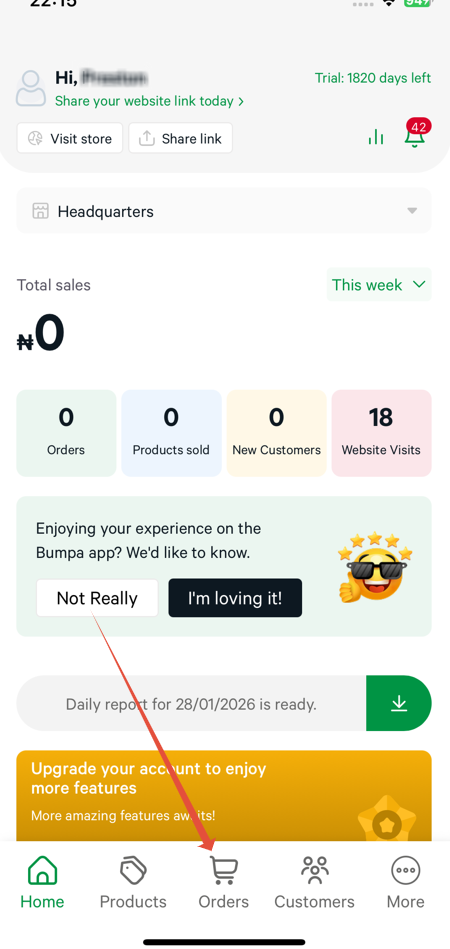
- Click on the menu bar at the top
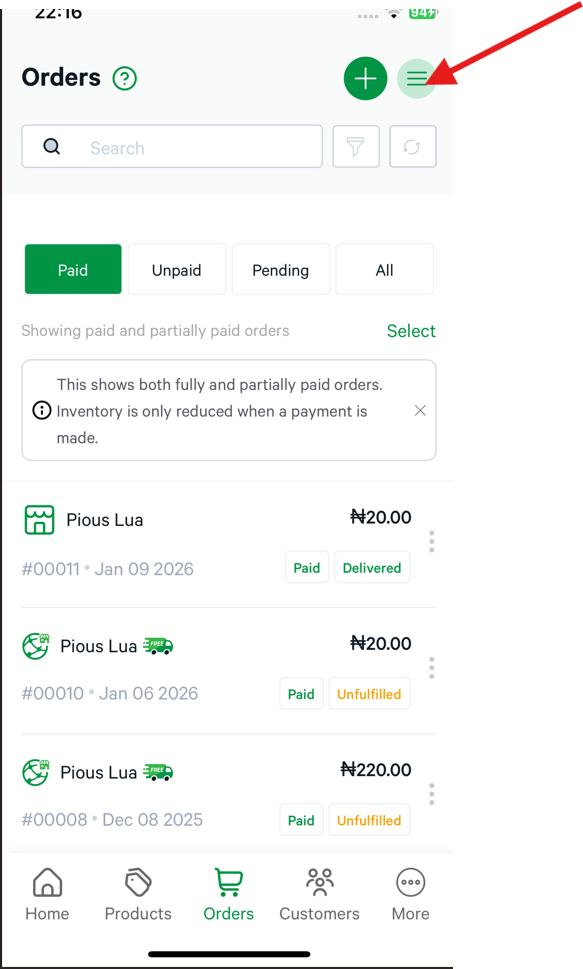
- Click on invoice note
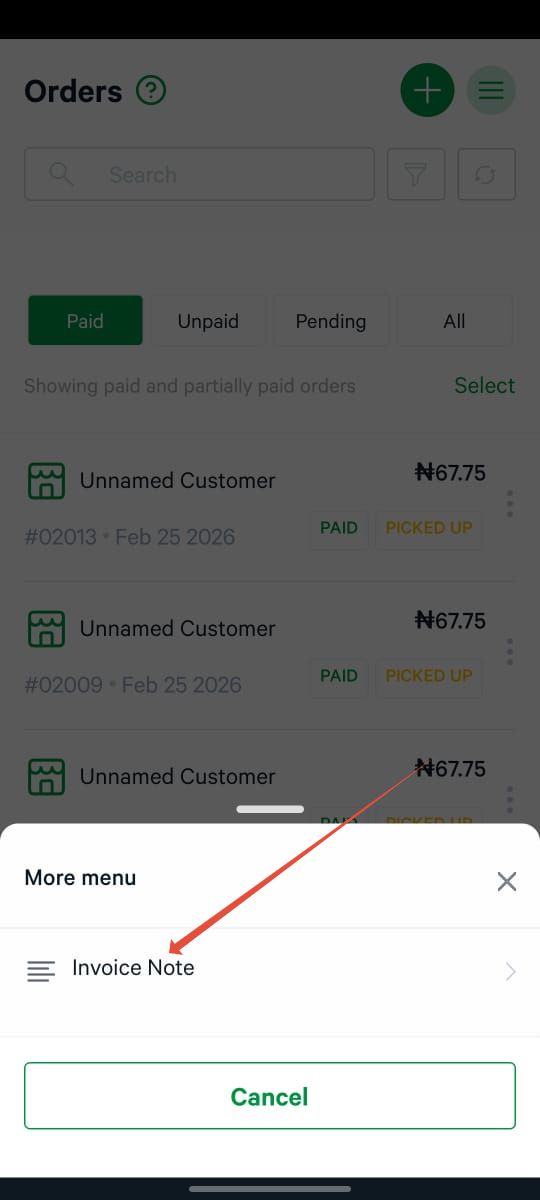
- Click on the plus sign to add invoice notes.
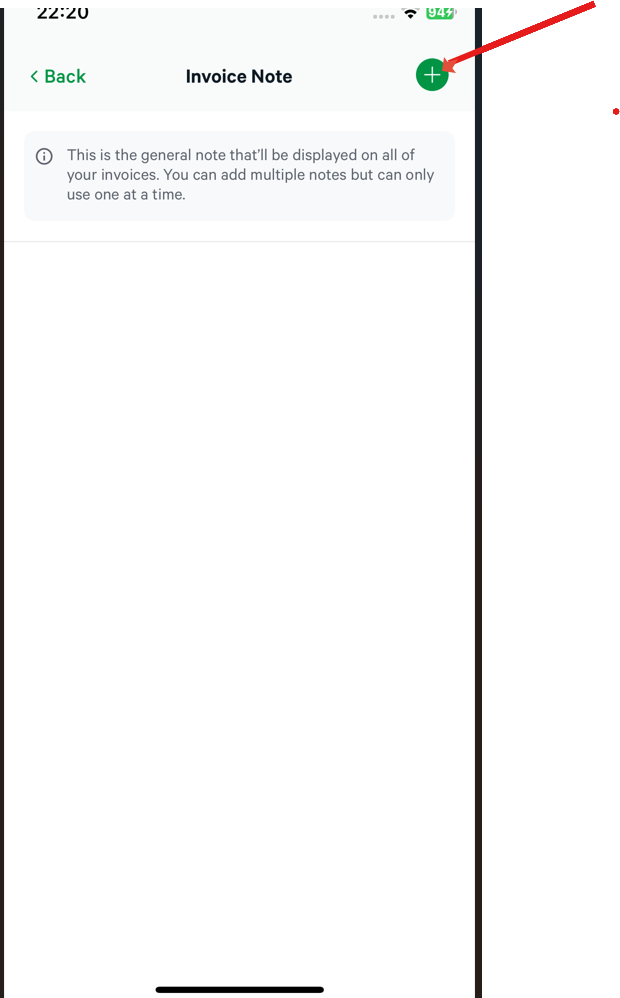
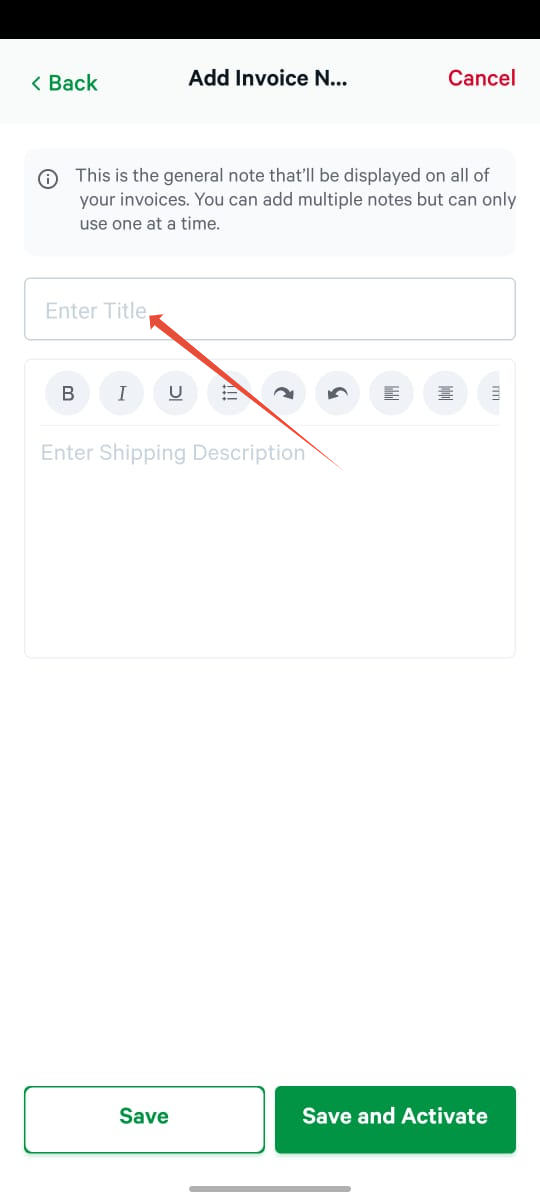
- Enter Title
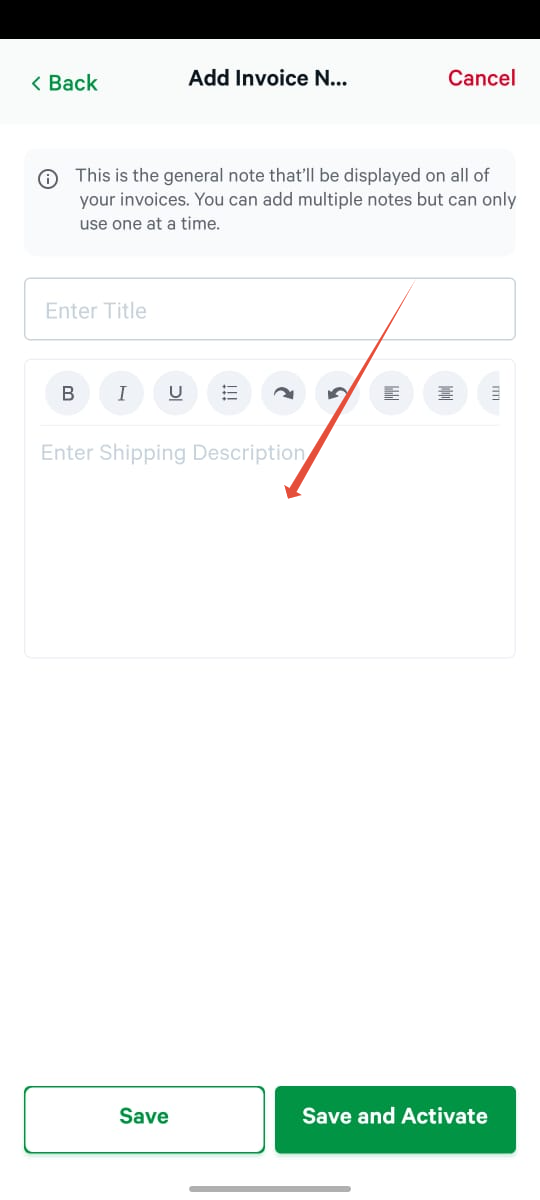
- Input the note
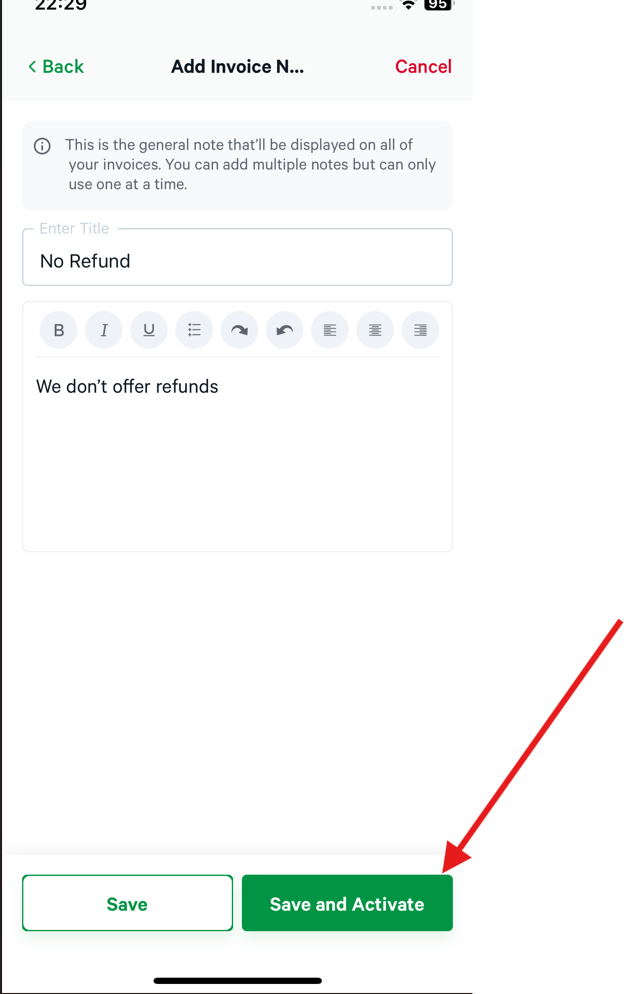
- Click on Save and activate
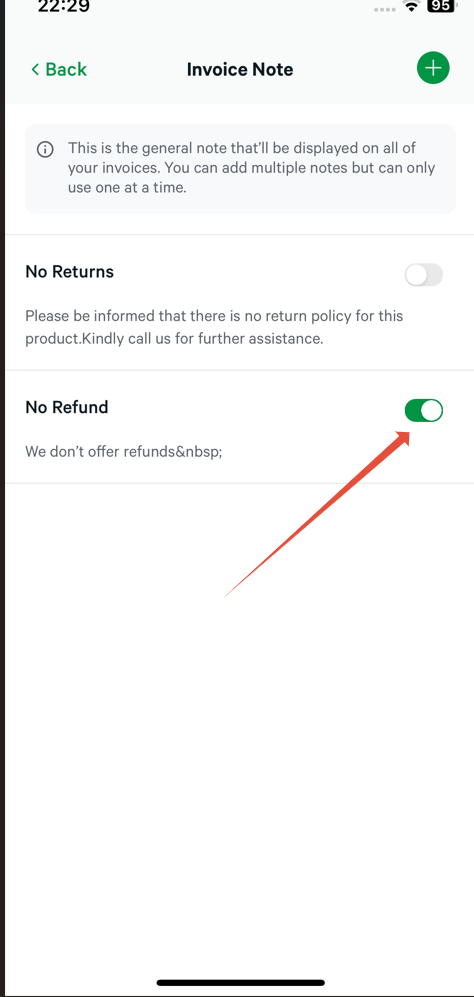
Kindly note that you can add multiple notes, but can only use one at a time.
- To select the note to use, toggle on the specific note.
If you have any issues, kindly contact Bumpa Support through the In-app chat or Email: [email protected]Was this article helpful?
That’s Great!
Thank you for your feedback
Sorry! We couldn't be helpful
Thank you for your feedback
Feedback sent
We appreciate your effort and will try to fix the article