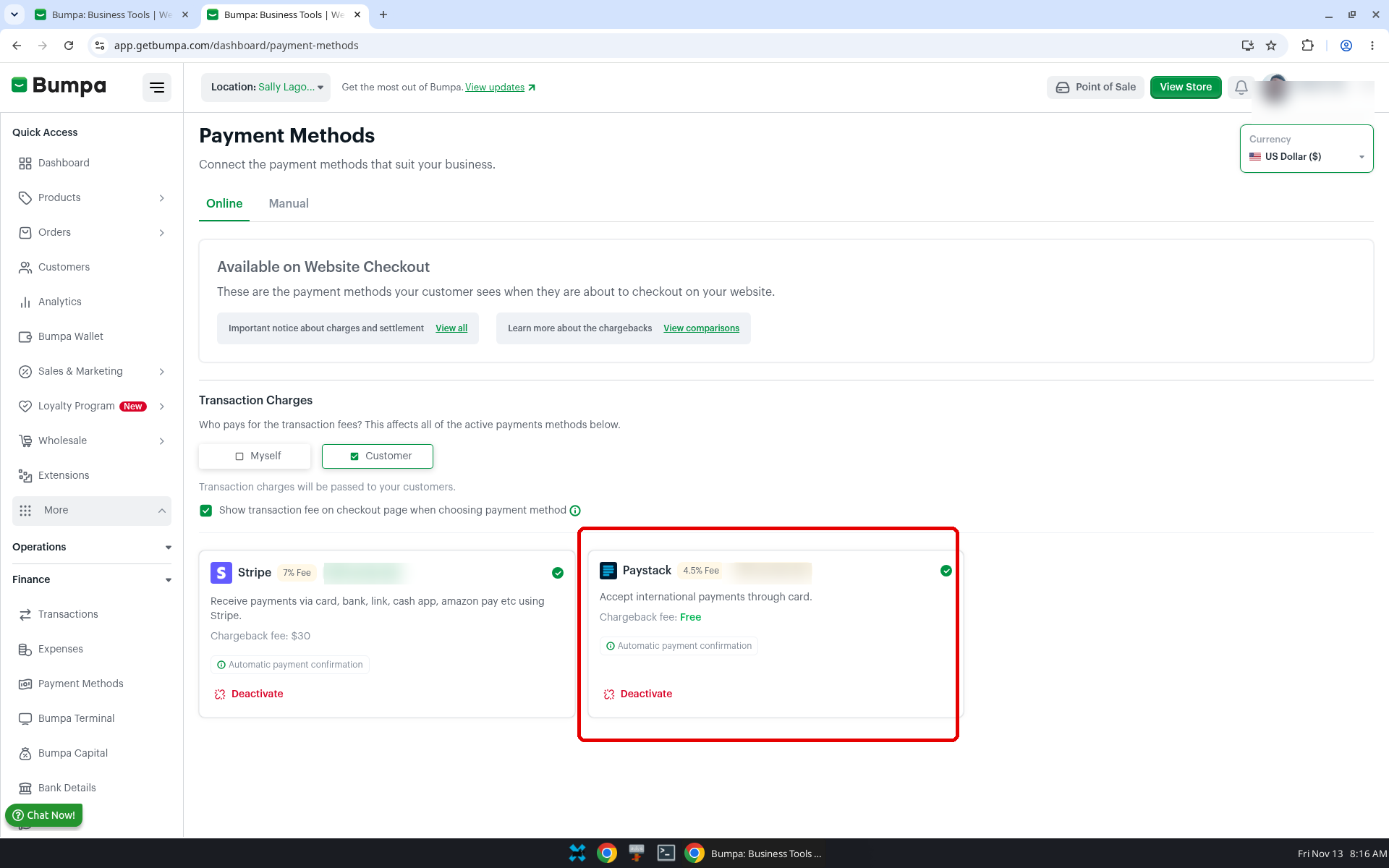
You can now accept international card payments through Paystack when your Bumpa website currency is set to US Dollars ($) or British Pounds (£). The applicable transaction fee is 4.5% for USD and 5.5% for GBP, with no chargeback fee and automatic payment confirmation for both currencies. Paystack currently supports Mastercard and AMEX, with Visa coming soon. In this guide, we'll show you how to switch your website currency and review the available Paystack payment options and fees.
To get started:
Log in to your Bumpa dashboard via app.getbumpa.com.
Click More, then Finance, then Payment Methods.
Click on the Online tab
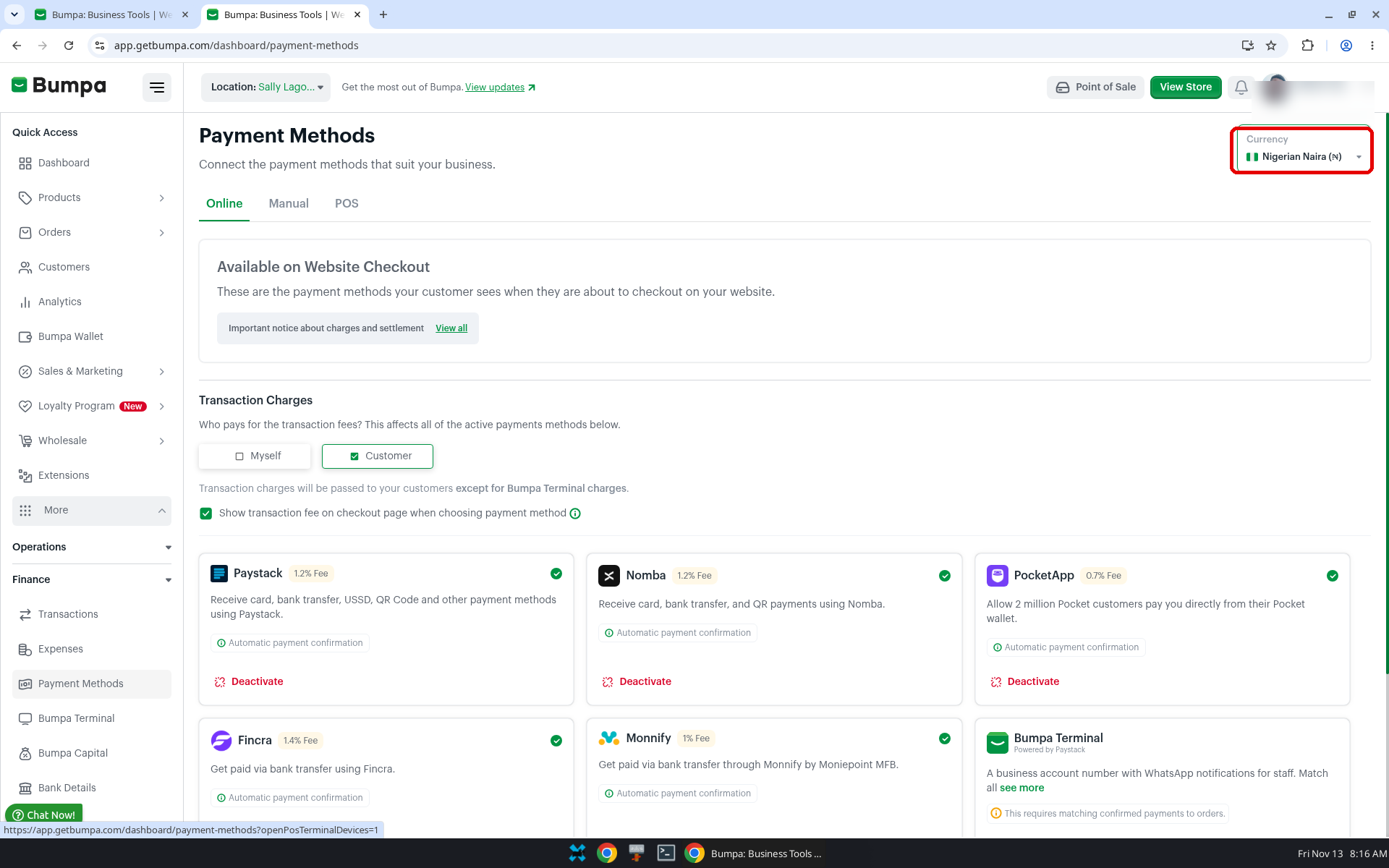
- Click the Currency dropdown.
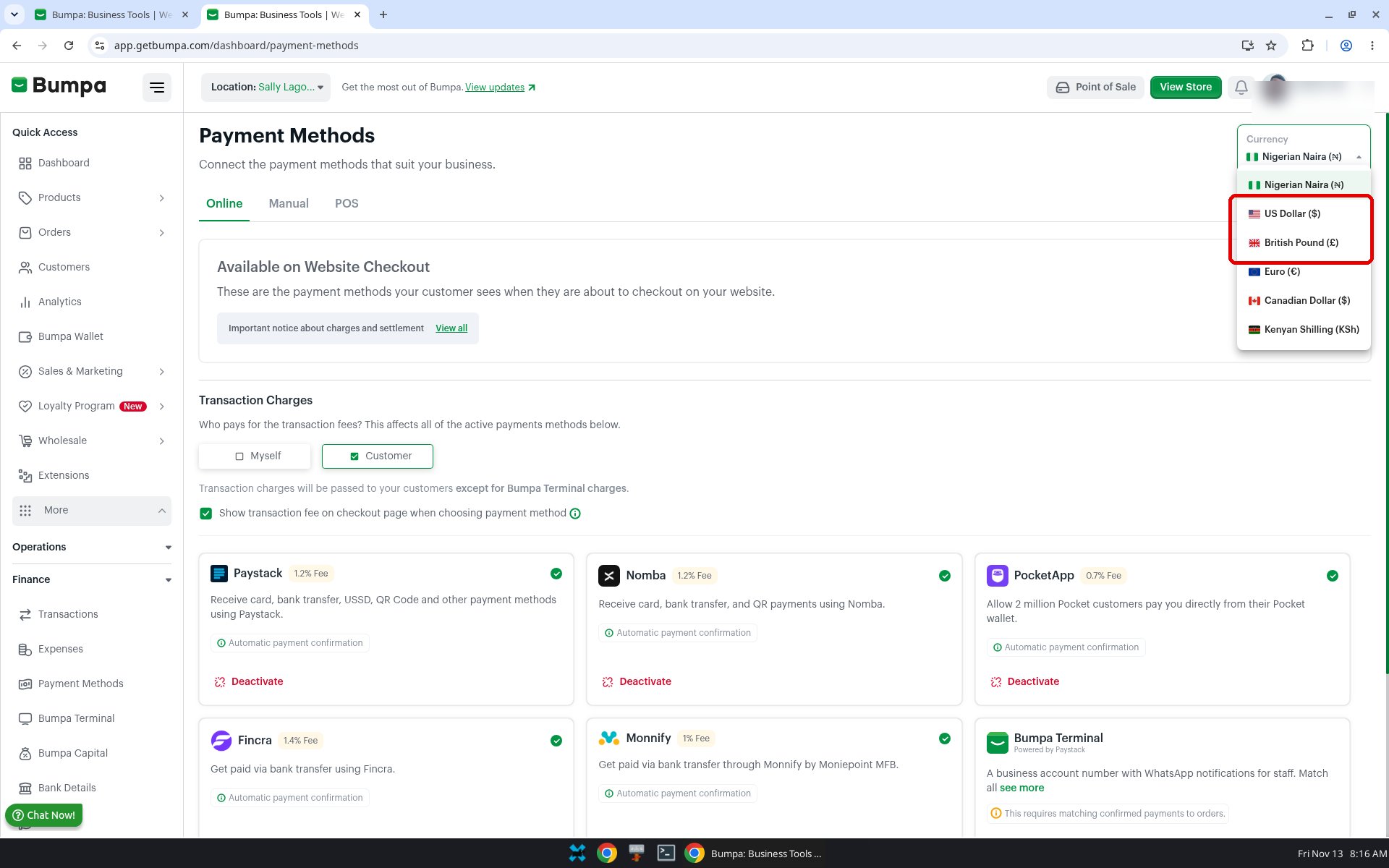
Select US Dollar ($) or British Pound (£).
Note: Transaction Charges has two choices, Myself and Customer. The page asks "Who pays for the transaction fees? This affects all of the active payments methods below." When Customer is selected, the page says "Transaction charges will be passed to your customers." There is also a checkbox: "Show transaction fee on checkout page when choosing payment method."
- To activate
Click on the Paystack card, review the transaction charges and activate
Related articles:
Setting Transaction Charge Options,
How to set up international payments on Bumpa.
Was this article helpful?
That’s Great!
Thank you for your feedback
Sorry! We couldn't be helpful
Thank you for your feedback
Feedback sent
We appreciate your effort and will try to fix the article