If you’ve forgotten your Bumpa Wallet PIN or want to update it for security reasons, you can easily reset it through the app. This guide will walk you through the step-by-step process to securely create a new PIN and regain access to your wallet without any hassle.
To reset your pin, simply follow these steps
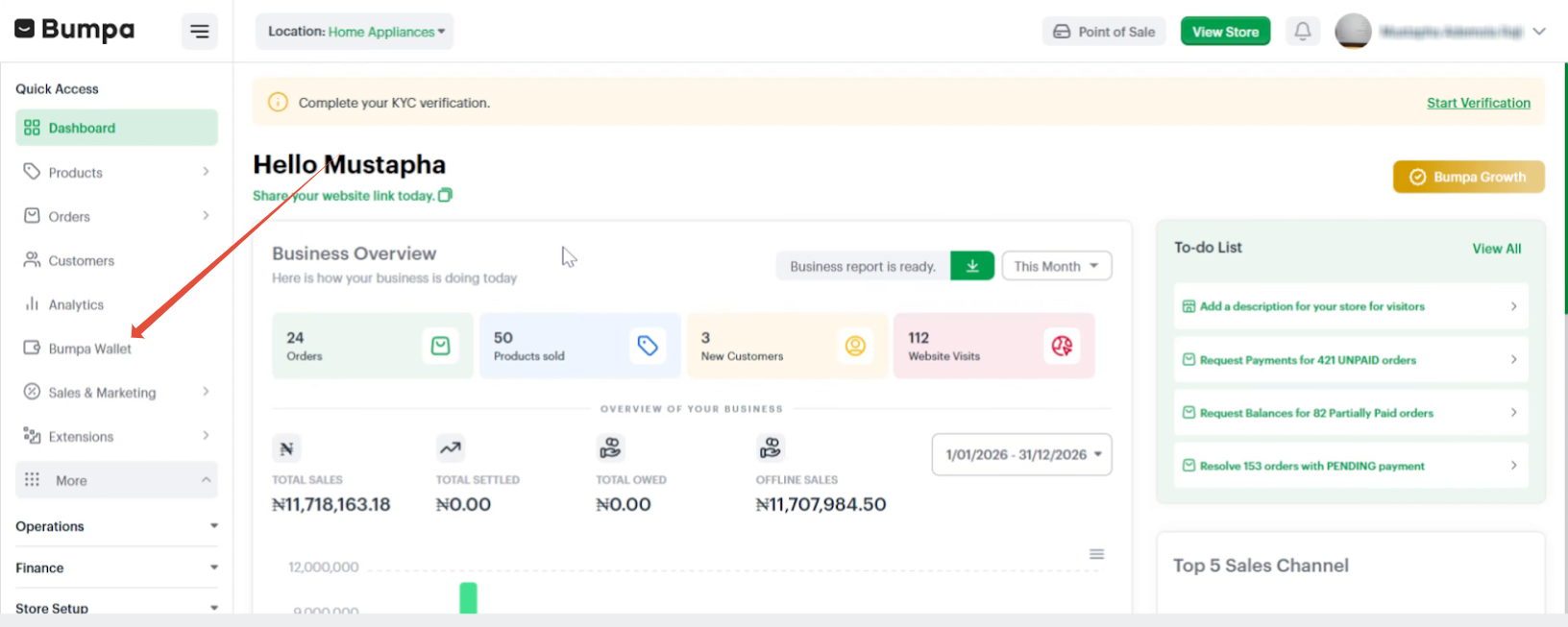
- Access the Bumpa Wallet from your Dashboard
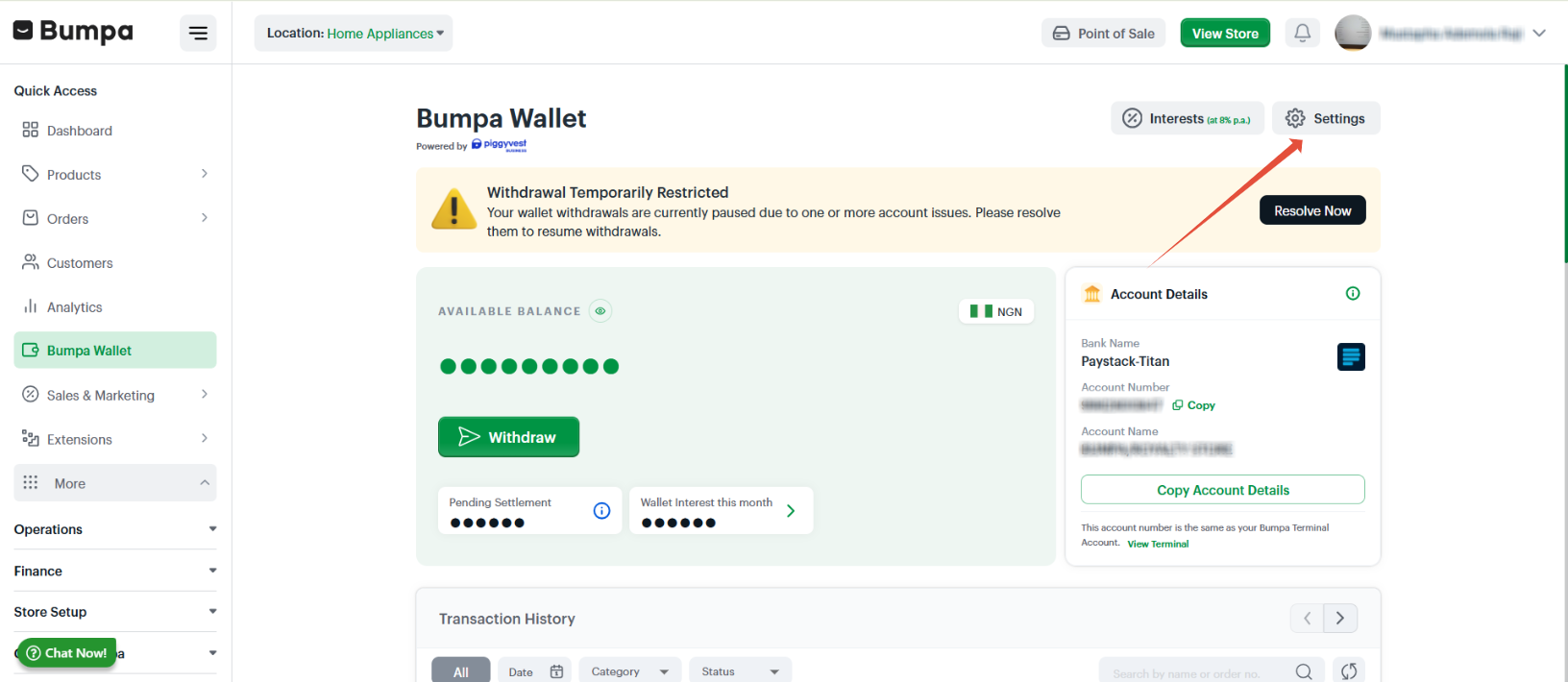
- Click on Settings
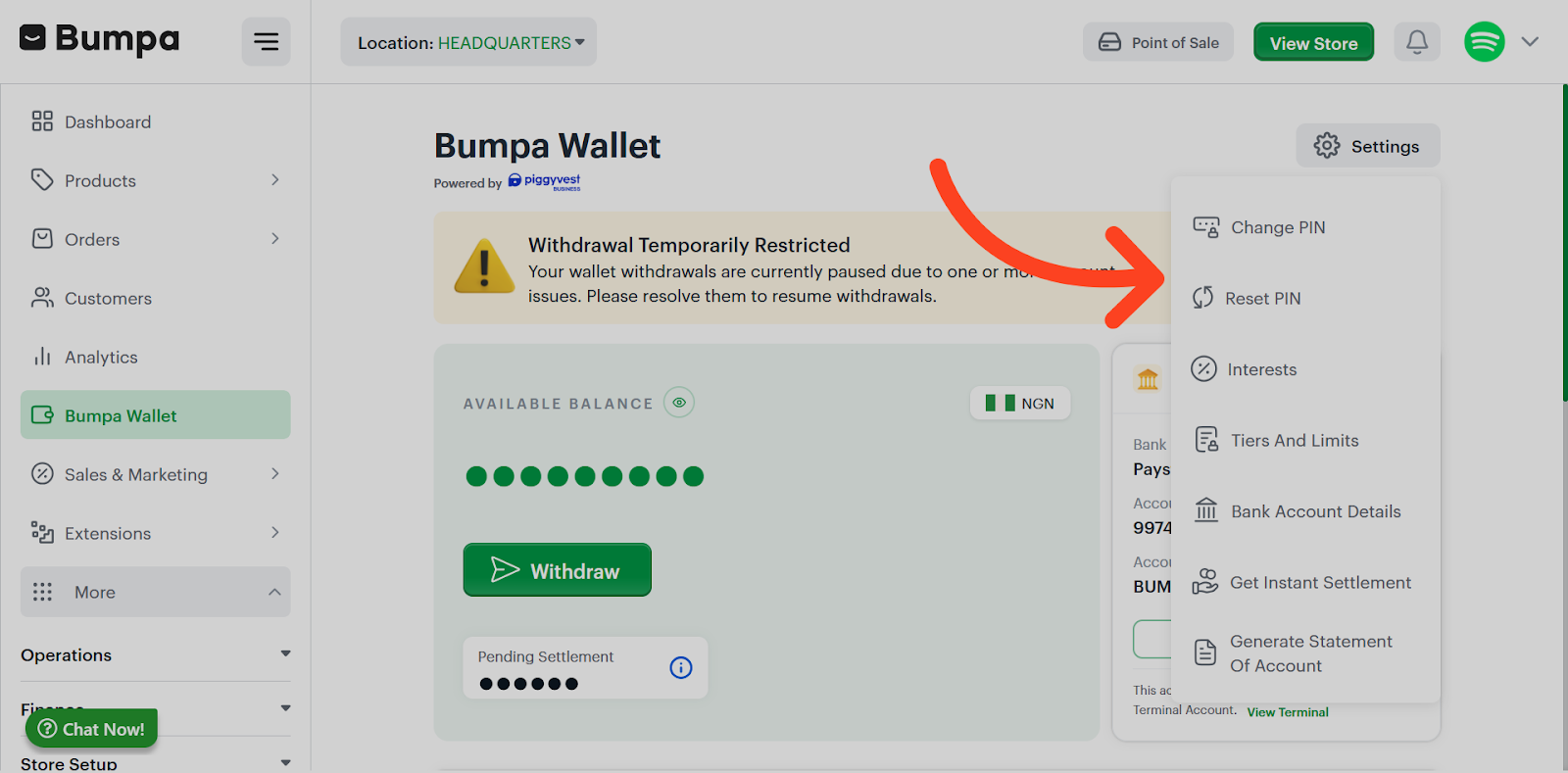
- Tap Reset Wallet PIN
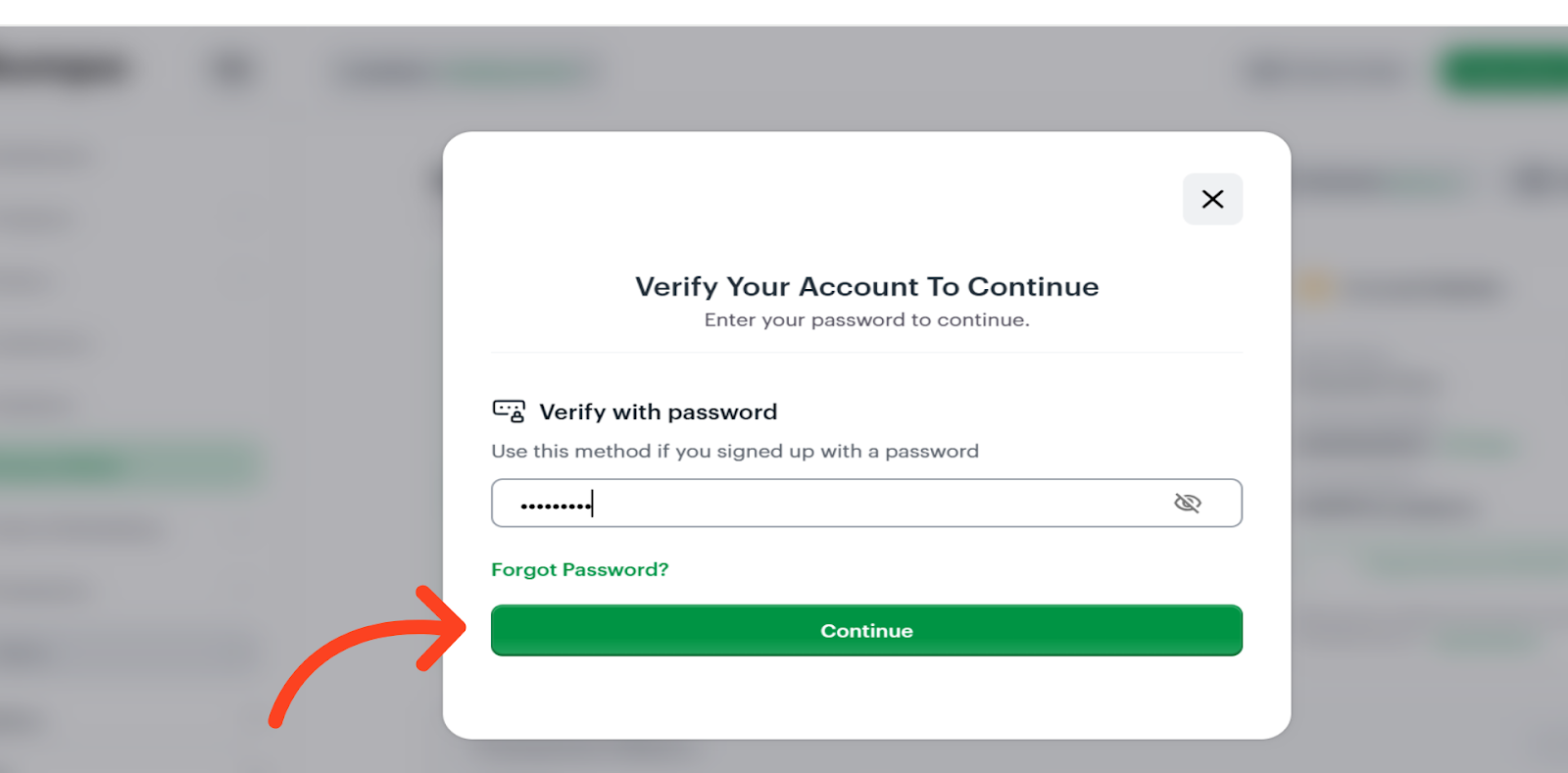
- To proceed with resetting your PIN, please verify your account by entering your password.
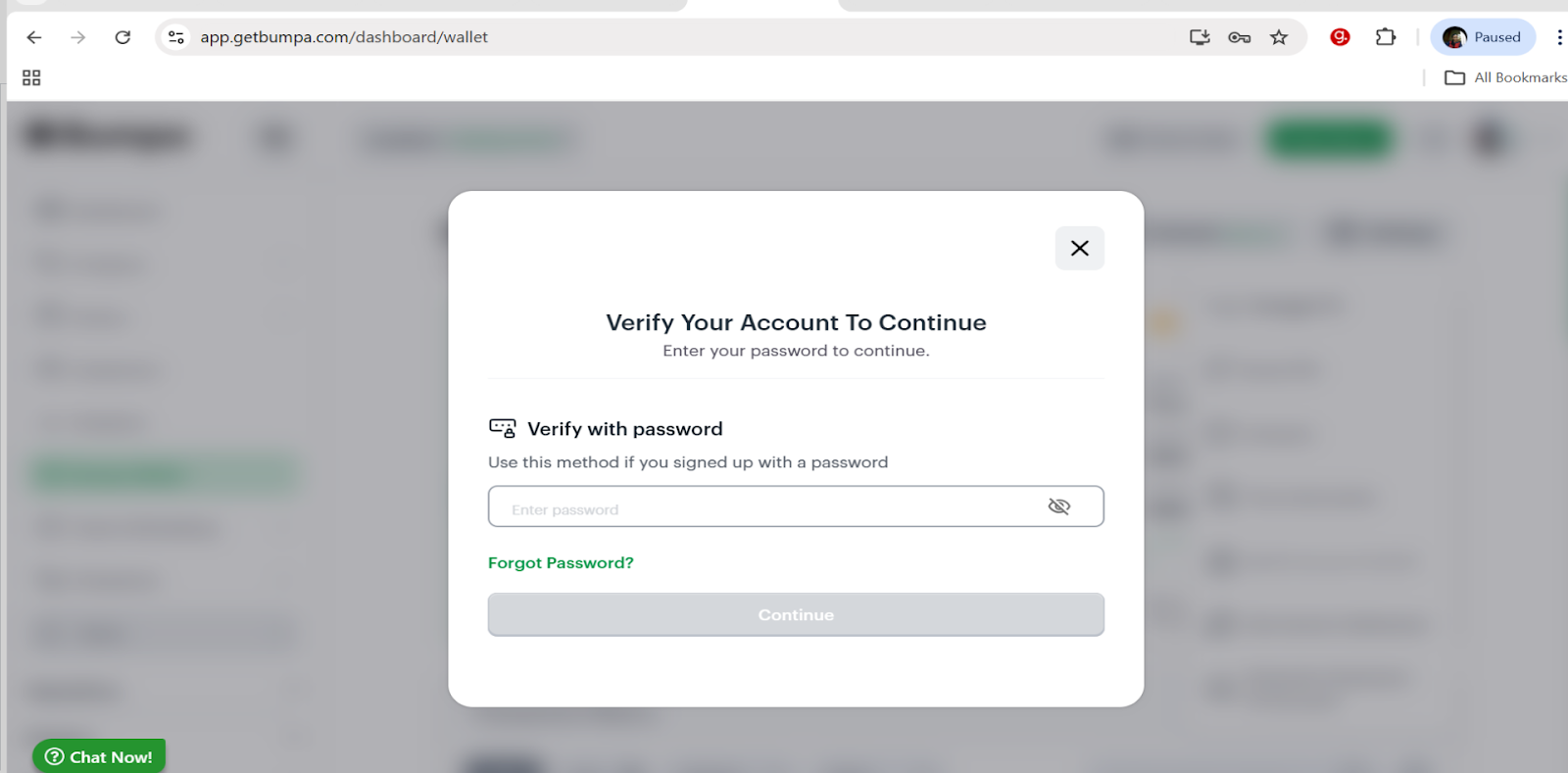
- Click Continue to verify your account and proceed with the PIN reset.
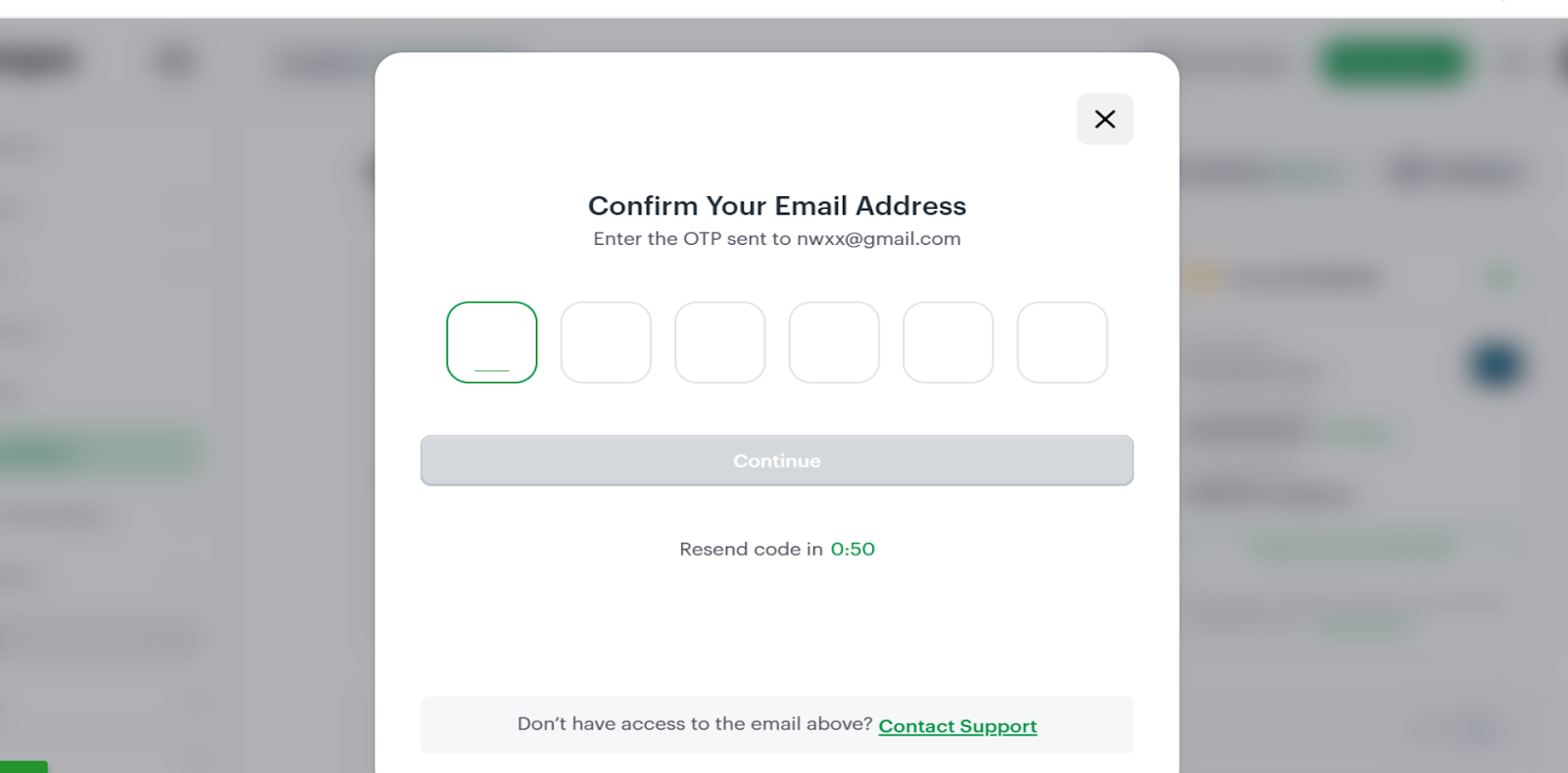
- Confirm Your Email Address by entering the OTP sent to your email address and clicking on continue
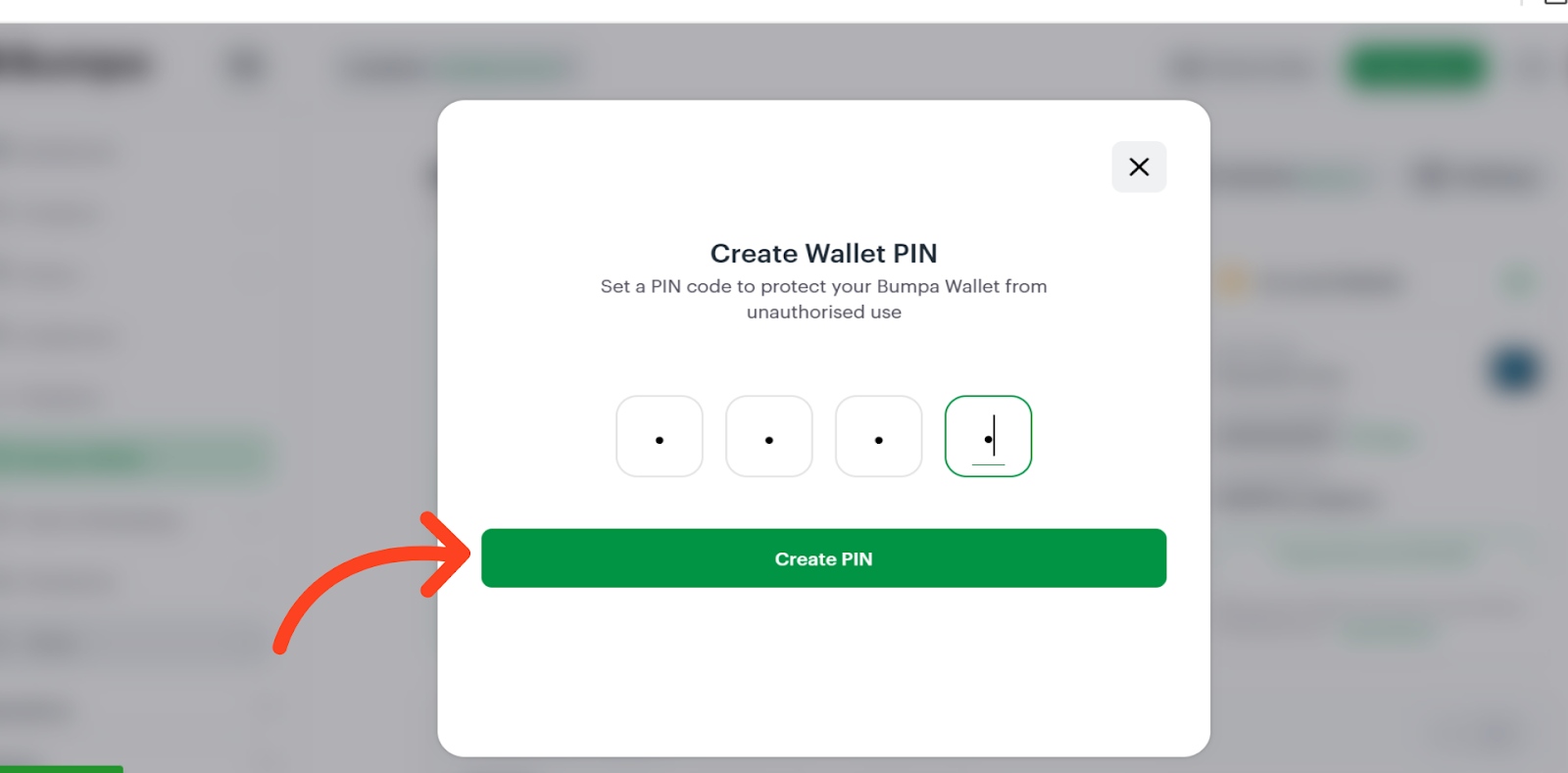
- Set a PIN to secure your Bumpa Wallet and prevent unauthorized access.
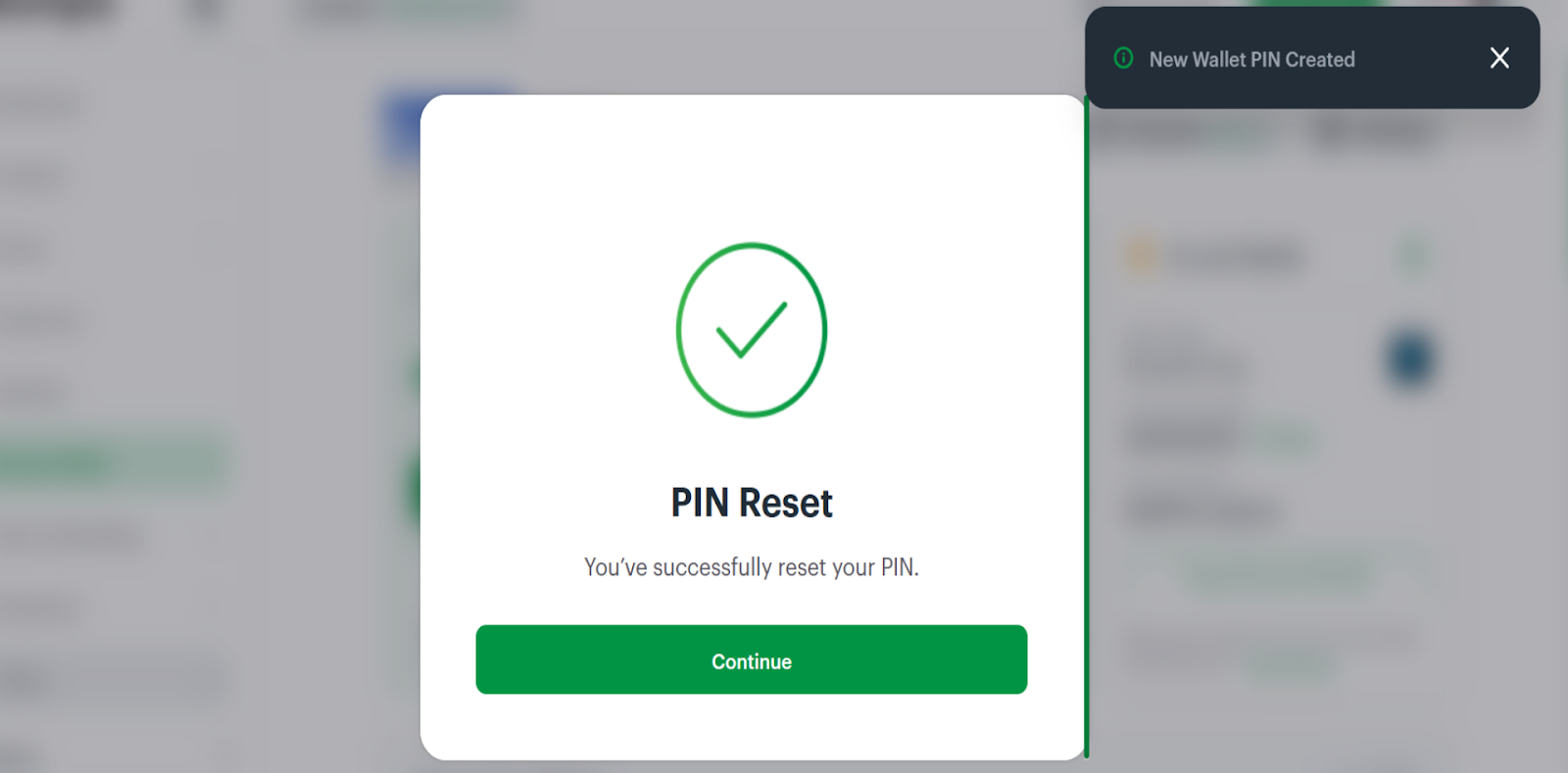
- Your PIN has been successfully reset.
Reset PIN Using “Forgot Password Option
- Select the “Forgot Password” option to reset your PIN if you’re unable to recall your password.
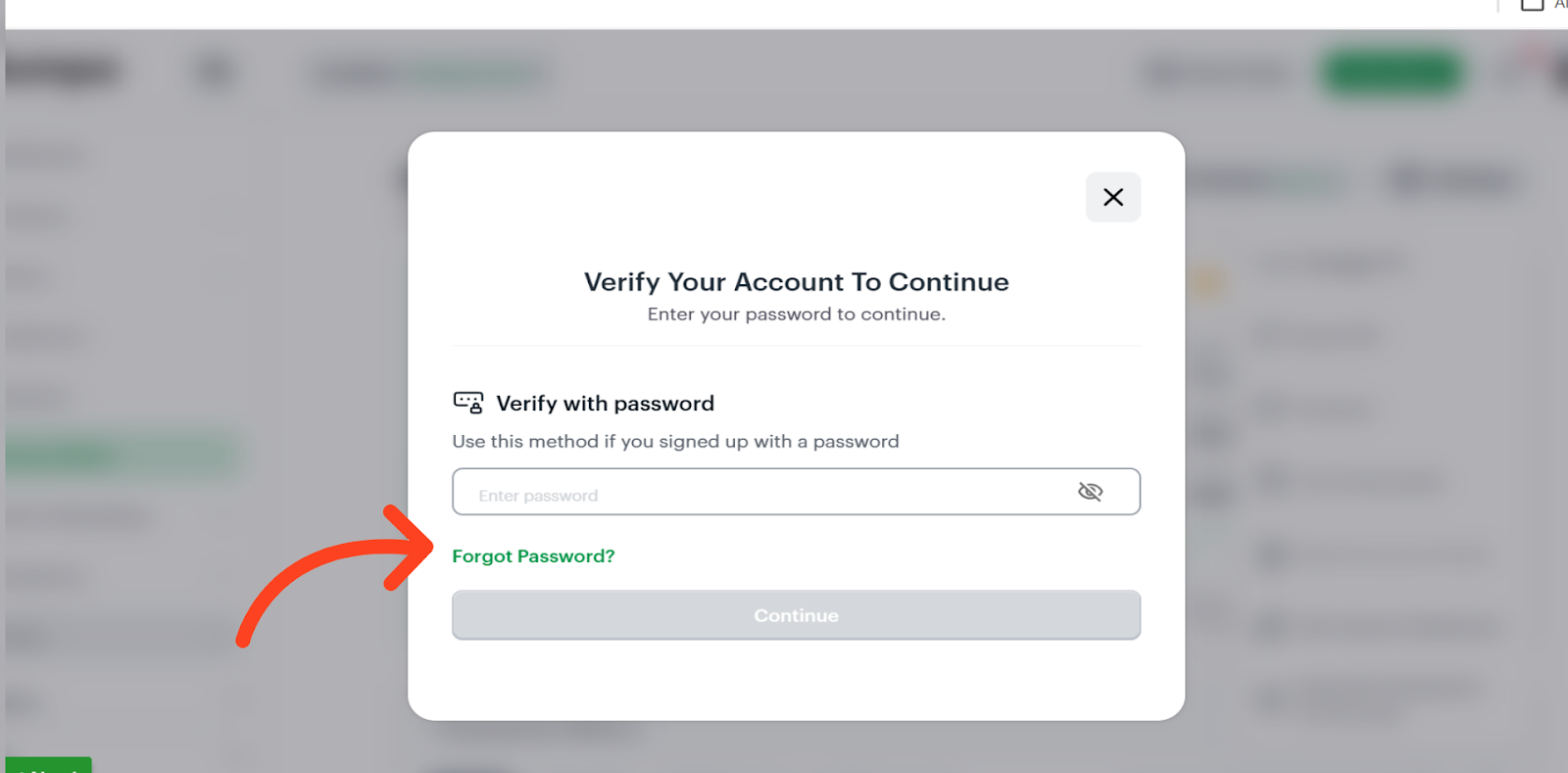
A password reset link will be sent to your email address.
- Click “OKAY” to proceed. For security reasons, you will be logged out of the app on all devices. Once you access the reset link and complete your password reset, you can log back in to finish resetting your PIN.
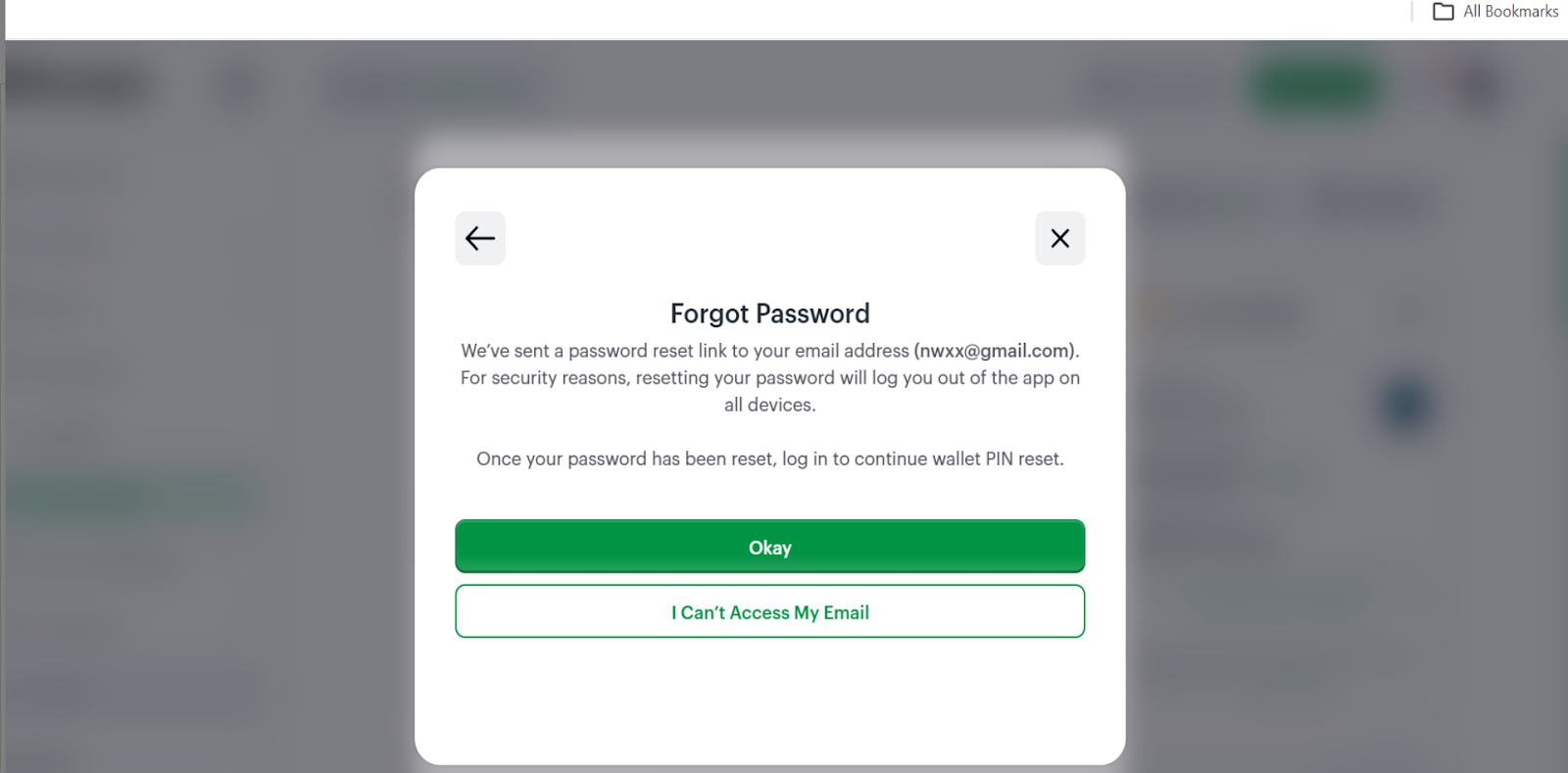
If you don’t have access to your registered email, click “I Can’t Access My Email” to be connected with the support team.Related Articles
Creating a Bumpa Wallet (Web App)
Was this article helpful?
That’s Great!
Thank you for your feedback
Sorry! We couldn't be helpful
Thank you for your feedback
Feedback sent
We appreciate your effort and will try to fix the article