Registering a custom domain "website" is one of the benefits available to premium users of Bumpa - you can activate your free custom domain (for the yearly Pro and Growth plans), integrate an existing domain name into Bumpa, or purchase a domain name if you do not already have one.
Upon signing up, your domain name will be in the format of yourbusinessname.bumpa.shop, while on the Bumpa 1-year Pro or Growth plan, you have free access to yourbusinessname.com.ng domain name valid for 1- year.
However, an additional fee will be required if you are on the Starter plan or the 3 months, or 6 months Pro and Growth plans and wish to have a custom domain name.
Below are the prices for the different domain names renewed yearly:
This article contains a guide on how to search for and purchase your preferred domain name
How to Search for and Buy Domains
- Log in to your Bumpa account at getbumpa.com/login.
- On the dashboard's left sidebar, click on Store setup
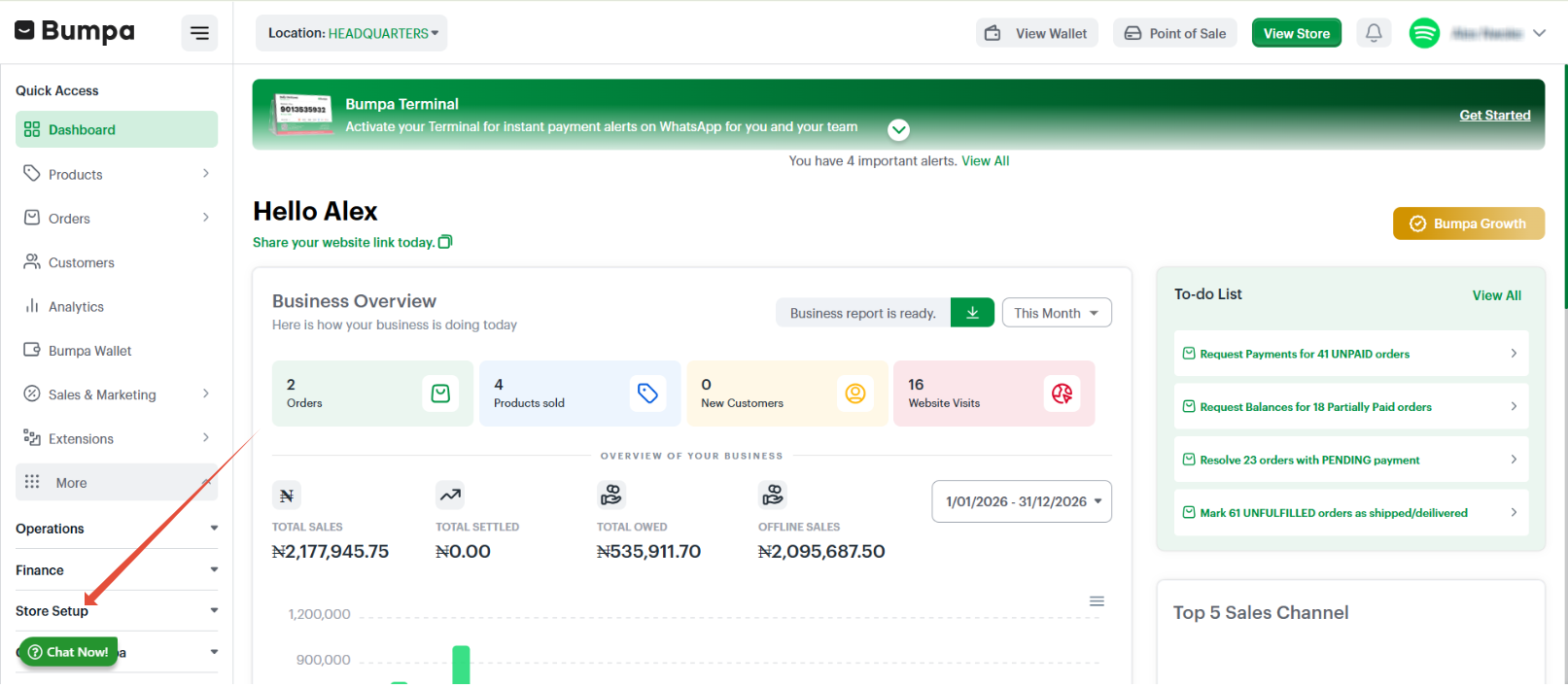
- Click on Domains
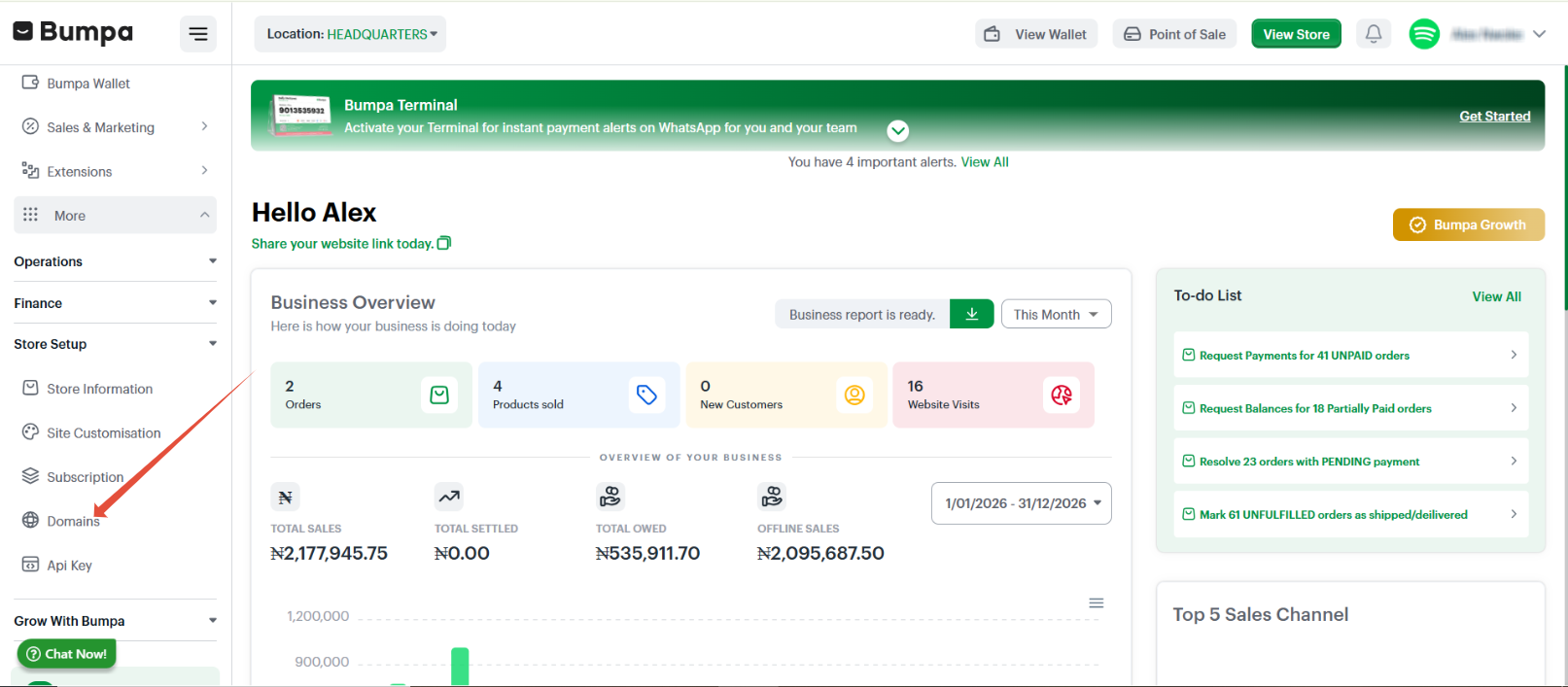
- Click on Buy domain
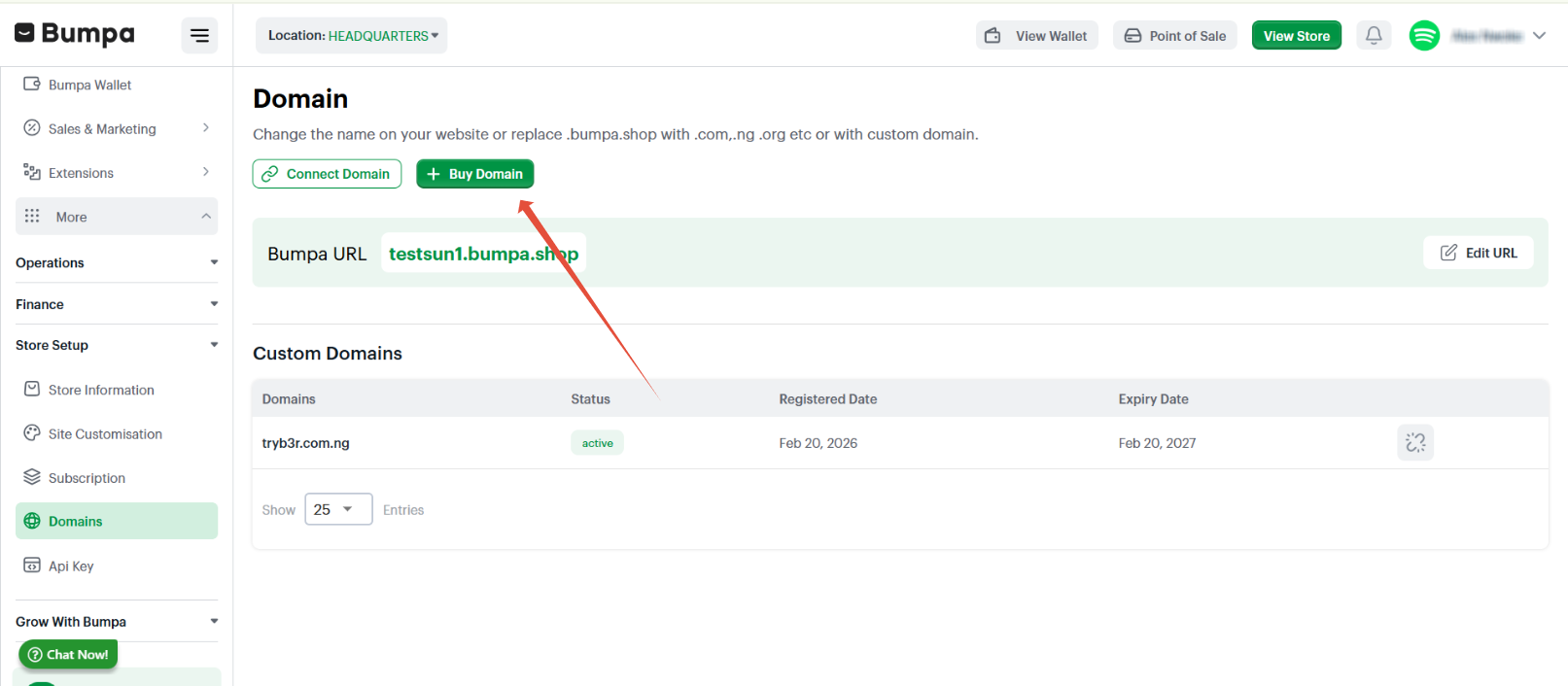
- Input the full domain name you want to purchase in the search bar e.g yourbusinessname.com.ng
- Click on select
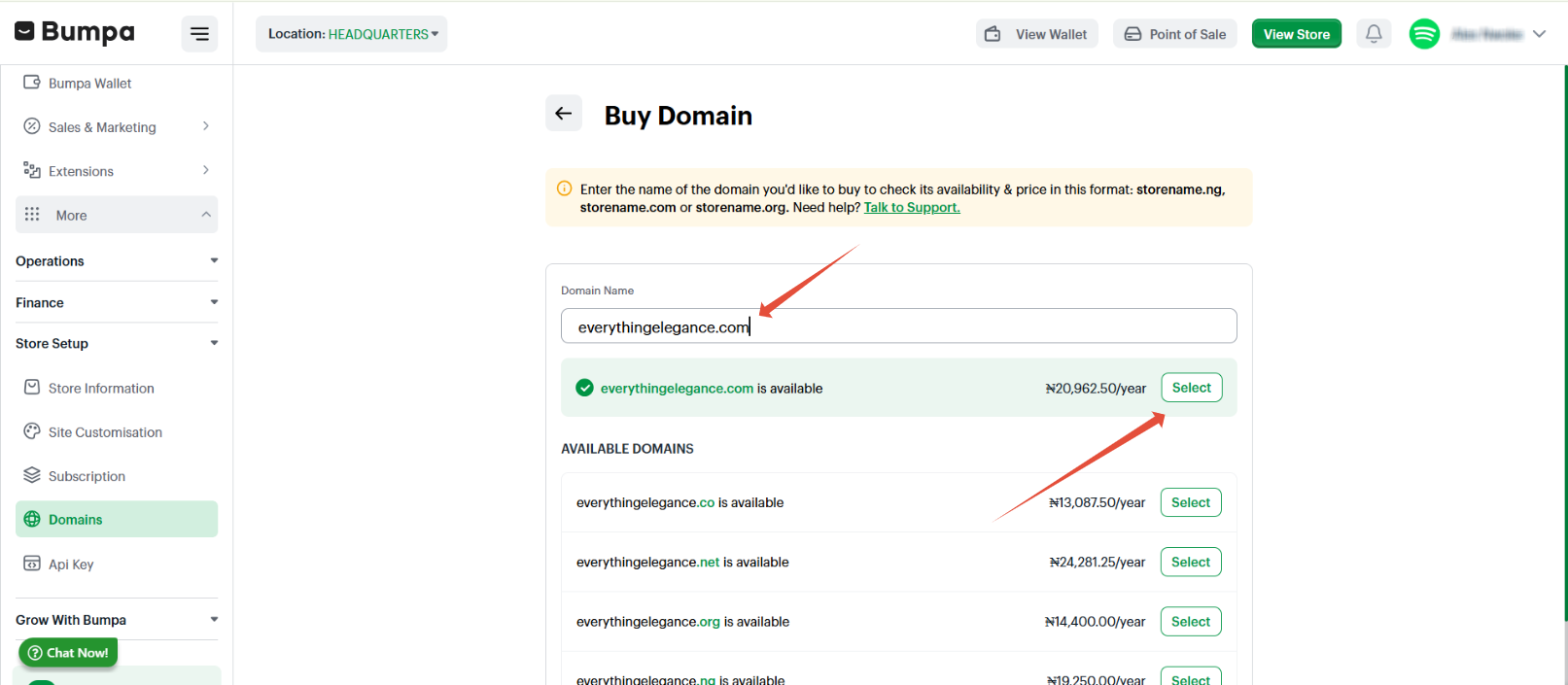
NOTE: If you search for a domain and it shows this domain is already taken or unavailable it means that another business is currently making use of this domain and because domain names are unique, you cannot buy the same domain.Click on make payment, this takes you to a Paystack screen where you can select your preferred payment method.

After successful payment, your domain domain page shows the domain as pending
You will receive an email notification for the successful payment. Domain propagation takes about 24 - 72 hours to complete.
Was this article helpful?
That’s Great!
Thank you for your feedback
Sorry! We couldn't be helpful
Thank you for your feedback
Feedback sent
We appreciate your effort and will try to fix the article