Your customer’s birthdays are more than just a reason to celebrate; they're also an opportunity to make more sales! With Bumpa's Birthday Automation feature, you can automatically send personalised birthday wishes to your customers on and before their birthdays, keeping your business top of mind when they're ready to shop.
You can also add special birthday offers, such as discounts, to encourage customers to make a purchase and celebrate with your brand. Simply customise your messages, set up your birthday offer, and let Bumpa handle the rest!
In this guide, we'll walk you through how to set up your birthday messages, customise your templates, and create birthday offers for your customers.
How to Set Up Birthday Automation
Visit app.getbumpa.com and log in to your account.
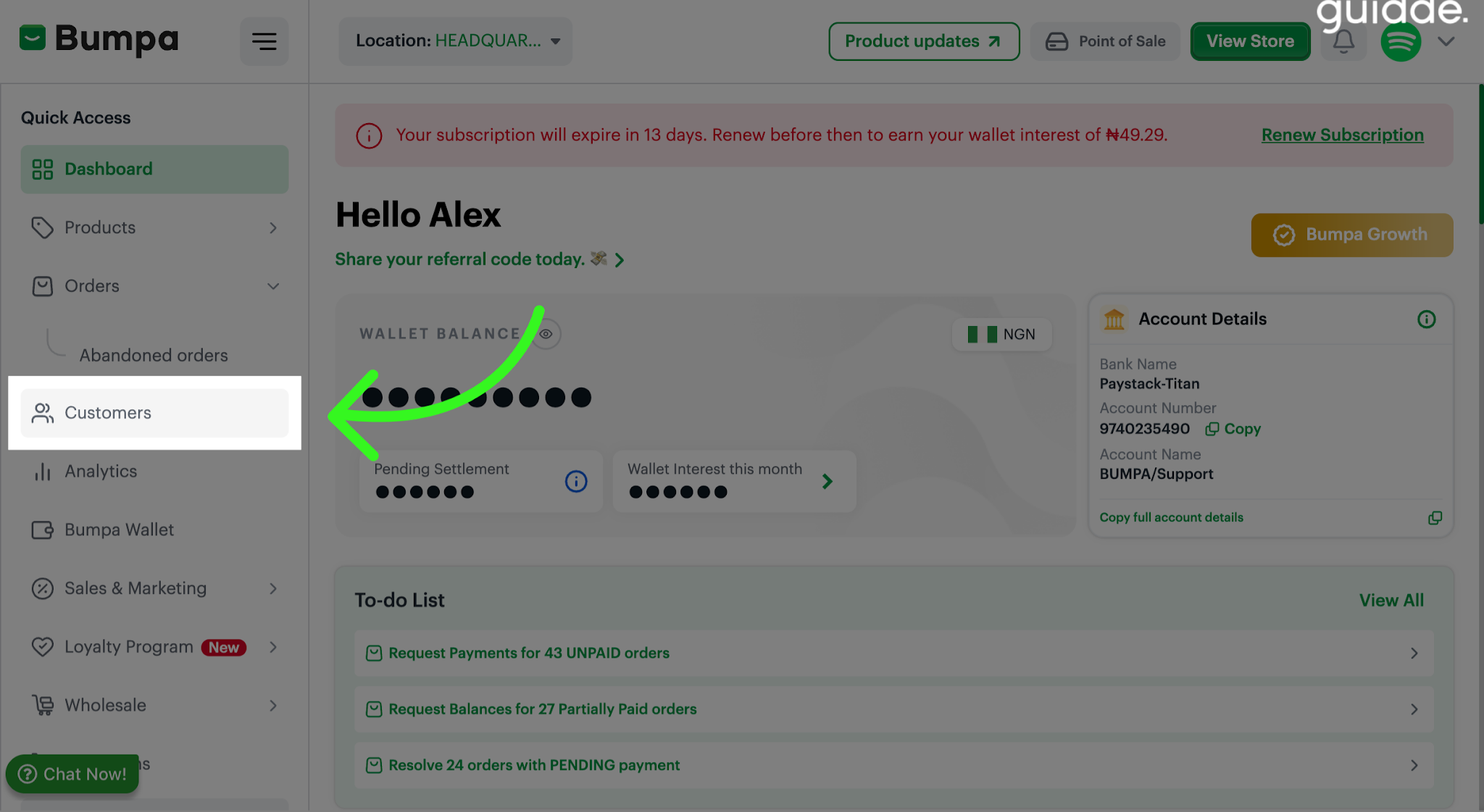
Navigate to the Customers tab
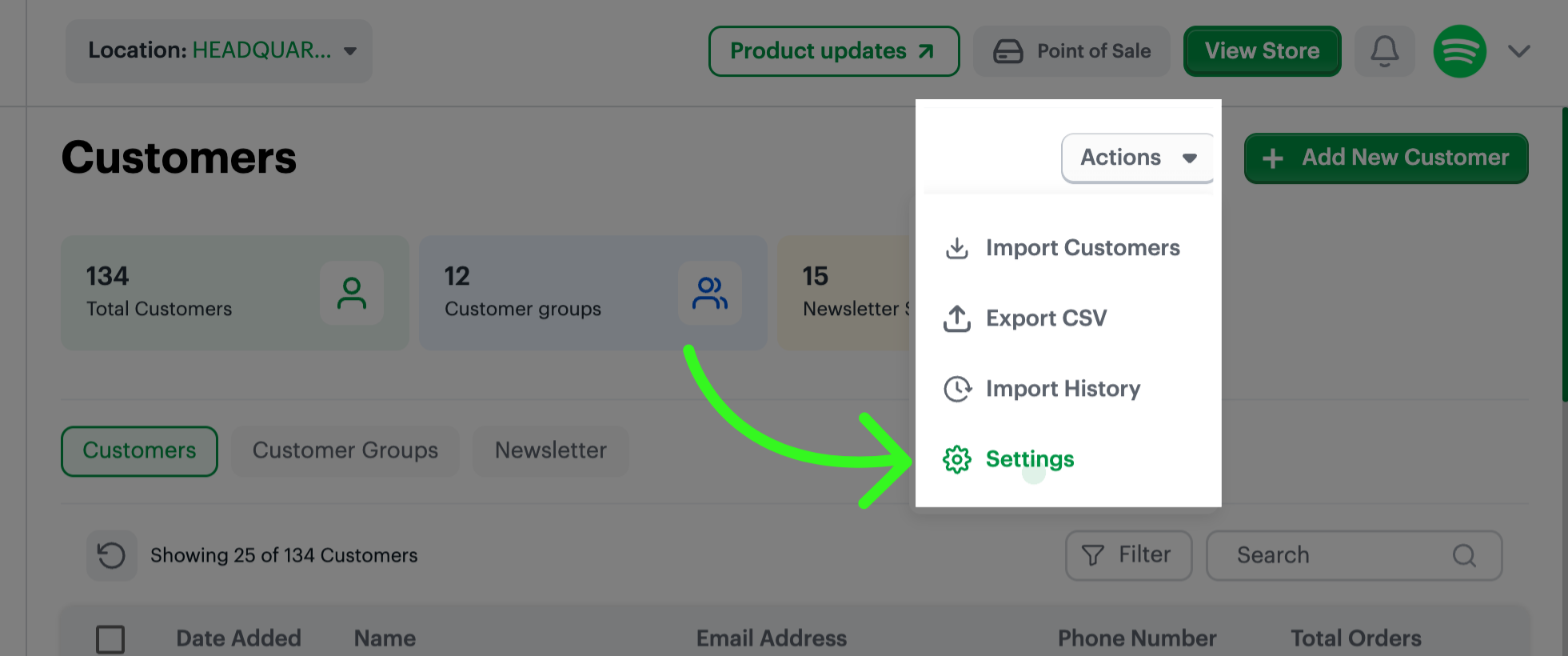
Click on Actions and select Settings
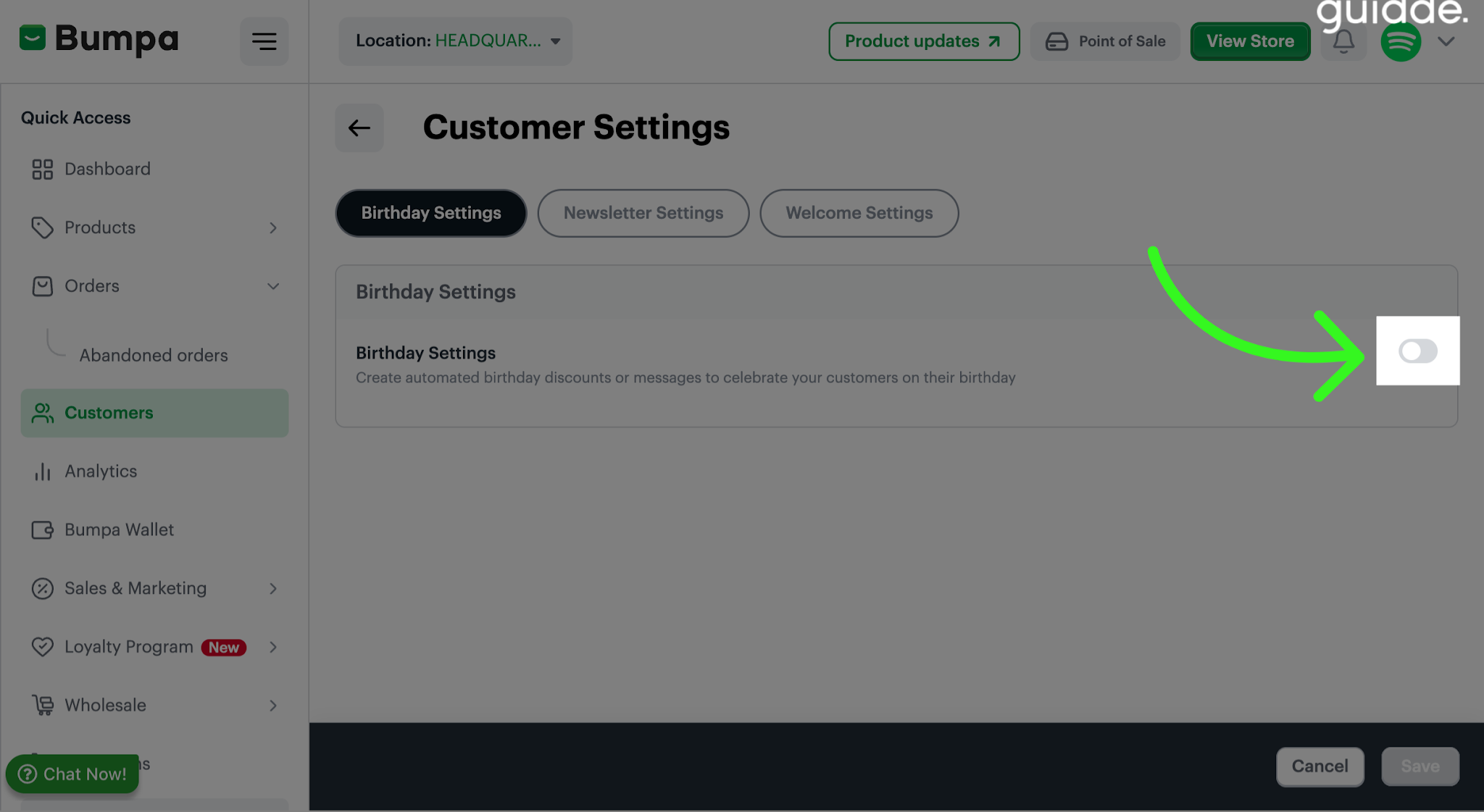
In Customer Settings, toggle on the Birthday settings Icon to create automated birthday discount or messages for your customers
- Click the right arrow to navigate to the next page of customer settings for further configuration. You can either send an Email or Sms.
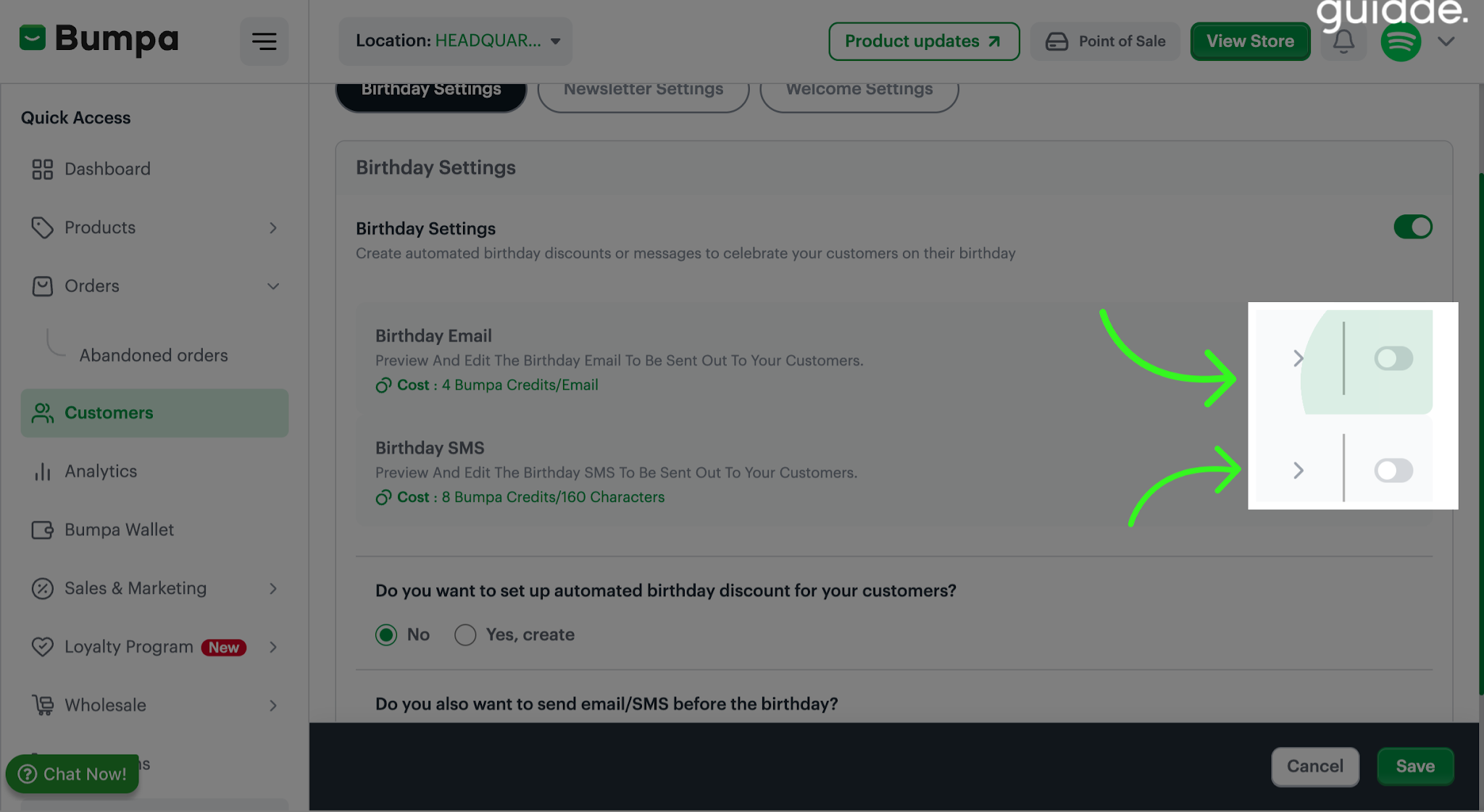
Note: Email cost 4 Bumpa credit
Sms cost 8 Bumpa credit - Click the Birthday Email icon to preview and edit the message sent to customers on their special day.
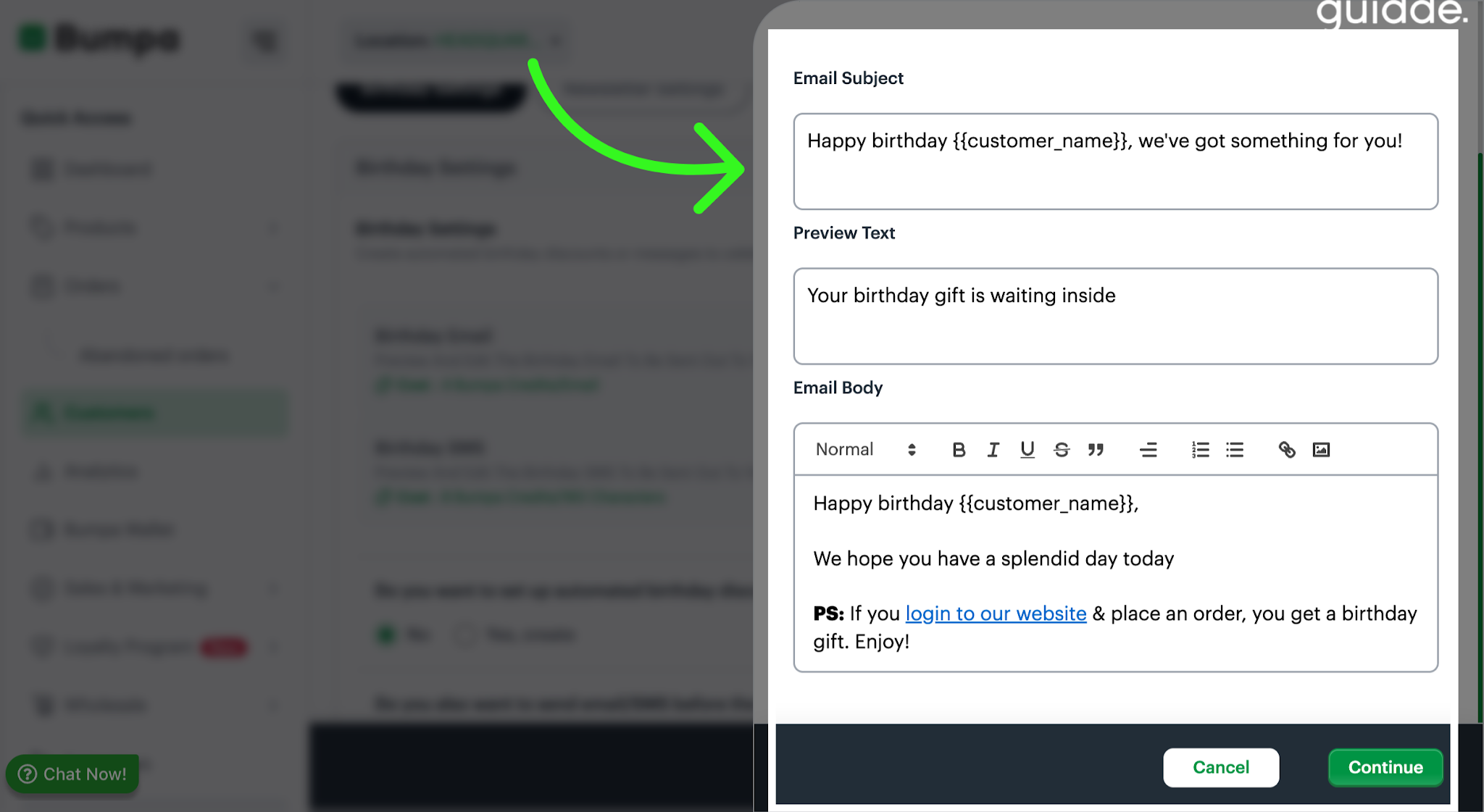
Click the Birthday Sms Icon to preview and edit the birthday SMS message content.
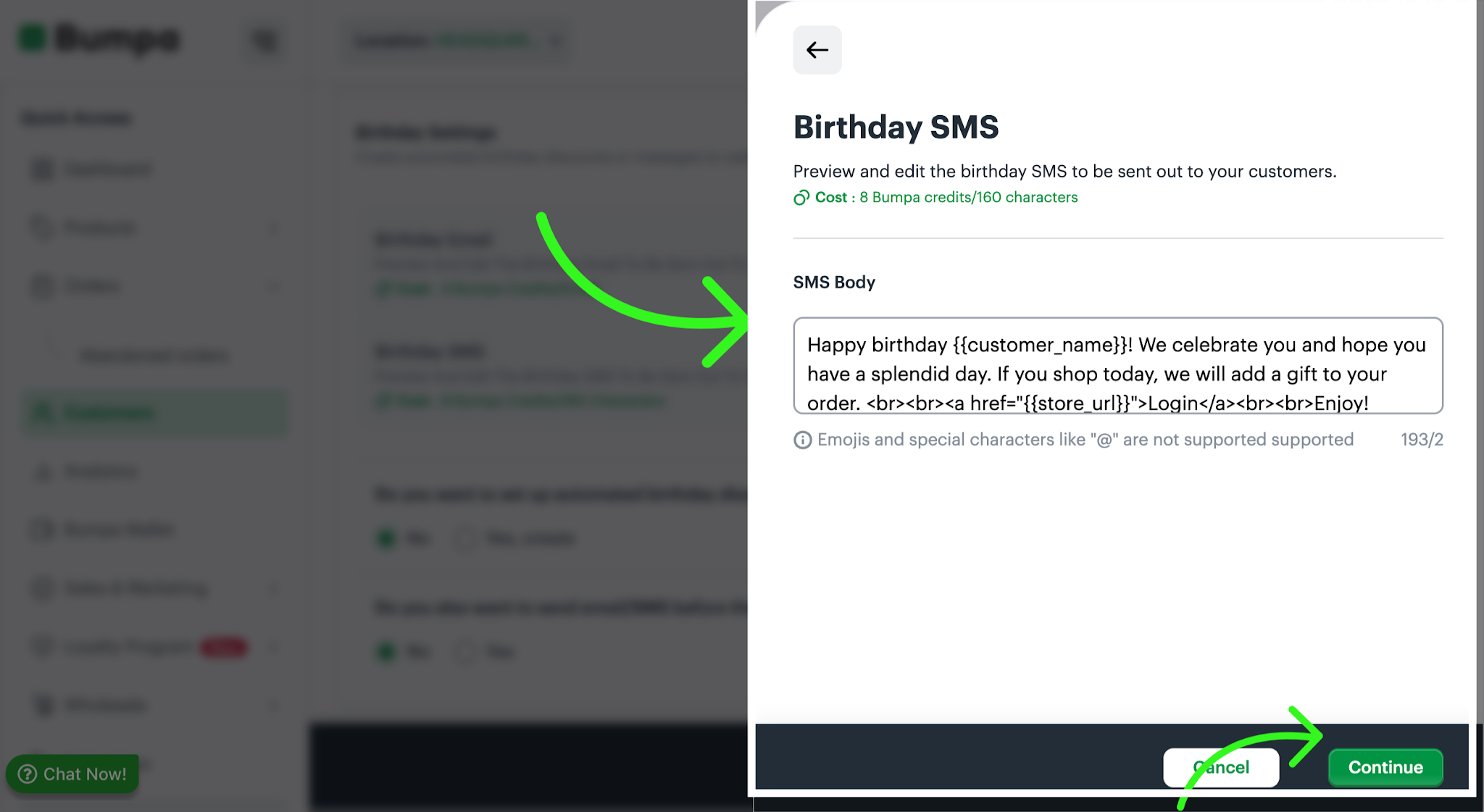
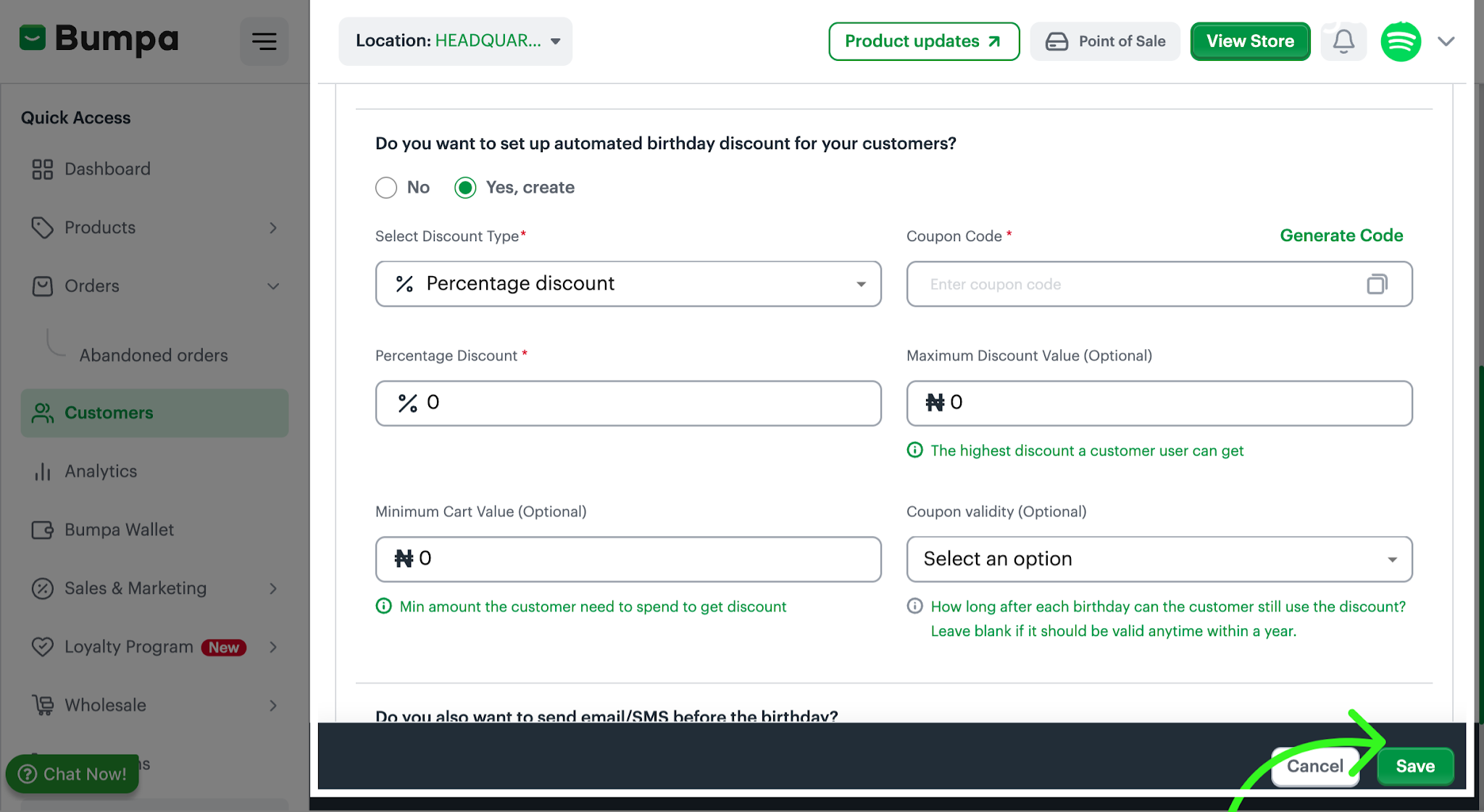
Setting Up Automated Birthday Discount
You can attach a special birthday offer to encourage customers to shop with you:
Percentage Discount: Offer customers a percentage off their purchase, such as 10% off.
Fixed Amount Discount: Offer customers a specific amount off their purchase, such as ₦1,000 off.
Set Your Discount Conditions (Optional)
Maximum Discount Value: Set the highest discount amount a customer can receive.
Minimum Cart Value: Specify the minimum amount a customer must spend to qualify for the discount.
Generate a Coupon Code: A code that customers can apply at checkout to redeem their birthday discount.
Set Coupon Validity: Set the validity period for the coupon code to determine when customers can use their birthday discount. (Optional field)
Save changes once discount has been applied.
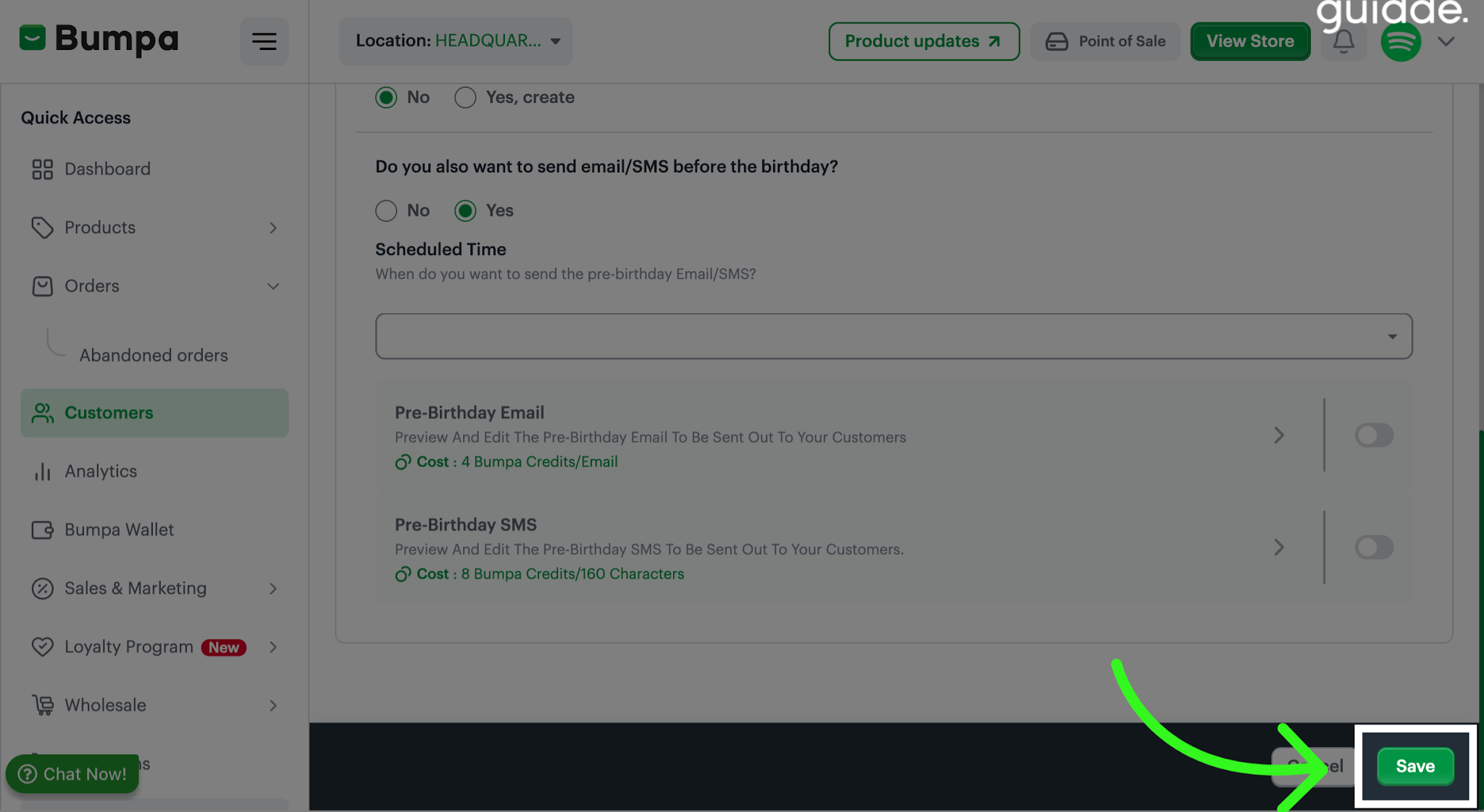
Setting up Email/Sms before the Birthday: You can also send customers birthday wishes before their actual birthdays to remind them about your brand and encourage them to shop.
Choose when you want the pre-birthday message to be sent to customers ahead of their birthdays.
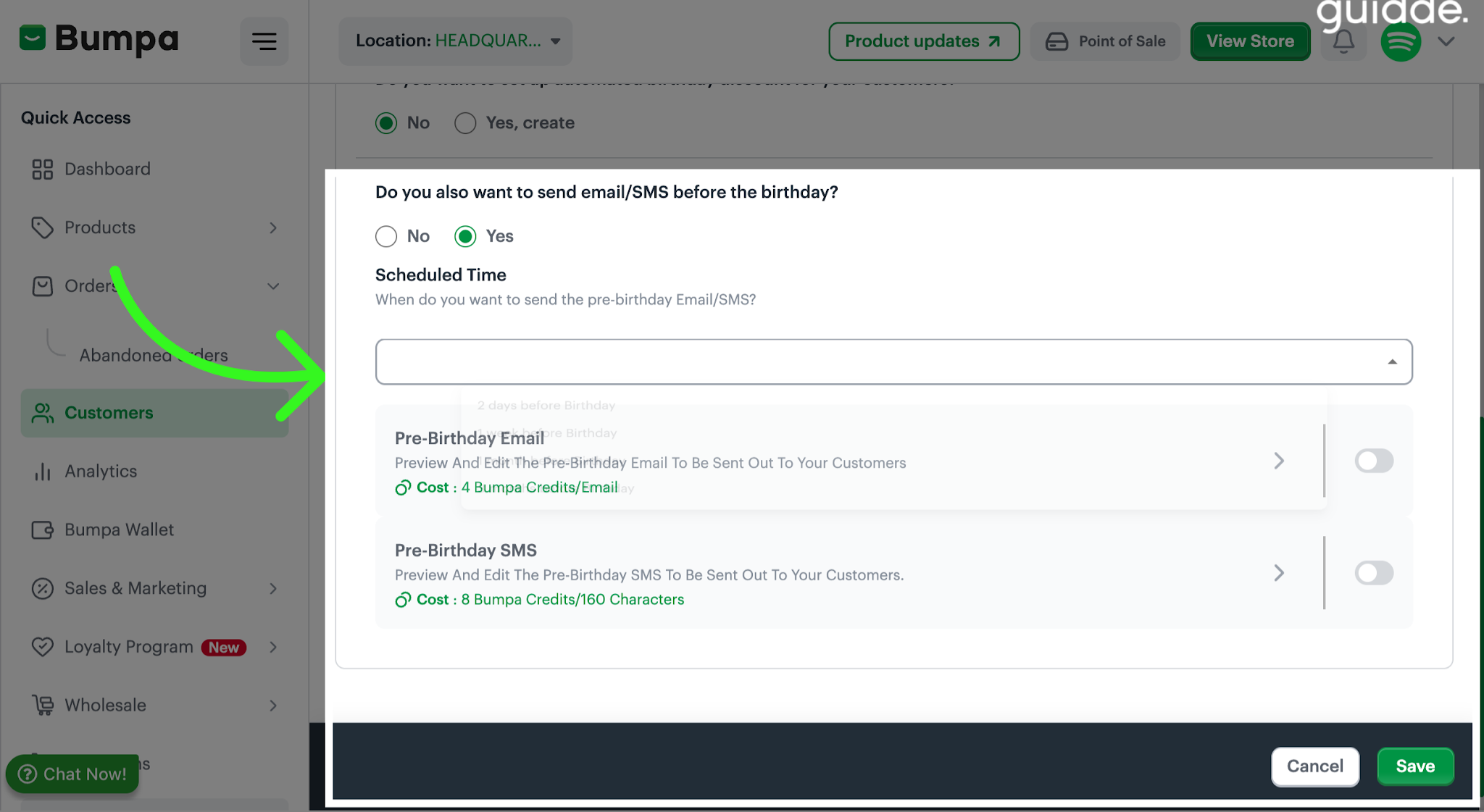
Click the Pre-Birthday Email option to preview and edit the text message you want to send to customers ahead of their birthdays, same applies for SMS.
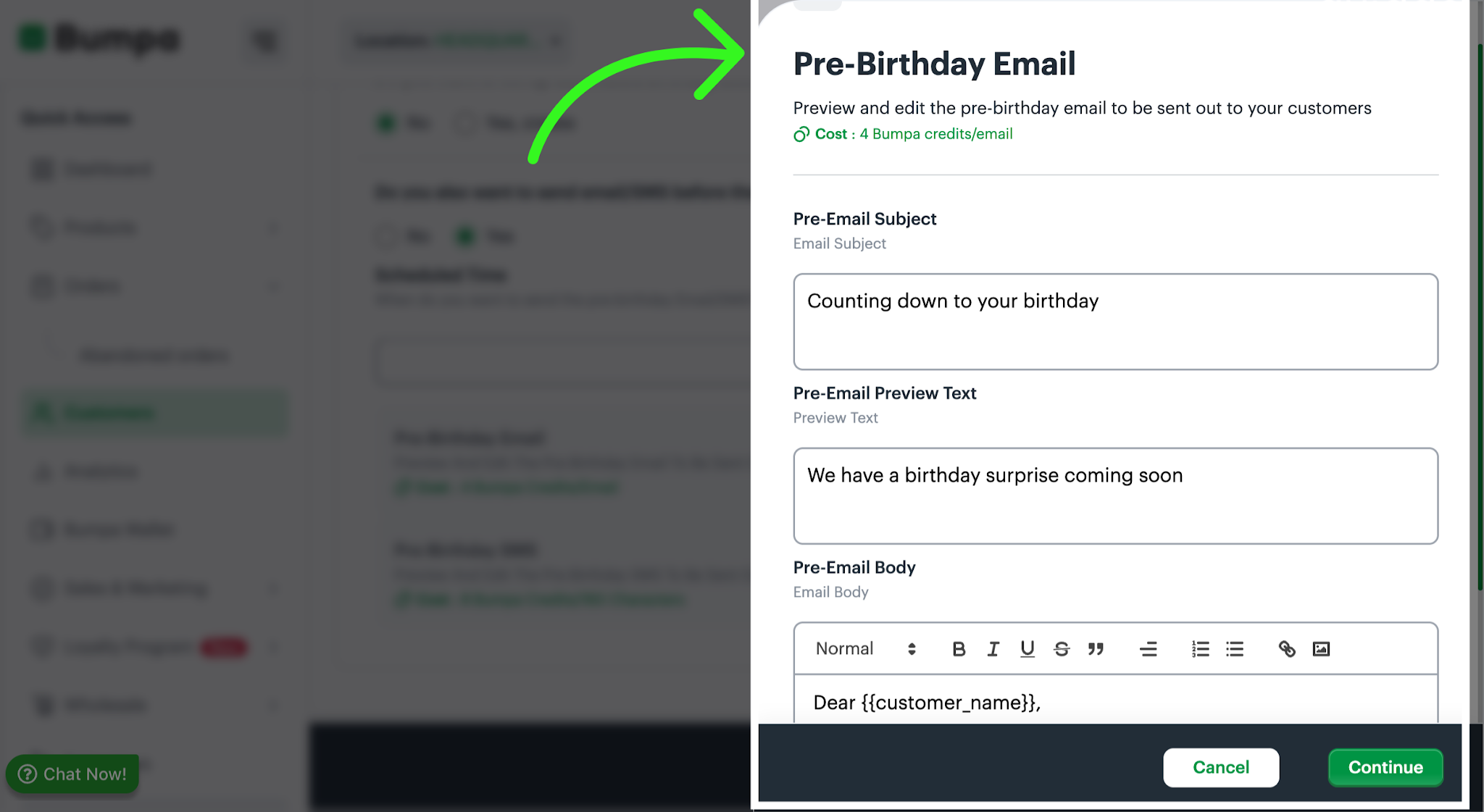
Once you've customised the birthday, pre-birthday messages and configured your discount offer, click Save to apply your settings and activate your birthday automation.
Additional notes:
Customer birthday information: Birthday automation works for customers whose birthday details have been added to your customer records. Ensure you collect and update your customers' birthday information to take advantage of this feature.
Subscription plan: Birthday Automation is available to merchants on the Pro, Growth, Scale and Premium Plan
Personalized communication: Customize your messages to reflect your brand and make your customers feel appreciated.
Was this article helpful?
That’s Great!
Thank you for your feedback
Sorry! We couldn't be helpful
Thank you for your feedback
Feedback sent
We appreciate your effort and will try to fix the article