Track Every Price Change Across Your Products
Price History shows every selling price, cost price and Compare At Price change across your products. You can see the price before and after, who made the change, and the difference. In this article, learn how to open Price History and filter the list.
To get started:
Log in to your Bumpa dashboard via app.getbumpa.com
Click Products.
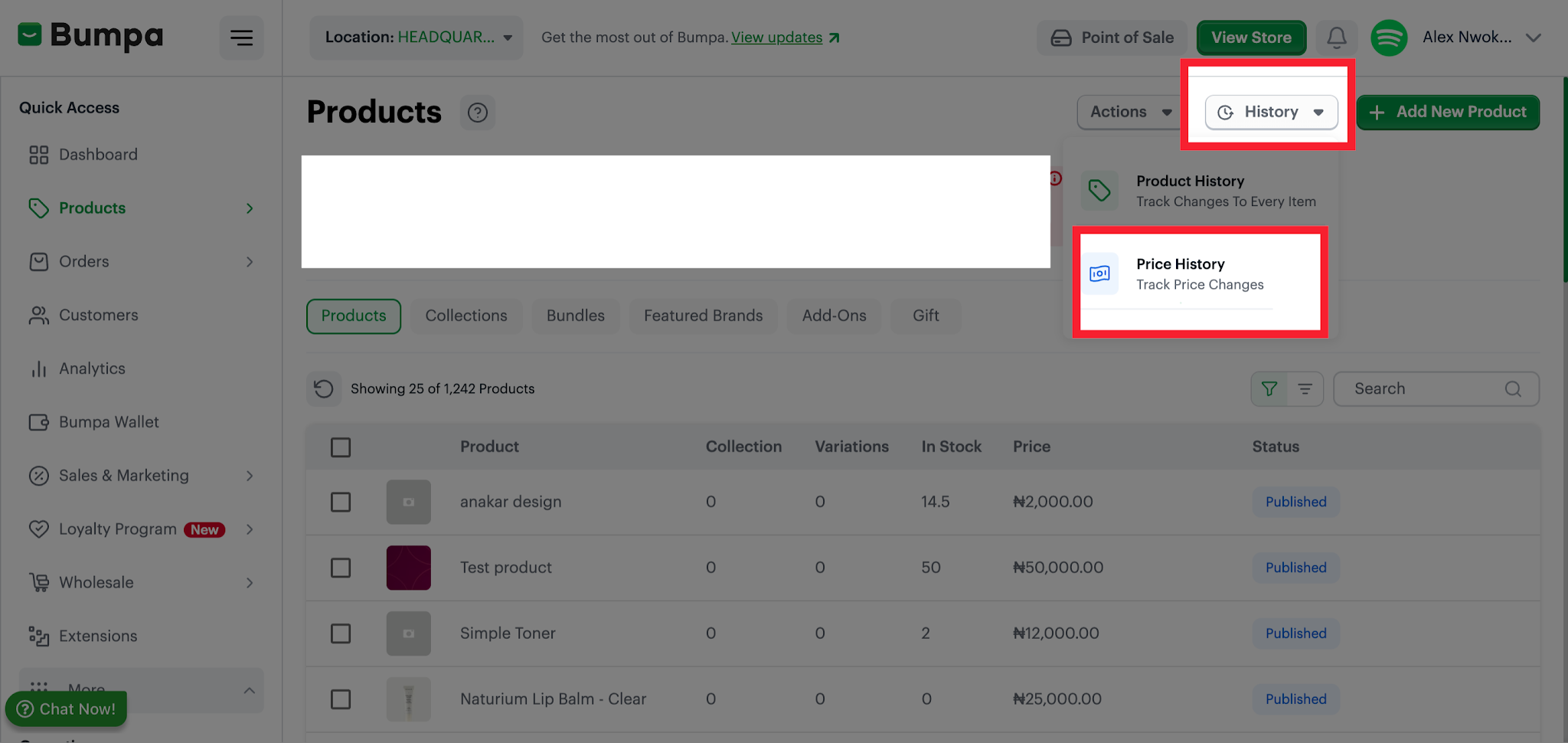
Click History at the top right.
Click Price History. The line under it says "Track Price Changes".
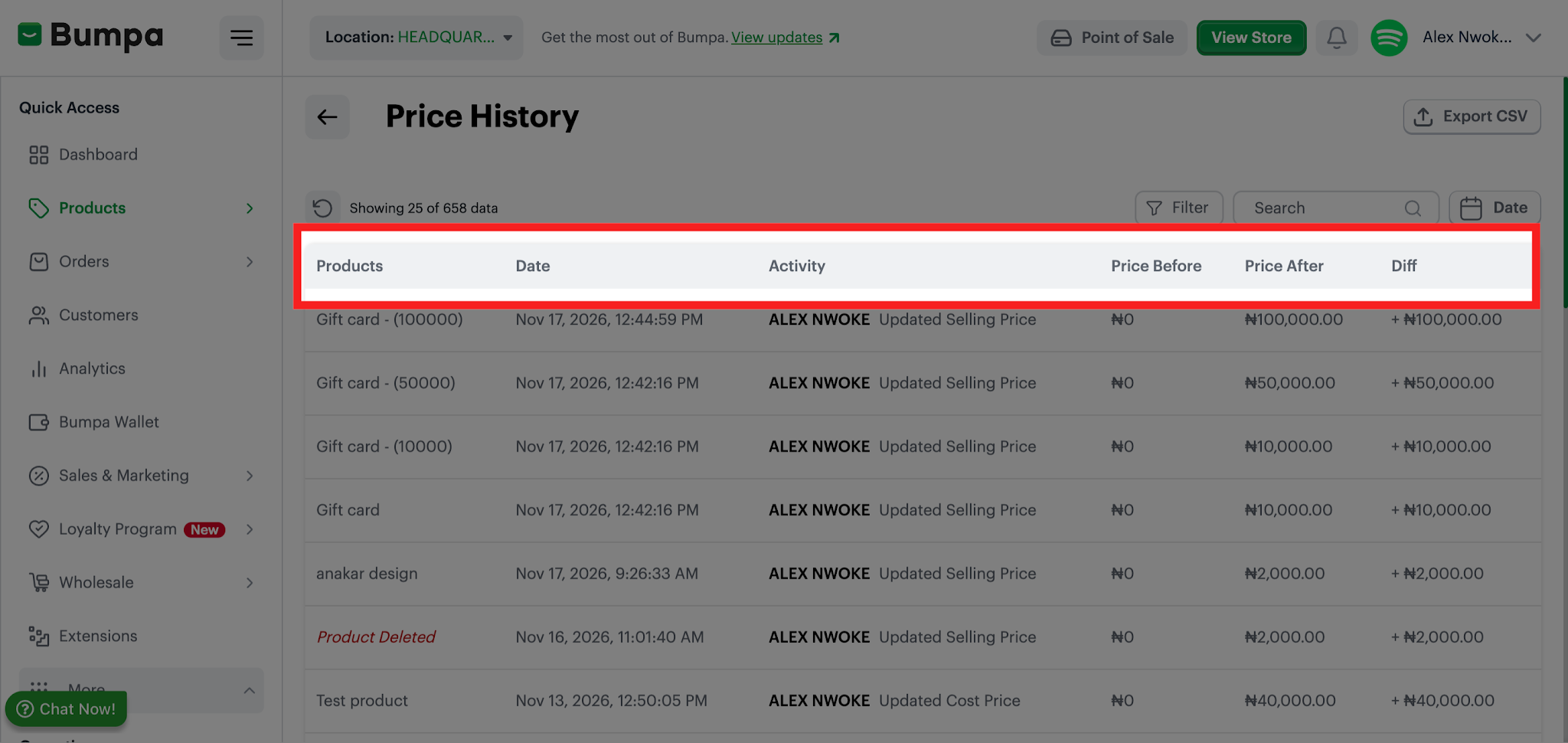
The columns on this page are Products, Date, Activity, Price Before, Price After and Diff.
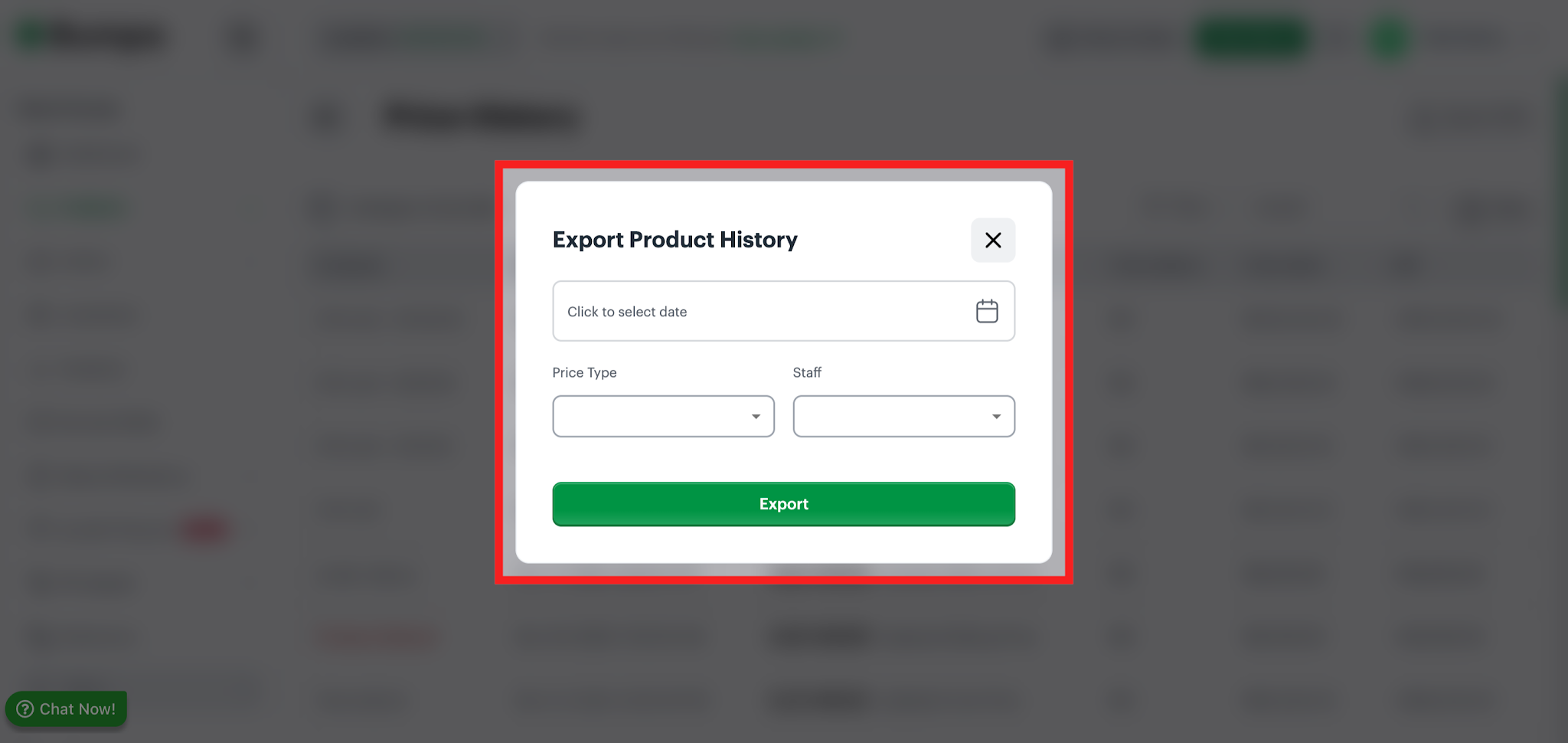
To export price History, click on Export CSV, select a date range, filter by price type (Cost or Selling Price), staff, and click on Apply.
To use the Filter Icon:
Click Filter. The Filter drawer opens on the right.
Choose a Price type, a Staff member, or both.
Click Apply to use the filter, or Cancel to close the page without applying it.
The Price type options are Selling Price, Cost Price, and Compare At Price
Selling Price
A Selling Price change is recorded when someone updates the price customers pay. The Activity column reads (staff name) Updated Selling Price.
Cost Price
A Cost Price change is recorded when someone updates what the product costs you. The Activity column reads (staff name) Updated Cost Price.
Compare At Price
A Compare At Price change is recorded when someone updates the reference price shown next to the selling price. The Activity column reads (staff name) Updated Compare At Price.
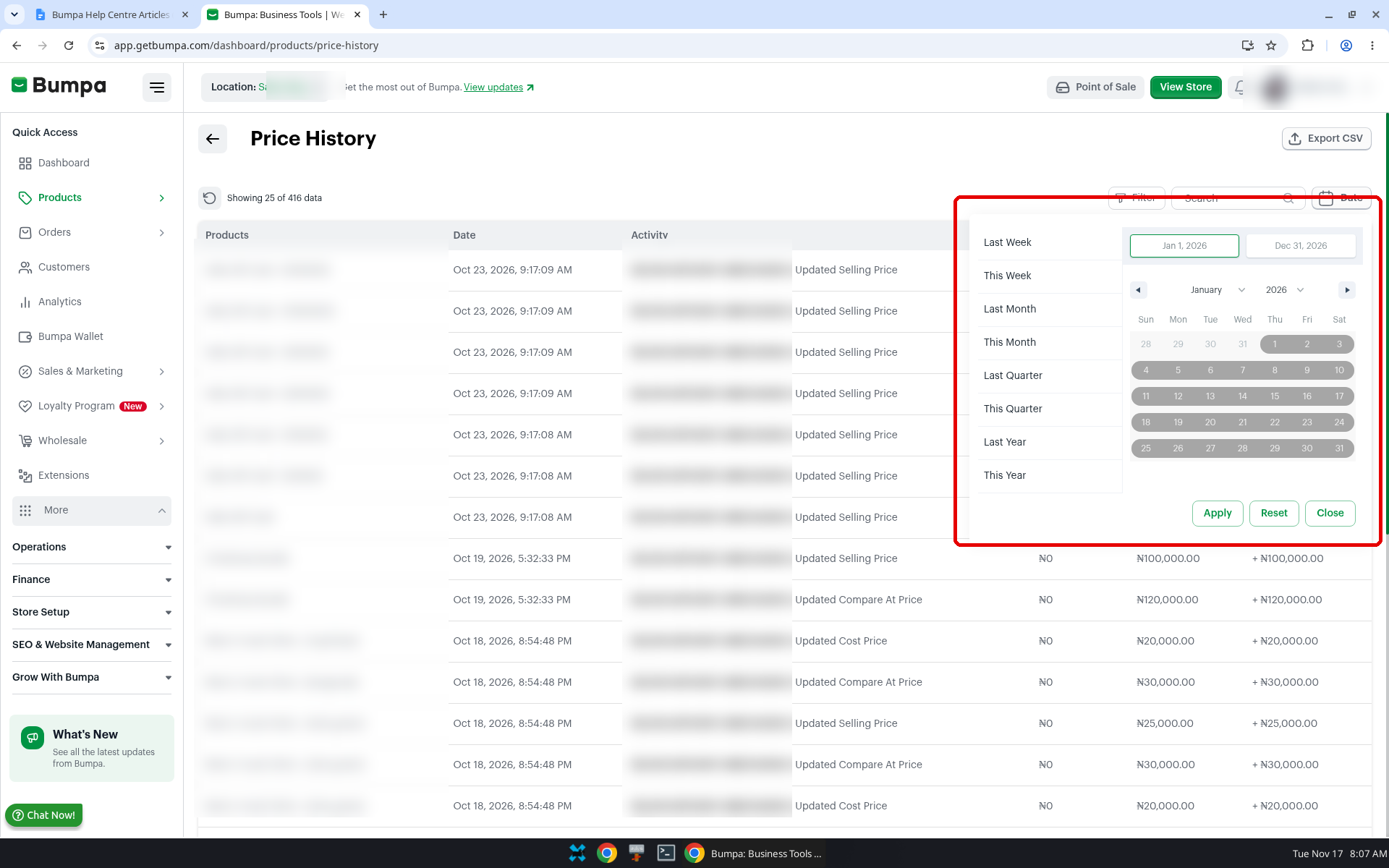
To choose a date range to view Price history
Click Date, next to Search.
Choose a preset: Last Week, This Week, Last Month, This Month, Last Quarter, This Quarter, Last Year, or This Year. Or enter a custom start and end date.
Click Apply. You can also click Reset or Close.
Note: Price history only exists from the date the feature was switched on. Any price changes made before then cannot be retrieved or viewed.Related articles:
Was this article helpful?
That’s Great!
Thank you for your feedback
Sorry! We couldn't be helpful
Thank you for your feedback
Feedback sent
We appreciate your effort and will try to fix the article