Bumpa Credits Reminder lets you set a credits threshold and get a message when your balance reaches that number. This helps you top up in time so campaigns and automations keep running.
In this article, learn how to turn on the reminder and choose how you are notified.
- Log in to your Bumpa dashboard via app.getbumpa.com.
Click Sales & Marketing, then Campaigns.
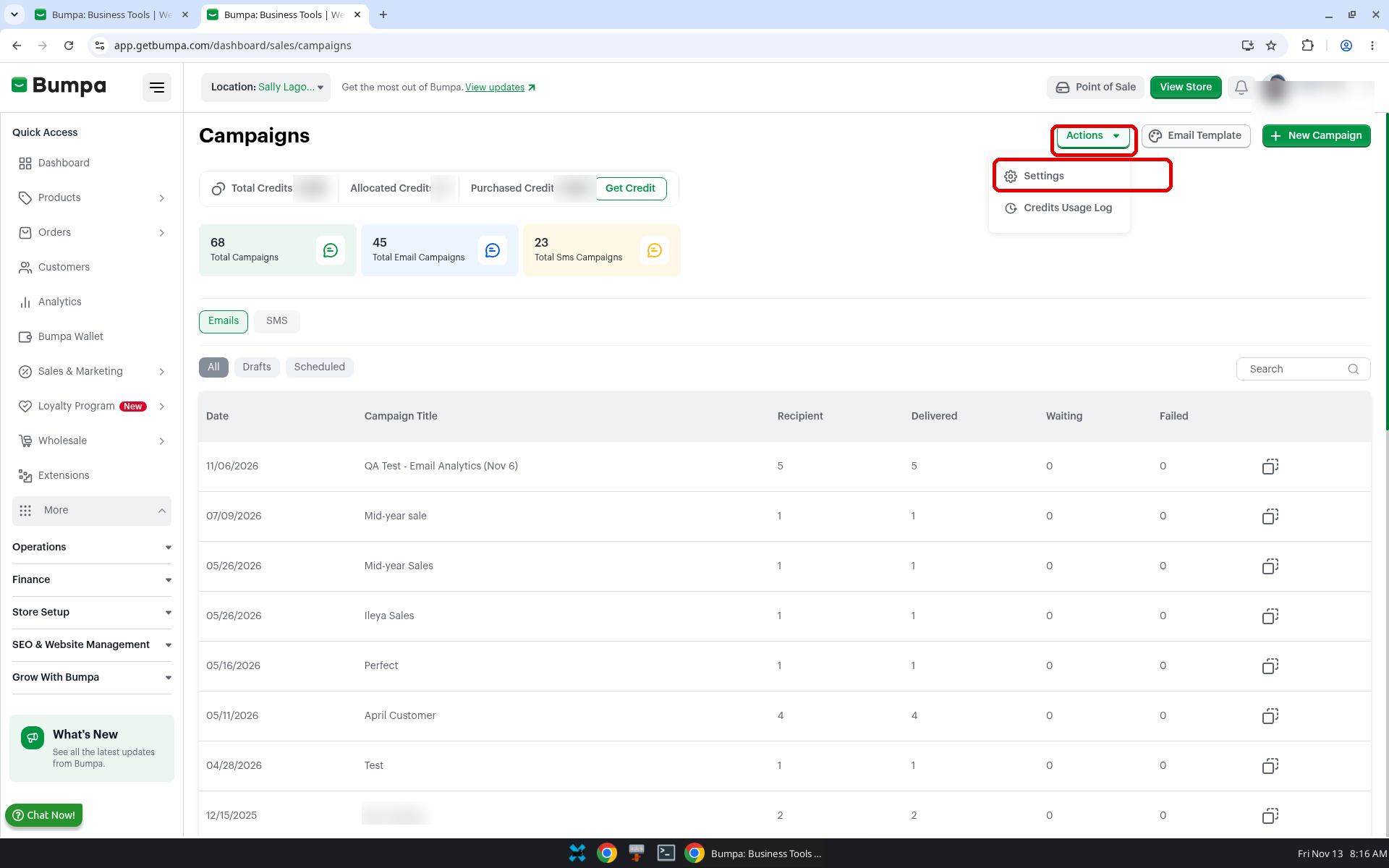
Click Actions, then Settings.
- Turn on the reminder and set a threshold
Toggle on Activate Bumpa Credits Reminder in the Bumpa Credits Reminder section. The description says "Set a credit threshold and get reminders when you hit that number to top up."
Enter an amount in Bumpa Credits Threshold. For example: 1,000
- Choose email or SMS, then save
Turn on Bumpa Credits Reminder Email, Bumpa Credits Reminder SMS, or both, depending on how you want to be reached.
Click the save button at the bottom of the page.
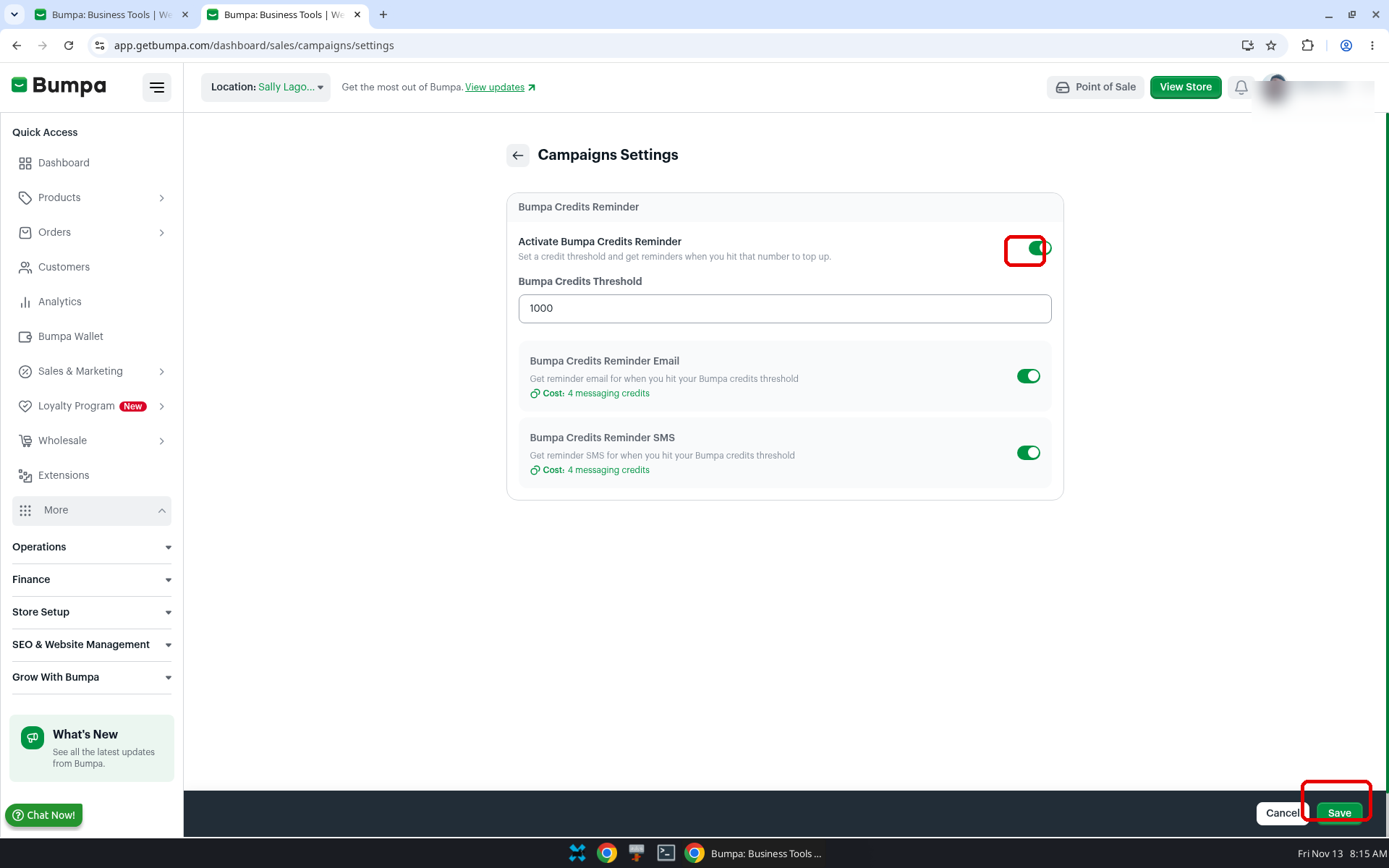
Note: Each Email or SMS reminder costs 4 Messaging creditRelated articles:
Was this article helpful?
That’s Great!
Thank you for your feedback
Sorry! We couldn't be helpful
Thank you for your feedback
Feedback sent
We appreciate your effort and will try to fix the article