If you have the need to change certain information about a location, follow the step below:
Log in to your Bumpa account at app.getbumpa.com
At the sidebar, click on Operations and then Location to see a list of your locations
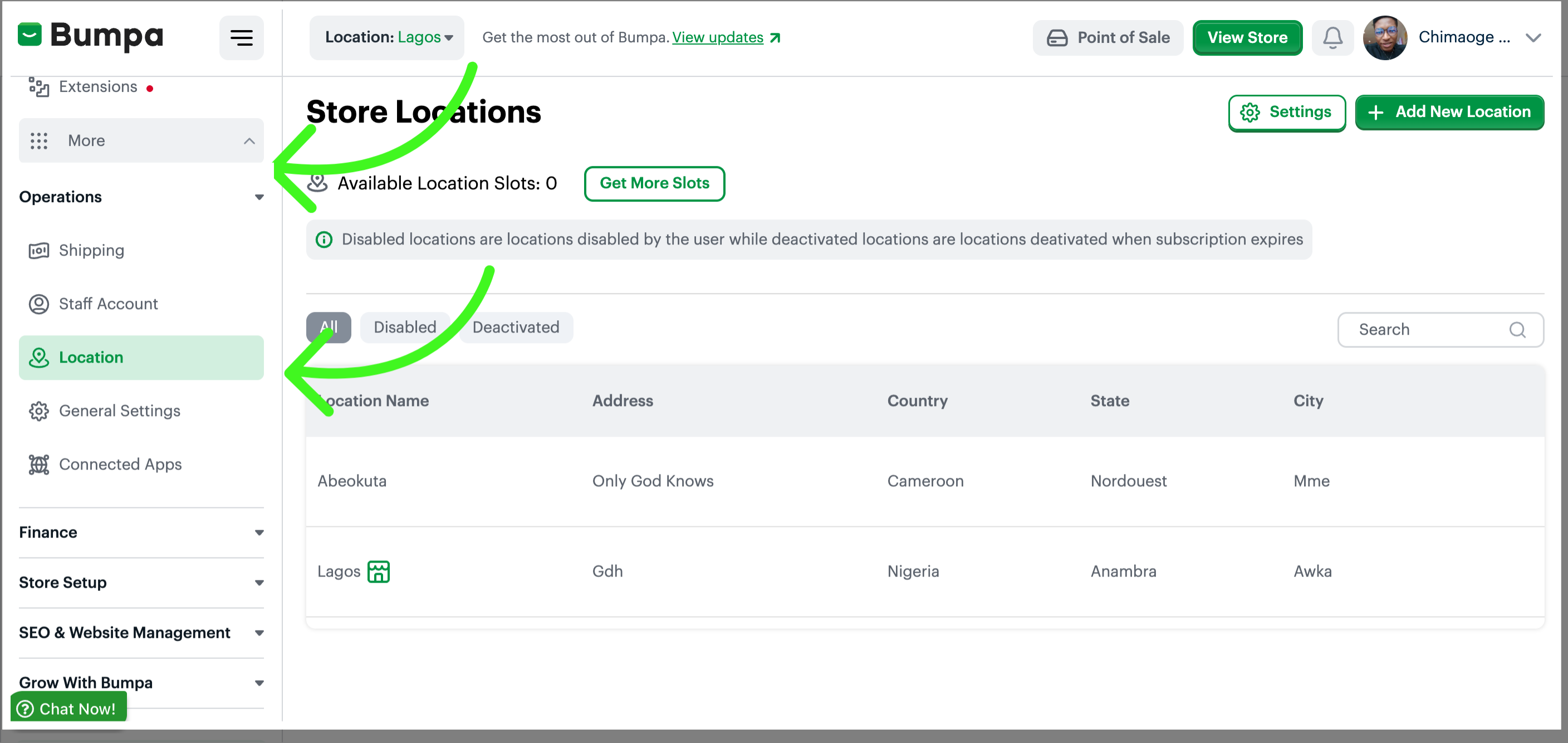
Note: Your default store location is the headquarters
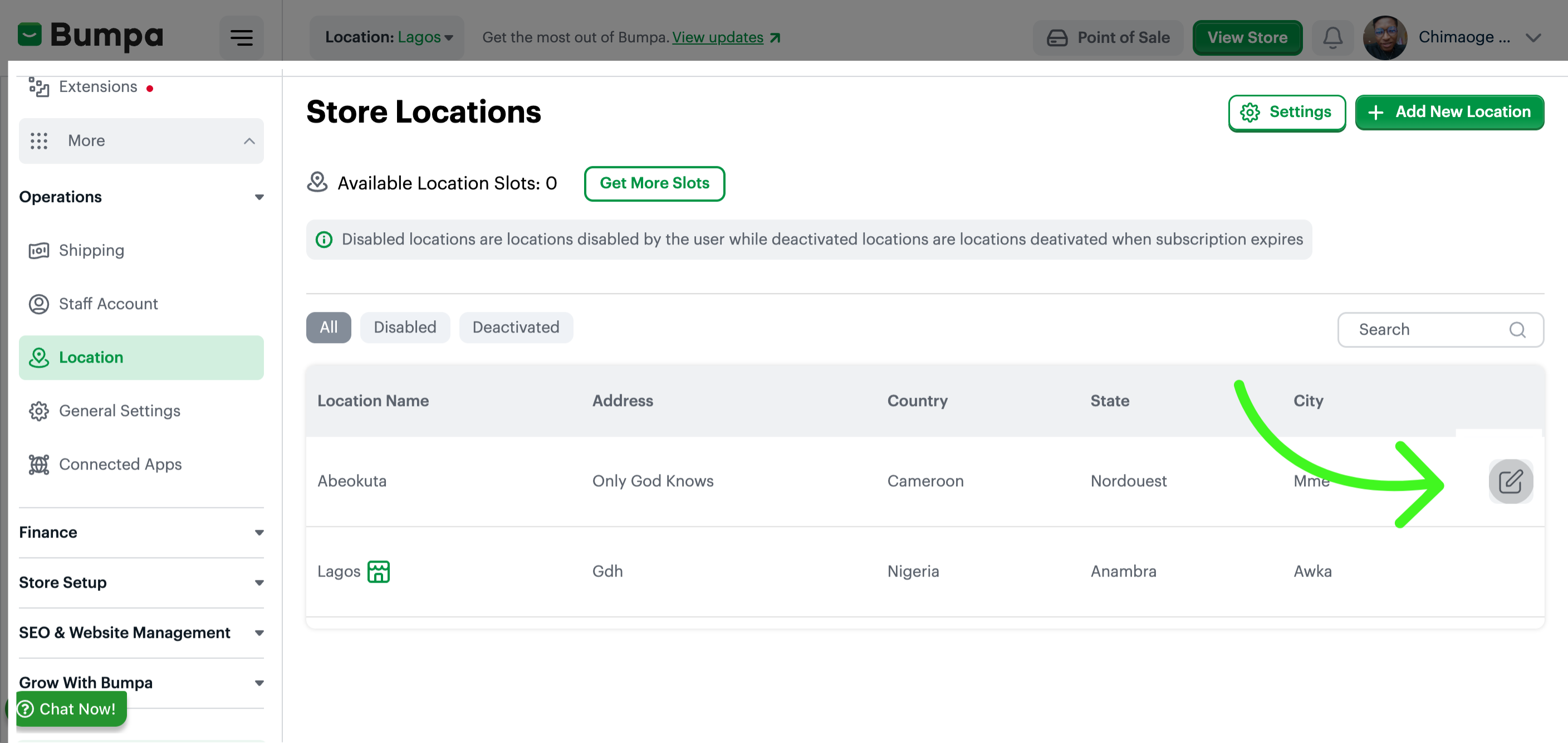
Click on the Location to View and Edit details
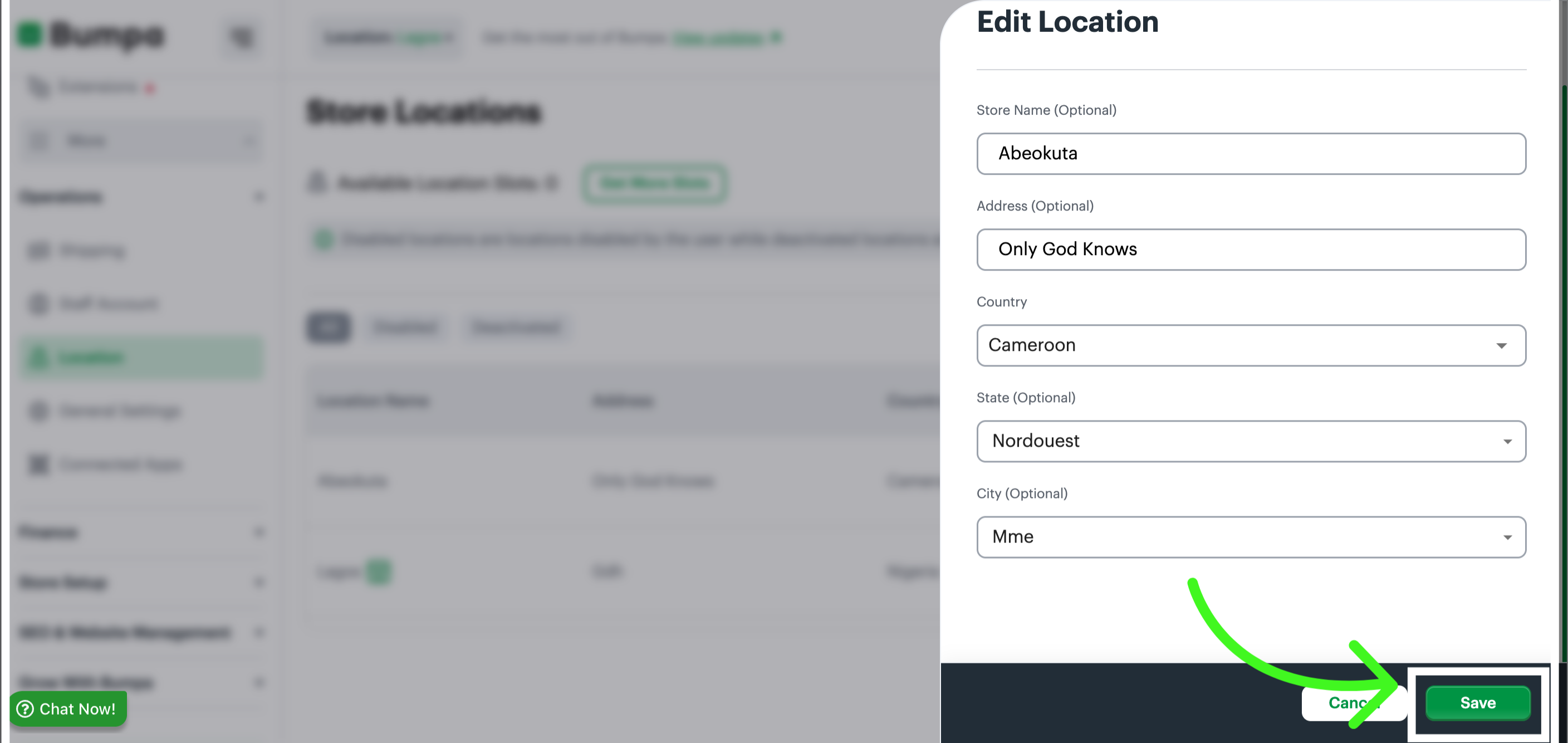
Make the changes and click on the “Save” button
Related Article:
Was this article helpful?
That’s Great!
Thank you for your feedback
Sorry! We couldn't be helpful
Thank you for your feedback
Feedback sent
We appreciate your effort and will try to fix the article