As a business owner, you may have more than one store location, and customers should see the right branch and local currency. Geolocation identifies a customer's location and shows the relevant store. In this article, learn how to turn on geolocation and add a complete location address.
To get started:
Open location
The Store Locations page lists your locations, with columns for Location Name, Address, Country, State, and City. The page also shows Available Location Slots: 0, with a Get More Slots button.
- Log in to your Bumpa dashboard via app.getbumpa.com
Navigate to More, Operations, then Location.
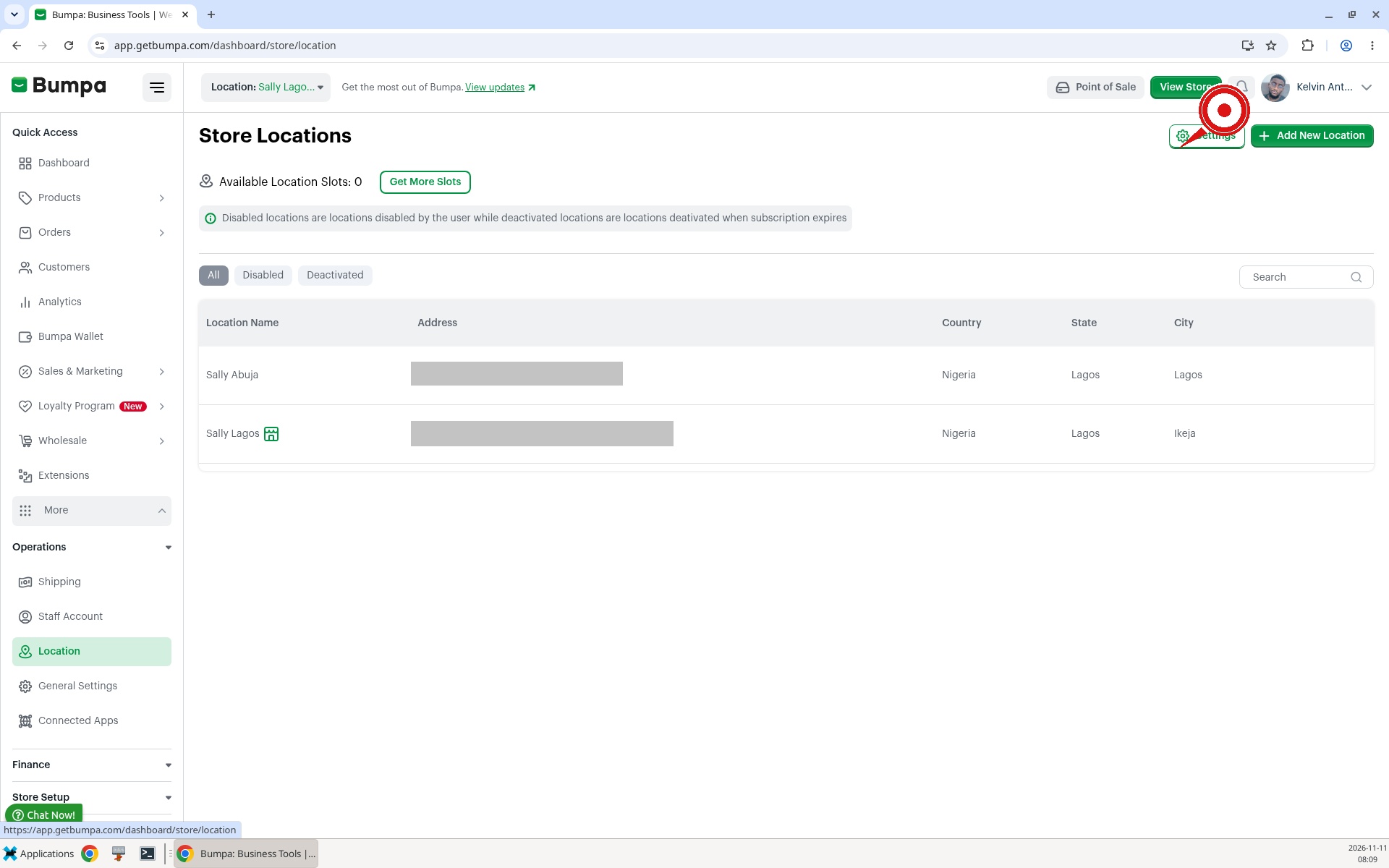
Example: Ngozi opens Location in Enugu and checks that both of her branches are listed before she changes any settings.
Turn on geolocation
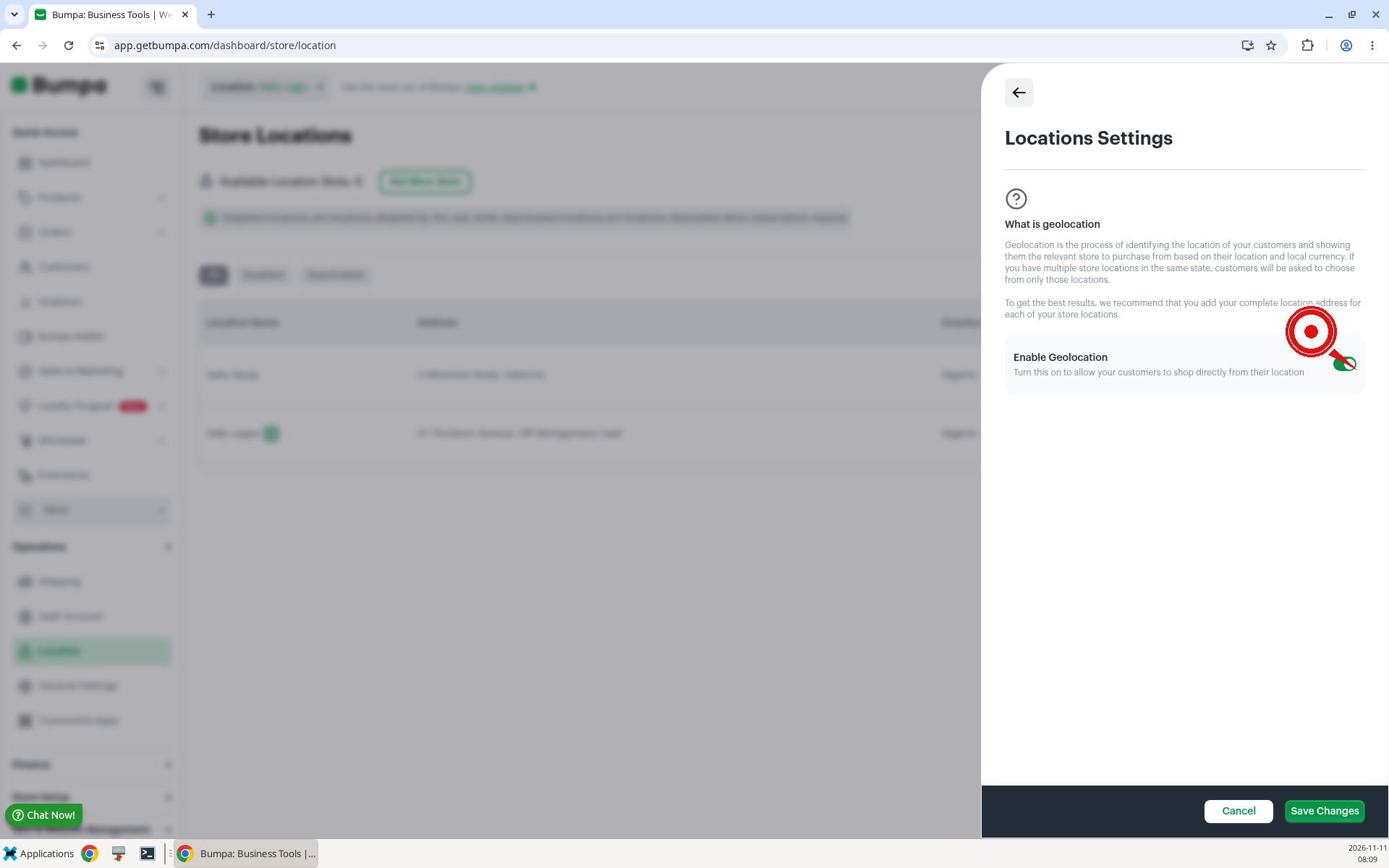
Settings is at the top right of the Store Locations page. Locations Settings explains geolocation and has an Enable Geolocation control.
To Toggle on geolocation, follow these steps:
Click Settings at the top right of the Store Locations page.
Turn on Enable Geolocation. The description says: "Turn this on to allow your customers to shop directly from their location."
Click Save Changes.
Add a complete location address
The Edit Location page has these fields: Store Name (Optional), Address (Optional), Country, State (Optional), and City (Optional).
To add or update a location address, follow these steps:
Click the location you want to edit on the Store Locations page.
Enter the address, and set Country, State, and City.
Click Save.
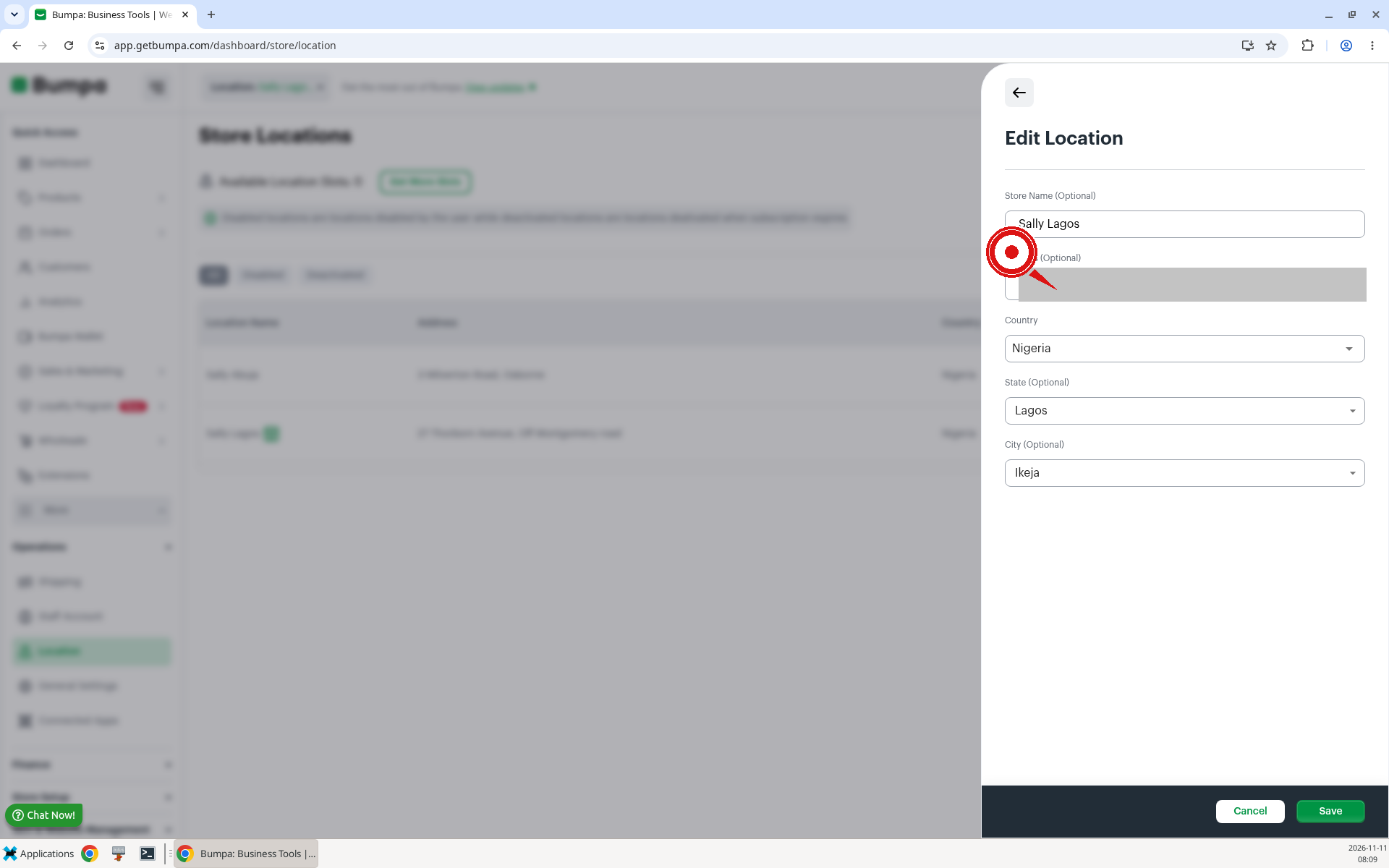
Note: To get the best results, we recommend that you add your complete location address for each of your store locations.Example: Amina in Kano opens her Kano location, adds the street address, sets State to Kano and City to Kano, and clicks Save.
Additional Info:
- This Feature is available to Growth subscribers because multi-location and multi-currency apply to them only
- For merchants with multi-currency, currencies automatically adjust; no need to enable geolocation
- Geolocation automatically displays prices in the customer’s local currency
- If a merchant has multiple store locations in the same state, customers will only see and choose from those locations.
Related Articles:
Was this article helpful?
That’s Great!
Thank you for your feedback
Sorry! We couldn't be helpful
Thank you for your feedback
Feedback sent
We appreciate your effort and will try to fix the article