Ever seen a race where a runner finally reaches the finish line? Crossing it with a smile after all the effort, with the crowd cheering around them — that moment of recognition is priceless.
That’s exactly the feeling Milestones & Goals on Bumpa is designed to bring to your business journey. Automatically celebrating real achievements in your business as they happen helps you stay motivated and reach your next big win.
Milestones & Goals help you:
- Celebrate growth automatically: important moments such as reaching a number of orders, customers, or sales are recognized automatically.
- Make progress visible: see exactly how far you’ve come and what’s next.
- Drive consistent actions: when you can track your wins, it’s easier to keep moving forward.
- Encourage intentional goal setting: focus on what matters most and watch yourself achieve it.
All milestones are calculated based on paid orders and completed actions only. Cancelled or unpaid orders don’t count, so you can be sure every milestone is a true reflection of your progress.
This feature is available on ALL paid plans, however, creation of Goals for staff needs at least a PRO plan.
With Milestones & Goals, your achievements appear right on your dashboard, so you can see your progress at a glance.
And the best part?? You don’t have to keep checking! We celebrate with you every step of the way, cheering your wins.
Whenever you hit a milestone, you’ll be notified through:
- Push notifications on your phone.
- Email updates to keep you in the loop.
- In-app celebrations that make your achievement feel exceptional!
Milestones not just track progress; they help celebrate the win, every time your business reaches a new peak.
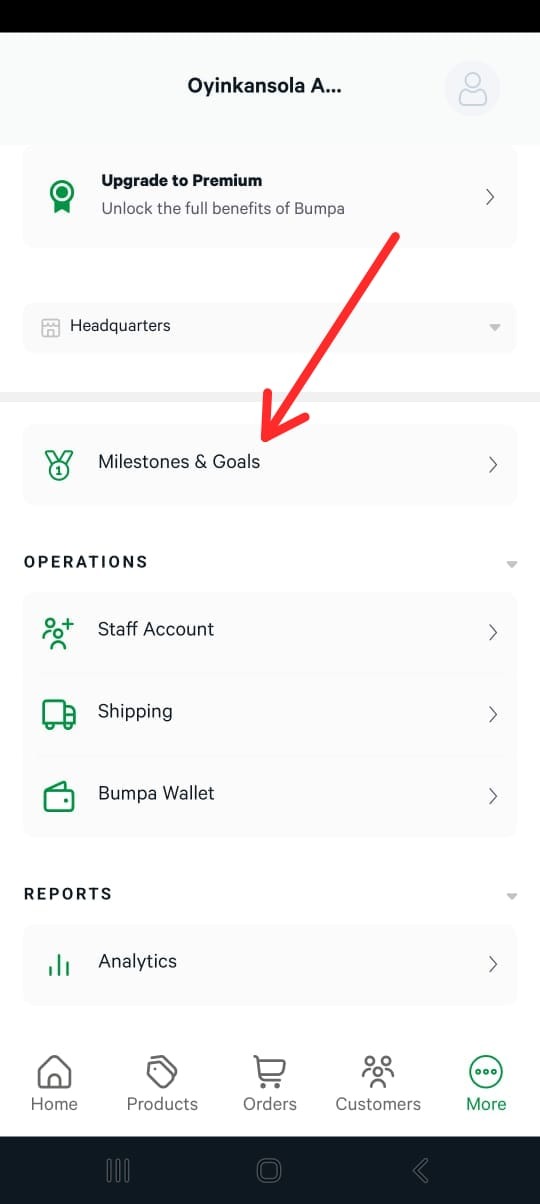
To navigate to the Milestones & Goals section, please follow the steps below:
- Log in via the Mobile app
- Click on the More option
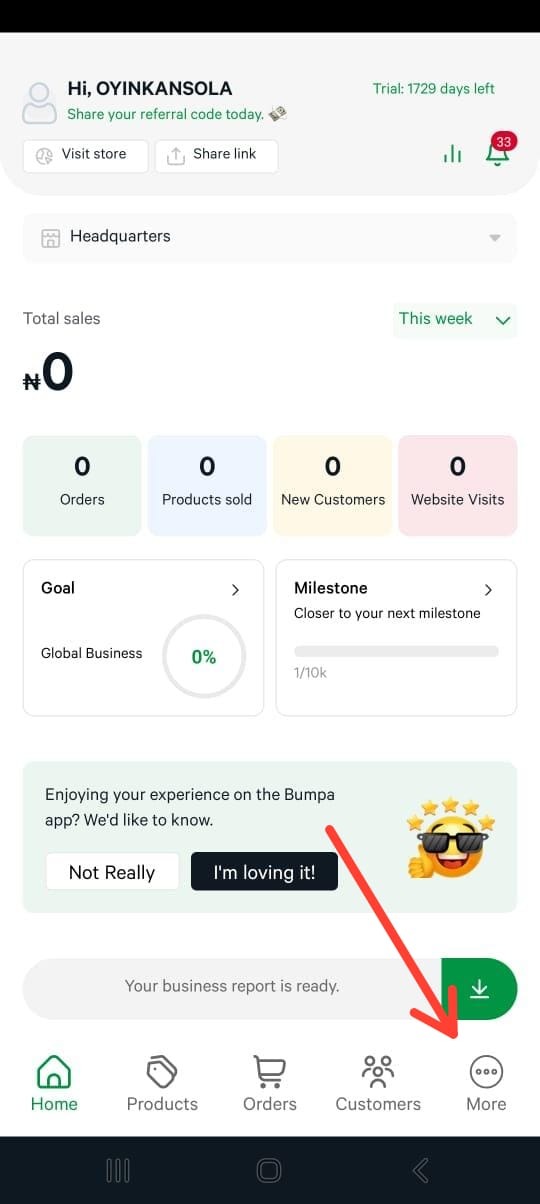
- Navigate to Milestones & Goals
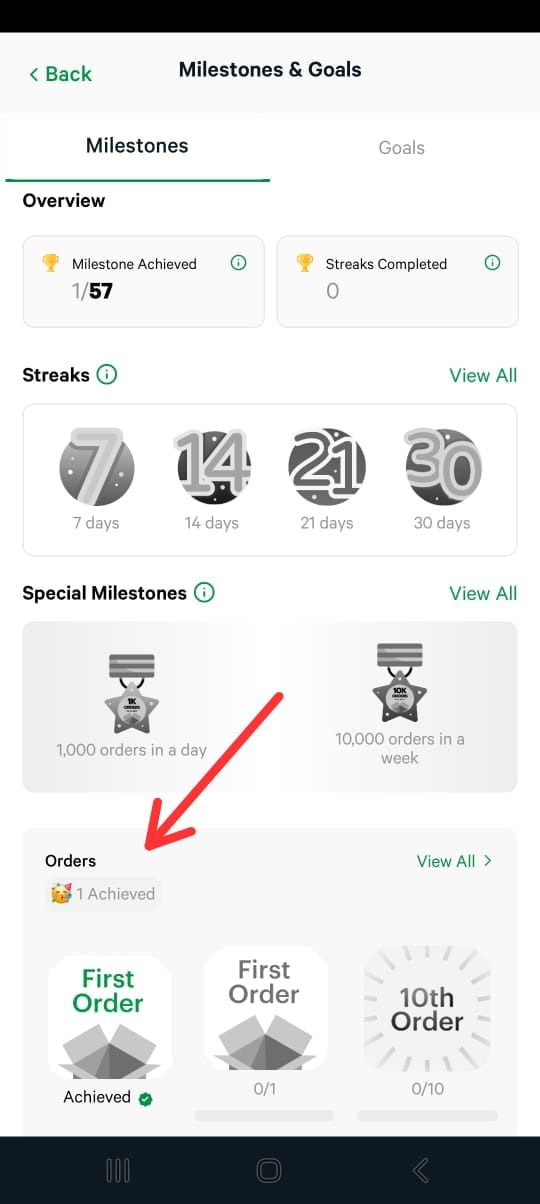
Types of Milestones on Bumpa
- Order Milestones: Every time you hit a new number of paid orders, it’s a win worth celebrating!
- Revenue Milestones: Watch your total revenue grow and celebrate each new milestone.
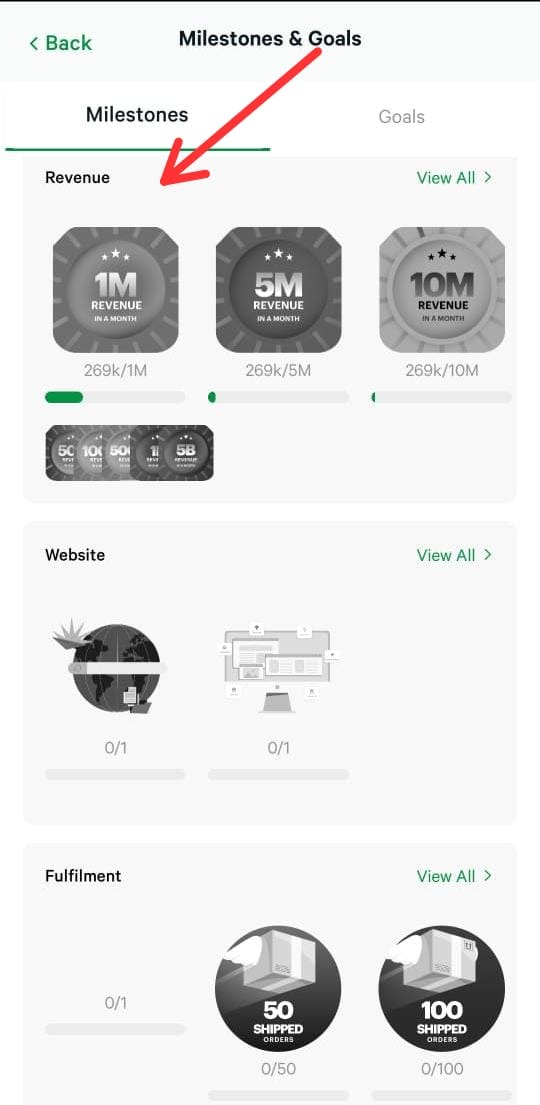
- Fulfillment Milestones: Orders shipped and delivered? That’s another reason to cheer!
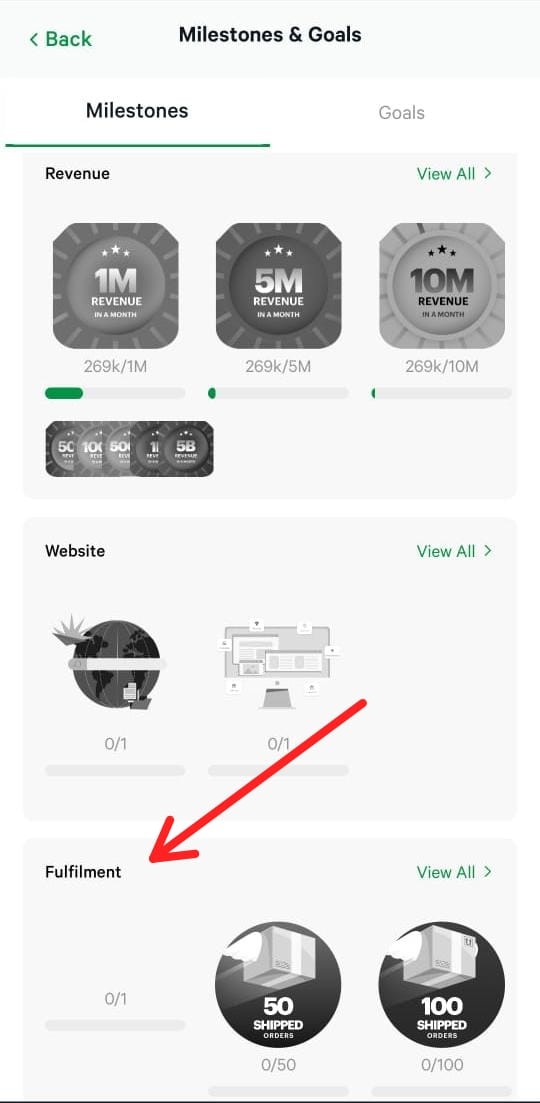
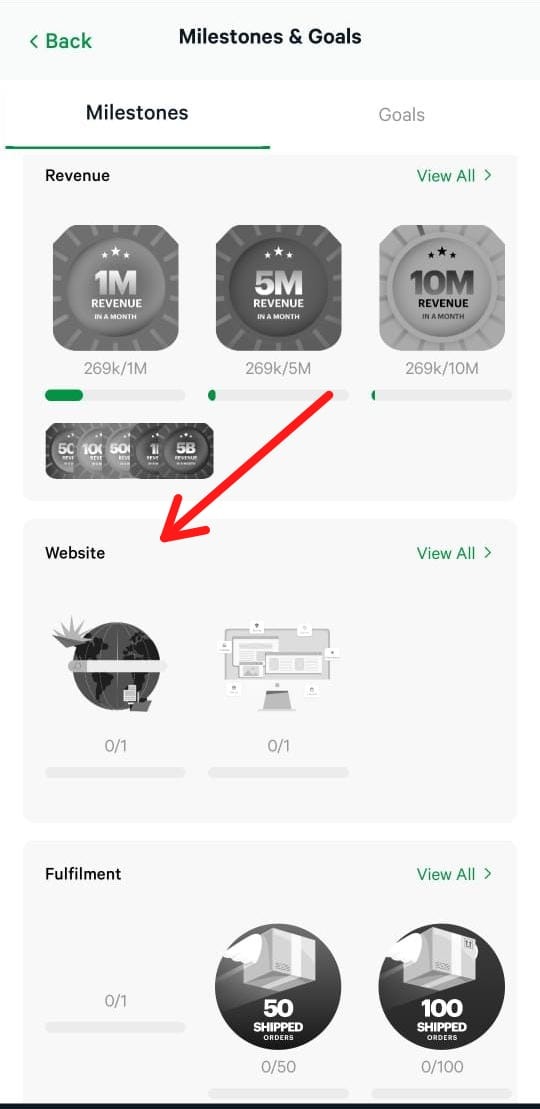
- Website Milestones: From grabbing your domain to using a professional theme, your website's progress counts.
- Special Milestones: Extraordinary achievements deserve extraordinary celebrations; these rare wins get the spotlight they deserve!
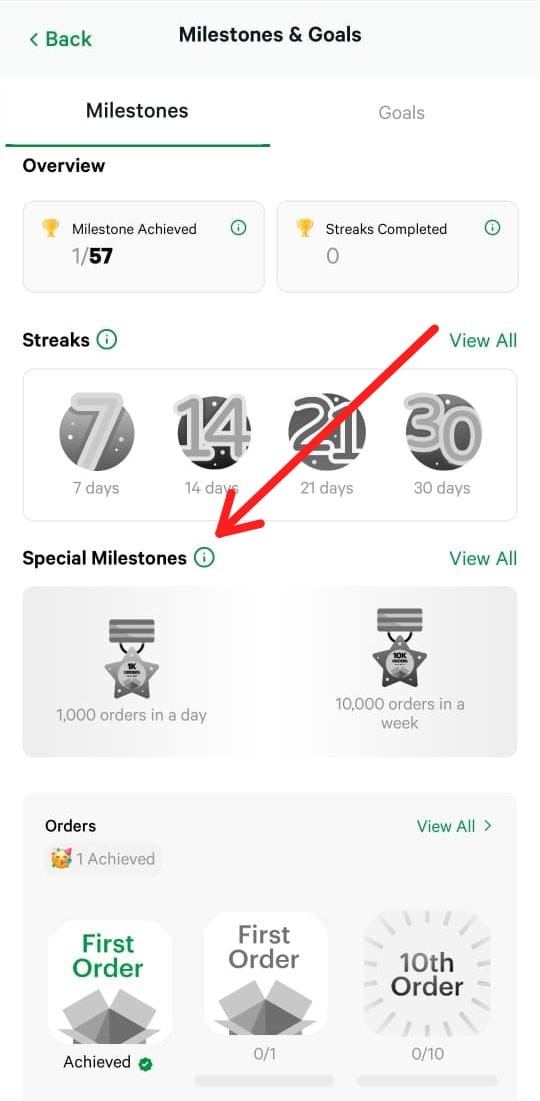
STREAKS
Think of streaks as mini milestones within your Milestones, like your WhatsApp streaks, but for business. A streak tracks consecutive days where you complete at least one qualifying activity. It’s a fun, motivating way to celebrate consistent action and see your momentum build day after day, not just your big wins.
What Truly Counts
Milestones & Goals on Bumpa are powered by the actions you take every day to grow your business.
In Order Management, every step counts — marking orders as paid, shipped, delivered, or picked up, updating details, canceling orders, or sharing invoices and receipts all contribute to your milestones.
In Product Management, adding new products, editing details, updating inventory, or organizing products into categories are recognized as meaningful actions that drive progress.
What Doesn’t Count
Simply opening the app, viewing orders without taking action, browsing products without updates, passive scrolling, or interacting only with notifications will not count toward milestones.
Milestones are designed to recognize real progress — the meaningful steps you take to manage orders, update products, and grow your business. This ensures every celebration reflects a true achievement.
Milestones That Earn Plaques
Some milestones are truly special — the ones that mark major achievements in your business. On Bumpa, when your paid orders reach certain milestones, you don’t just see a number on a dashboard; we celebrate it with you.
These are the milestones that earn plaques, a recognition of your hard work and dedication:
- 5,000 orders
- 10,000 orders
- 25,000 orders
- 50,000 orders
- 100,000 orders
Every plaque is more than just a number. It’s a moment of pride. Each one tells the story of consistent effort, growth, and progress. And with Milestones on Bumpa, you feel the celebration too, through in-app notifications, emails, and push alerts, so you know we’re cheering alongside you as your business reaches new heights.
GOALS
Goals let you set intentional performance targets, so every action contributes to a clear, measurable outcome.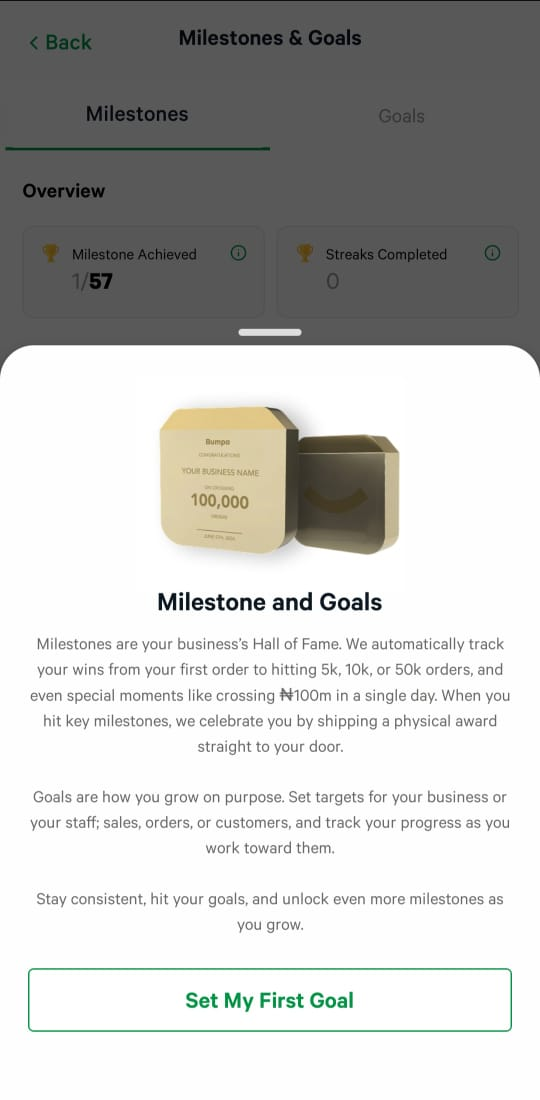
With Goals, you can track:
- Revenue targets for your business
- Number of orders for your business
- Sales targets for individual staff
To set business goals, click on business goals, input a name, select goal type, choose recurrence, and set a target.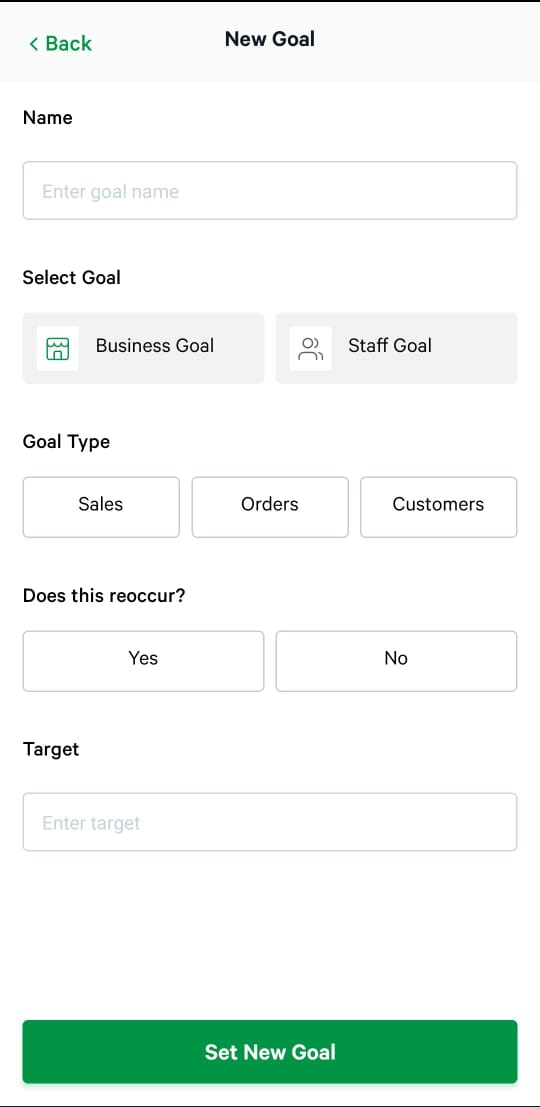
Goals give you the flexibility to set multiple targets at once and choose whether each goal is one-time or recurring, making it simple to plan, track, and achieve your objectives.
Staff Experience
Goals don’t just stay with you — they guide your team, too. When a goal is assigned, staff can log into their app and instantly see:
- The target set for them
- Their current performance
- How close are they to achieving it
This makes it easy to recognize and celebrate staff achievements, not just business results.
To set staff goals, click on staff goals, input a name, select goal type, choose recurrence and set a target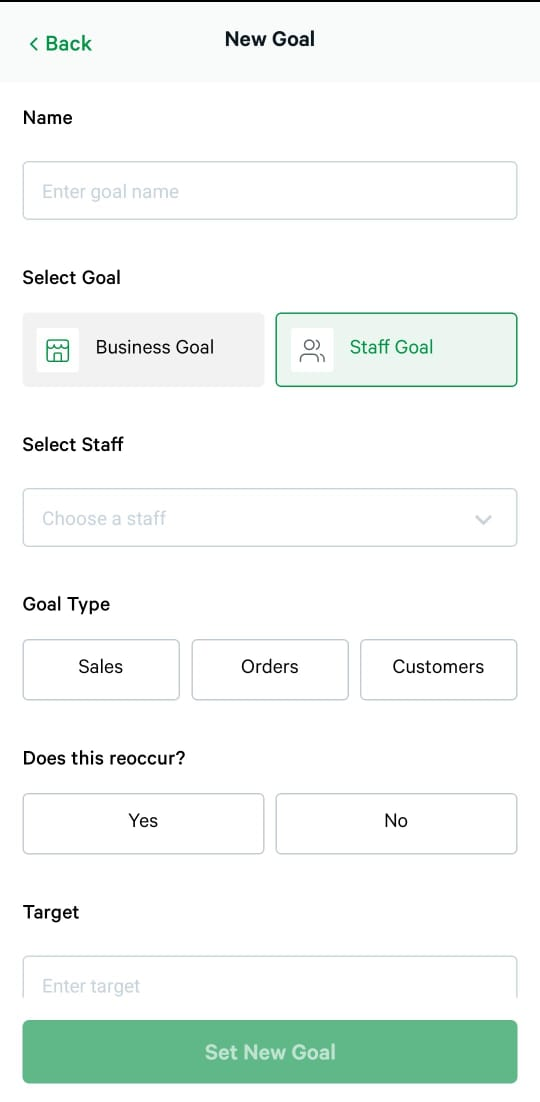
Every milestone reached by a staff member becomes a moment of pride, motivating them to keep performing at their best and feel appreciated for their contributions.
Please note that for staff targets, only orders created directly in the app by the staff count. Website orders are not included in staff performance, ensuring that goals reflect real, actionable work.
If you have any questions or need help setting up your Milestones & Goals, feel free to reach out to our team at [email protected]. We’re always happy to assist!
Was this article helpful?
That’s Great!
Thank you for your feedback
Sorry! We couldn't be helpful
Thank you for your feedback
Feedback sent
We appreciate your effort and will try to fix the article