Introduction
Managing orders that require attention is now easier with Bumpa’s Attention Orders feature. You can review and resolve unfulfilled orders, process full refunds directly through Paystack or issue refunds via gift cards. The feature also supports automatic customer email notifications and refund transaction references, helping you keep customers informed and streamline your order resolution process.
This guide walks you through how to manage attention orders and resolve them using the available refund options.
- Log in to your Bumpa dashboard
Visit app.getbumpa.com to view your dashboard.
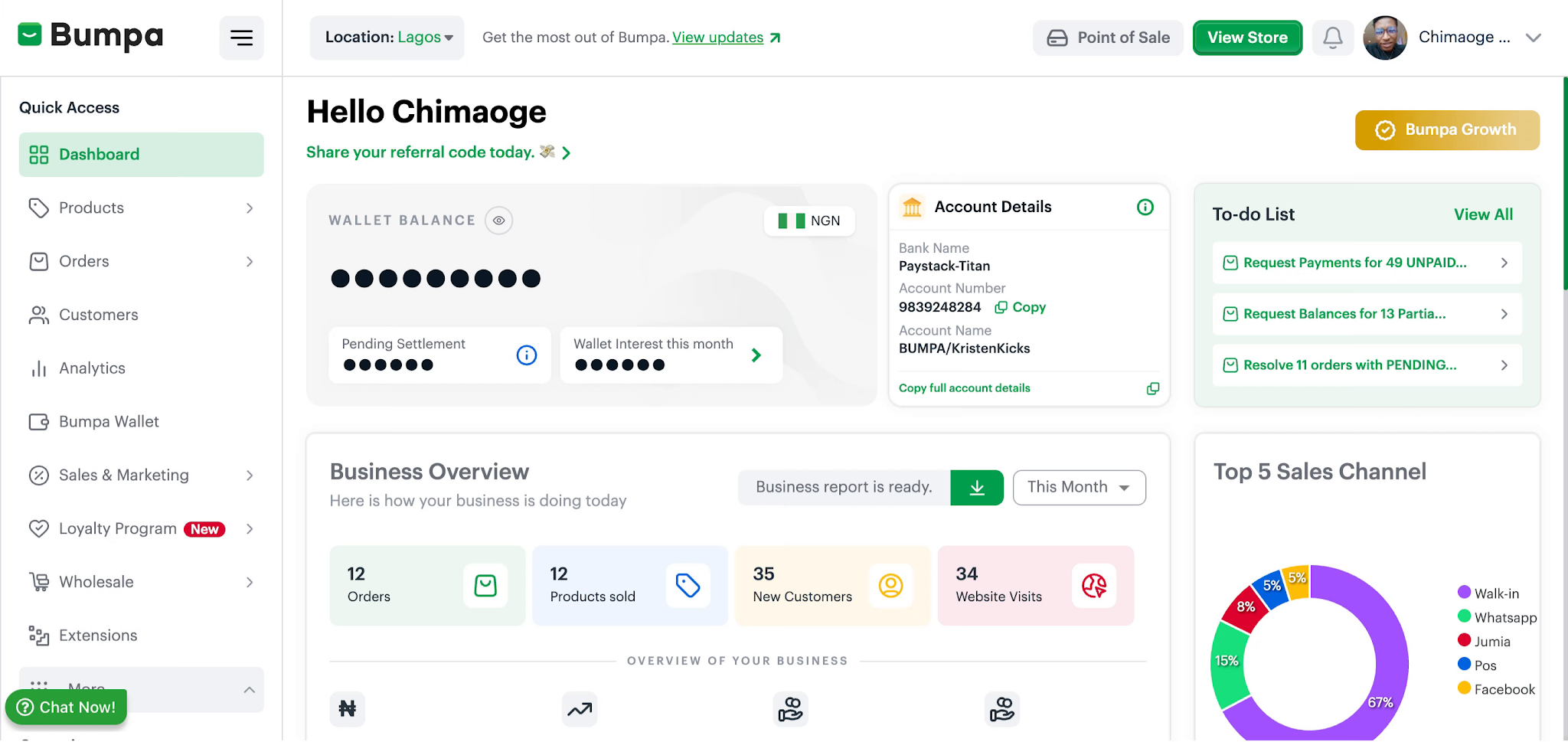
- Open Orders Section
Select the Orders tab to view and manage customer orders within your Getbumpa account.
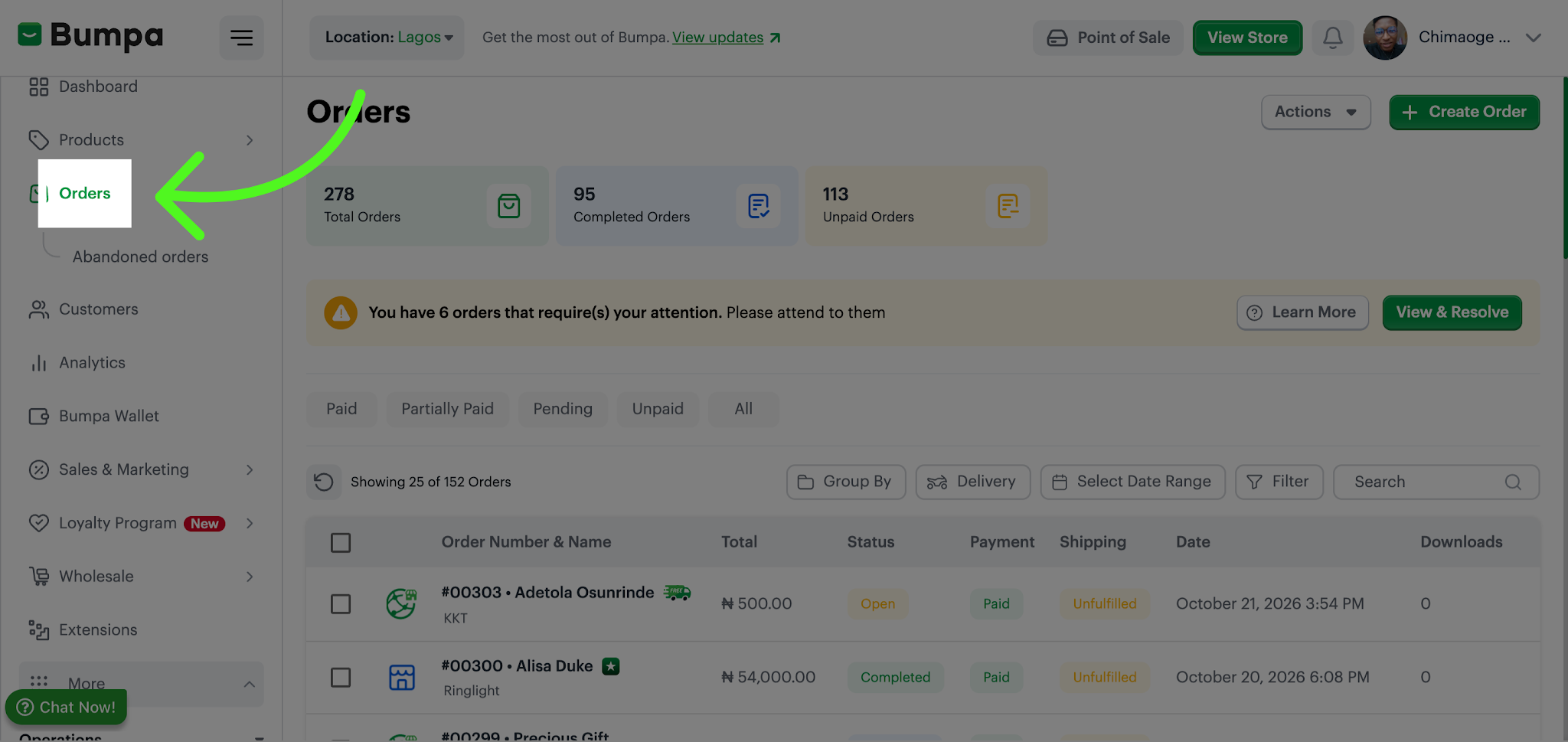
- Access View & Resolve
Click View & Resolve to identify orders that require attention or action.
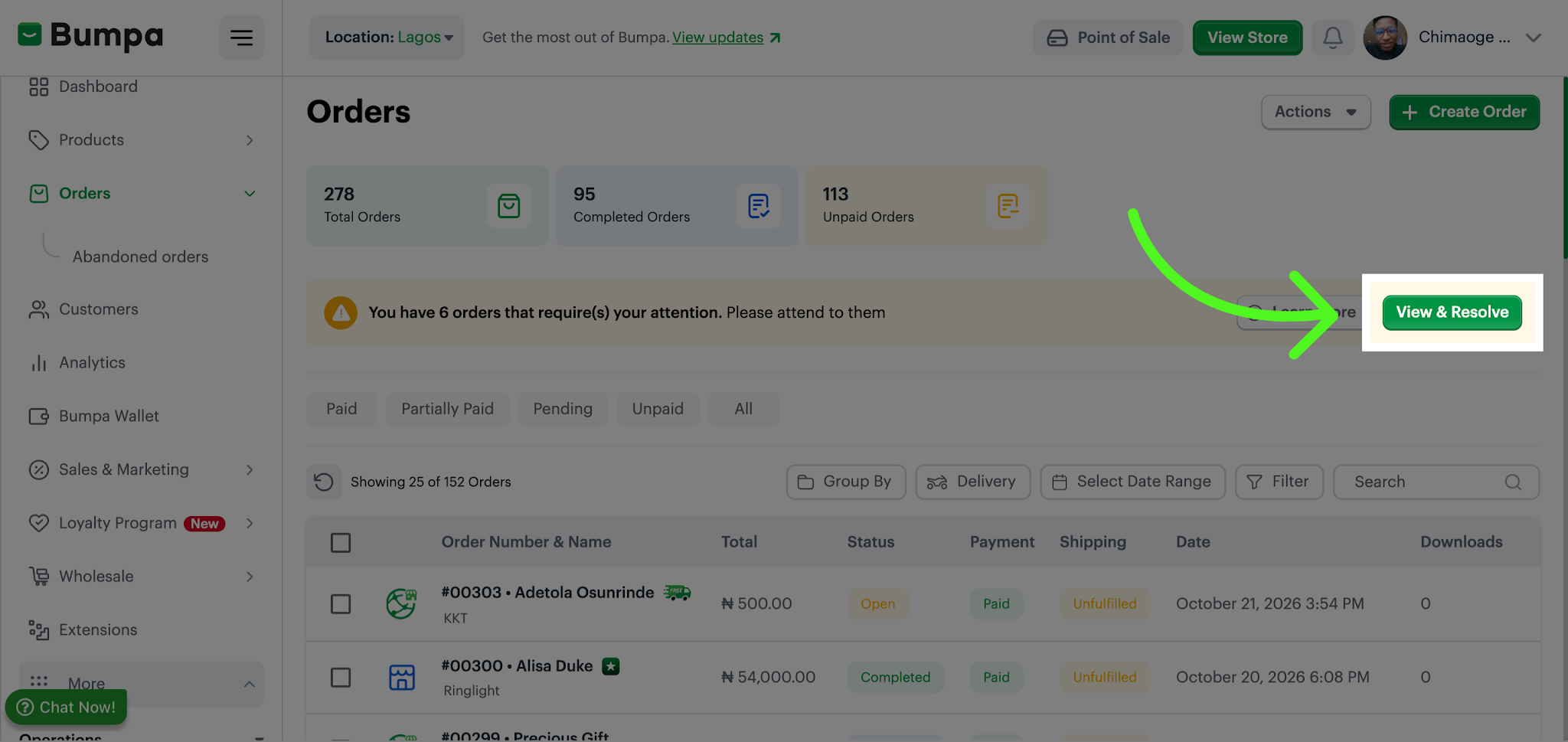
- Filter Unfulfilled Orders
Click the Unfulfilled filter to display orders that have not yet been completed or shipped.
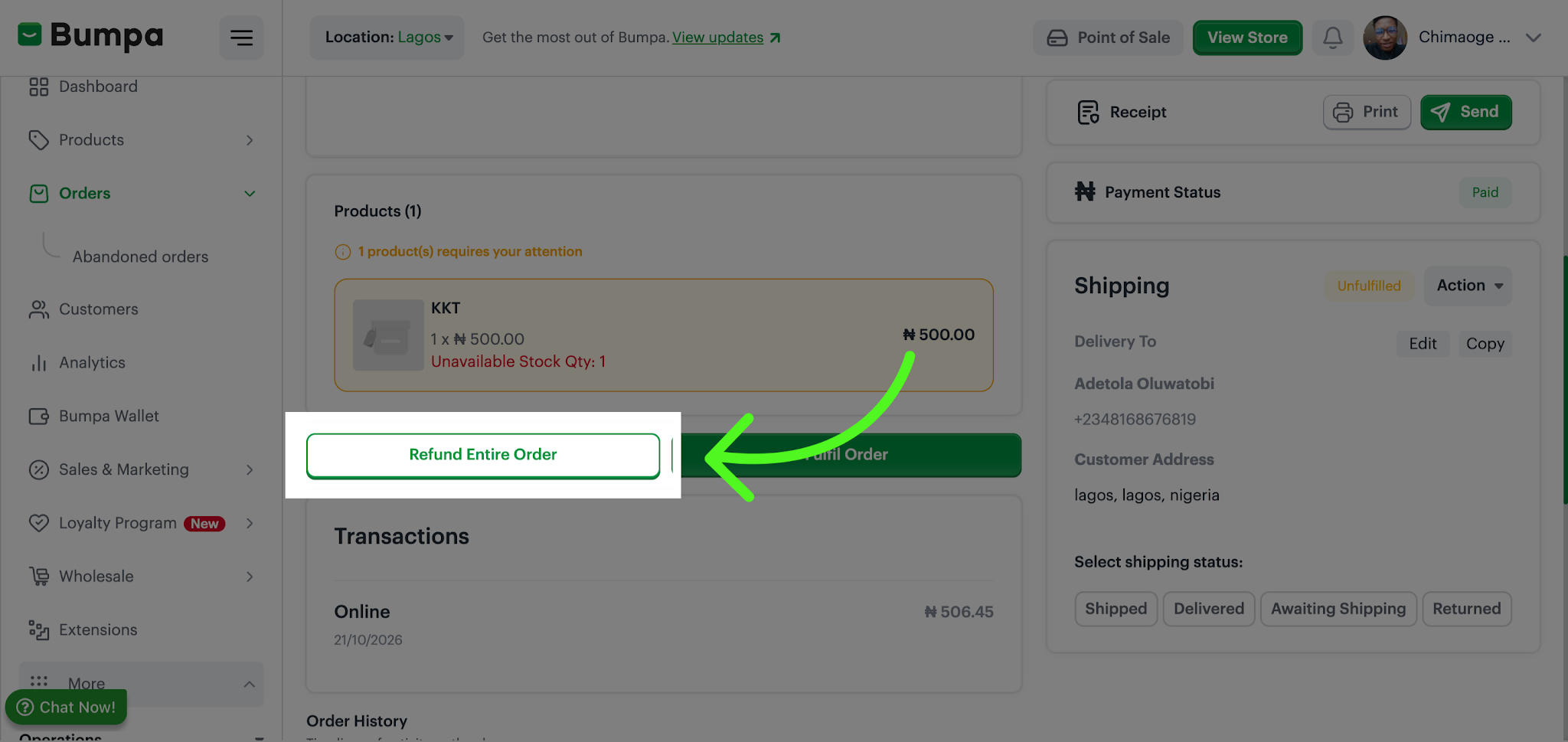
- Initiate Full Order Refund
Click Refund Entire Order to start the process of refunding the customer's full purchase amount.
For Refund via Paystack
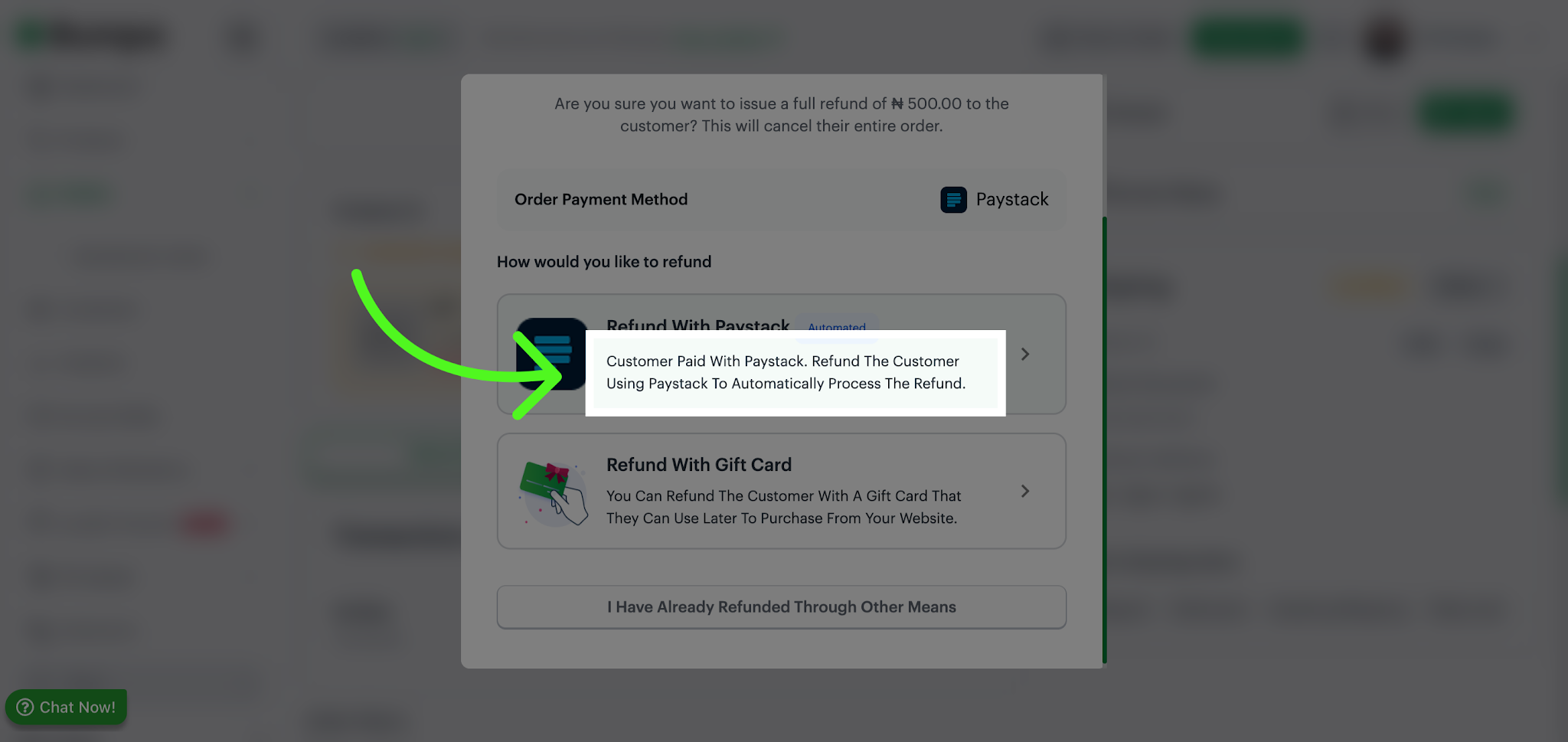
- Select Paystack Refund Method
Click the option to refund the customer using Paystack, (If the Order was processed with Paystack), which will automatically process the refund securely.
- Confirm Refund Notification
Click the confirmation dialog to acknowledge that an email will be sent to the customer informing them about the refund.
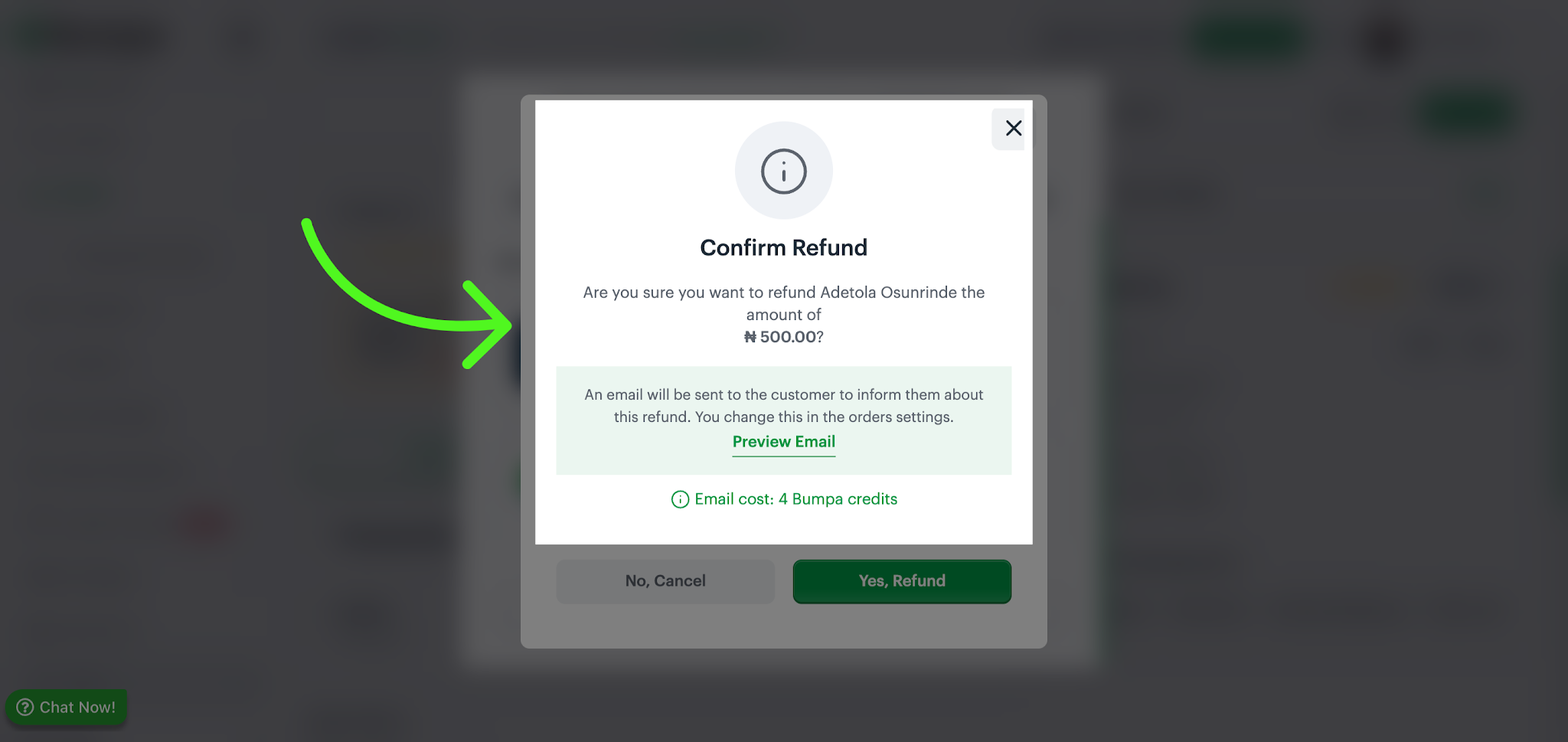
Note: An email is sent to the customer notifying them about this refund.
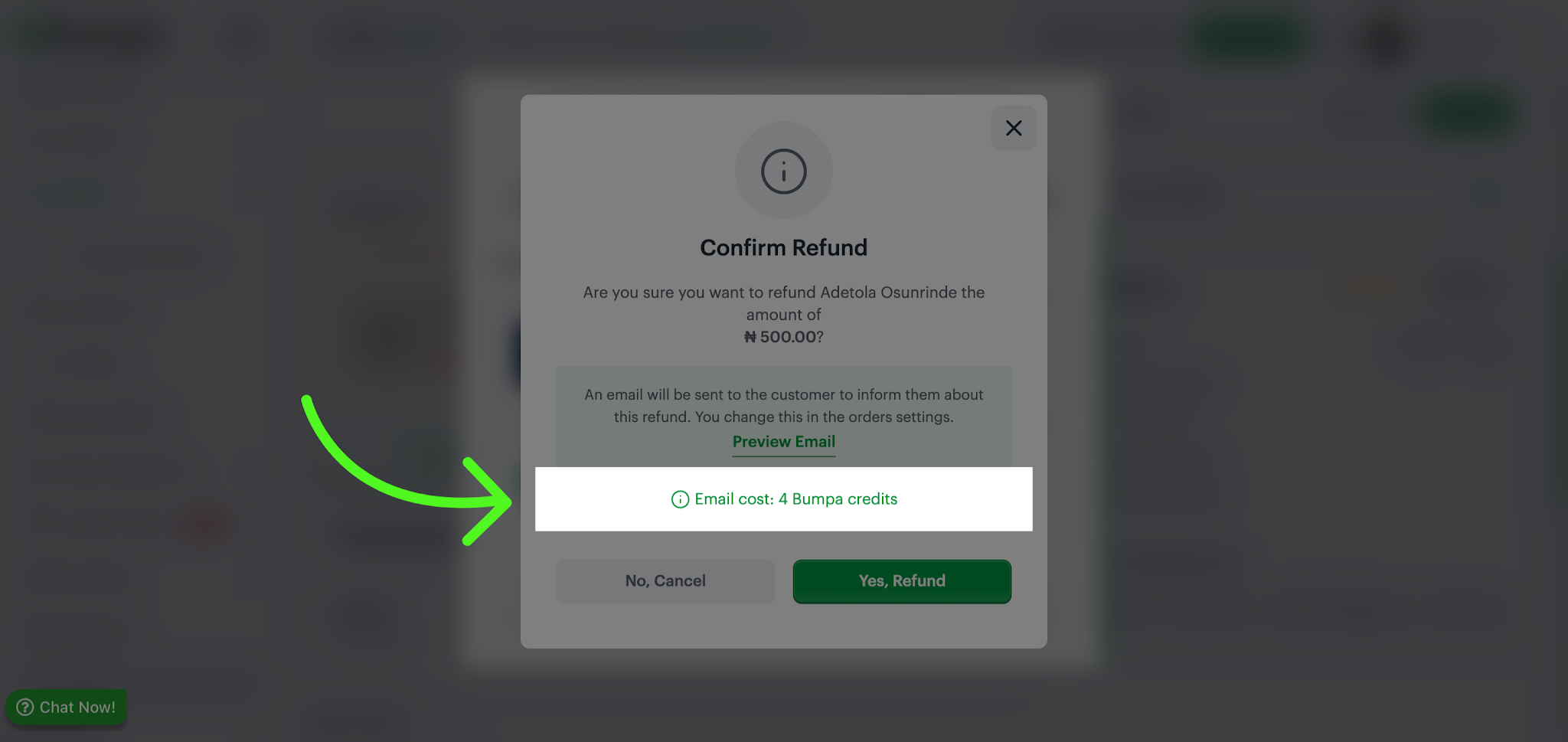
- Review Email Cost
Click Email cost to view the Bumpa credits required to send the refund notification email to the customer.
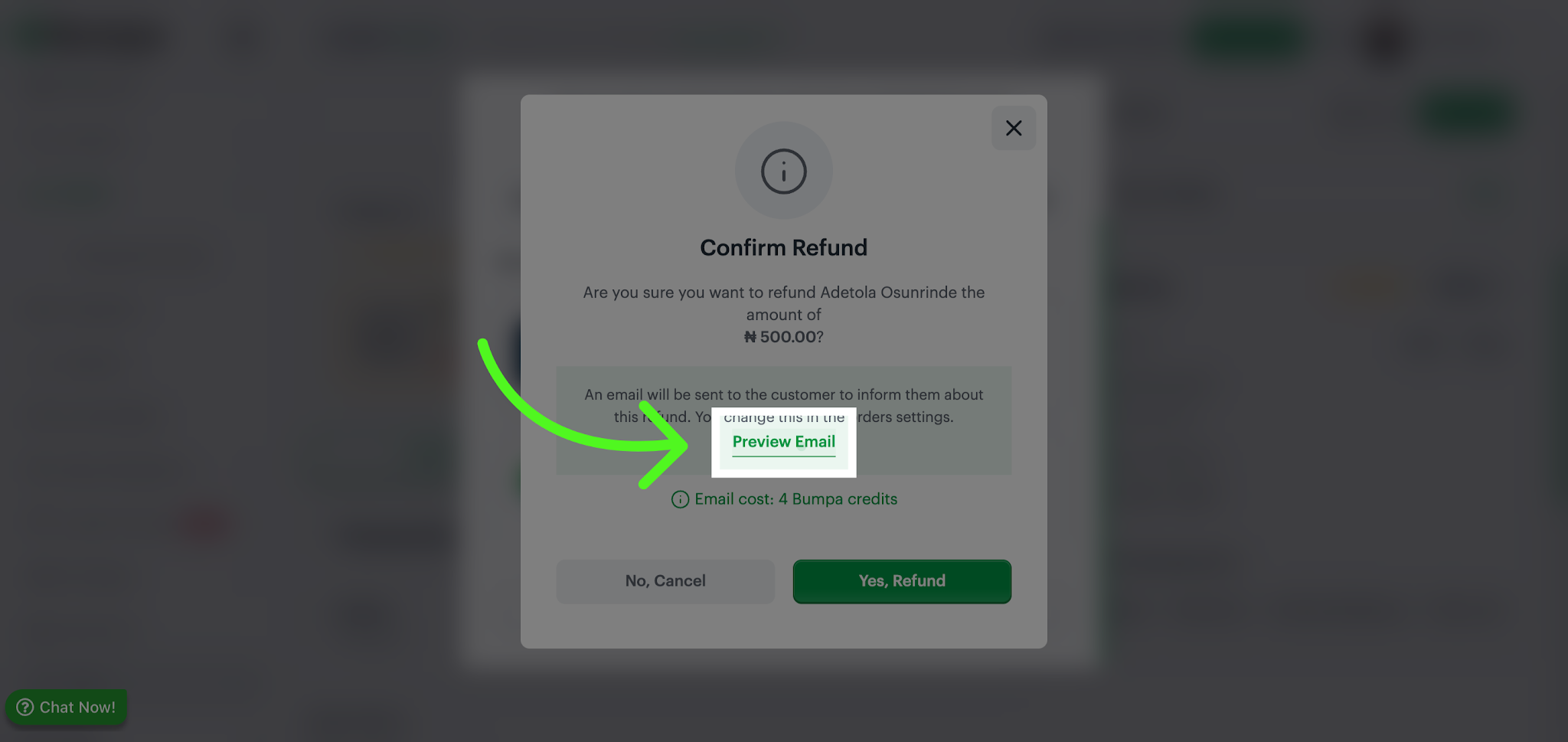
- Preview Refund Email
Click Preview email to see the exact message that will be sent to the customer regarding their refund.
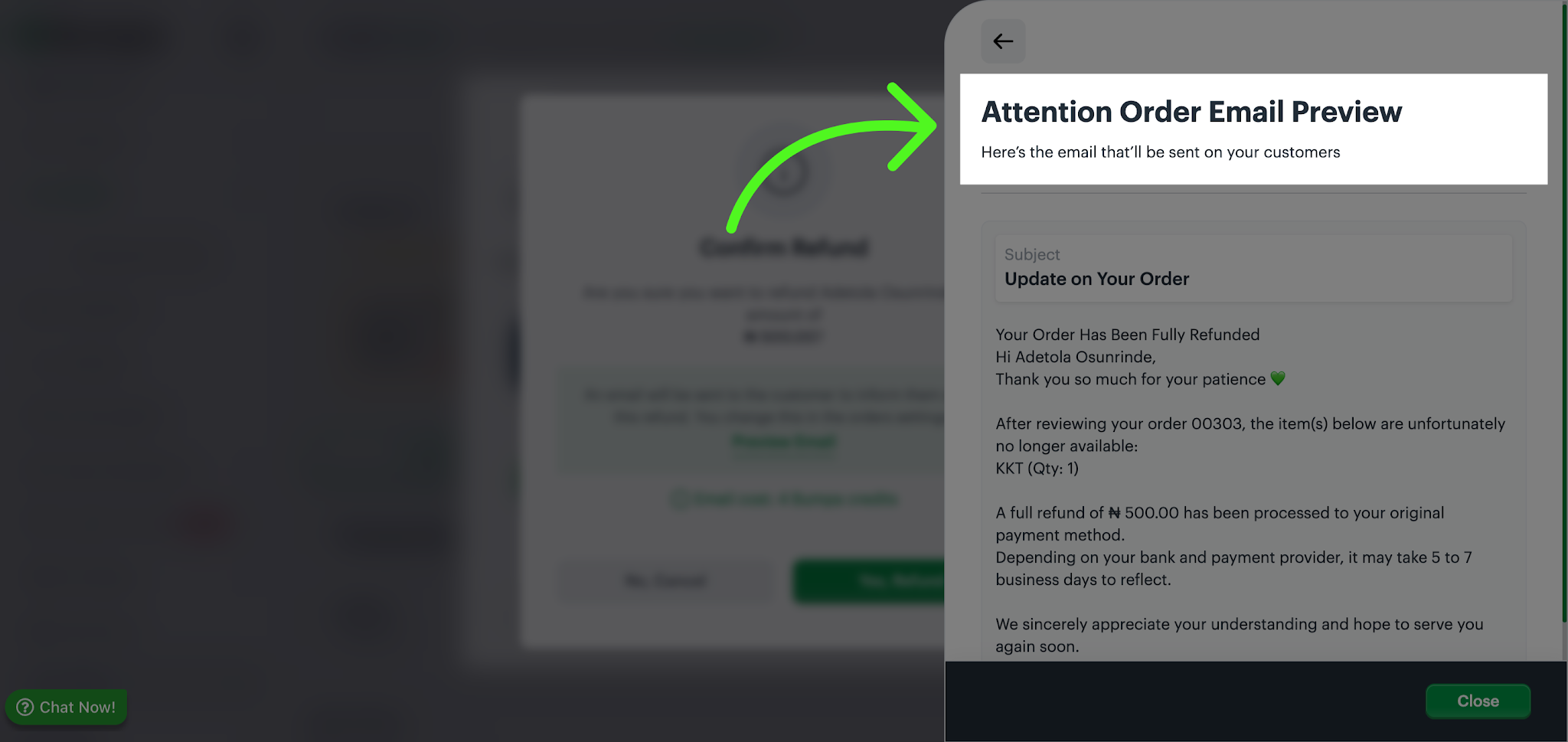
- View Order Email Preview
Click the email preview window to review the refund notification content before sending.
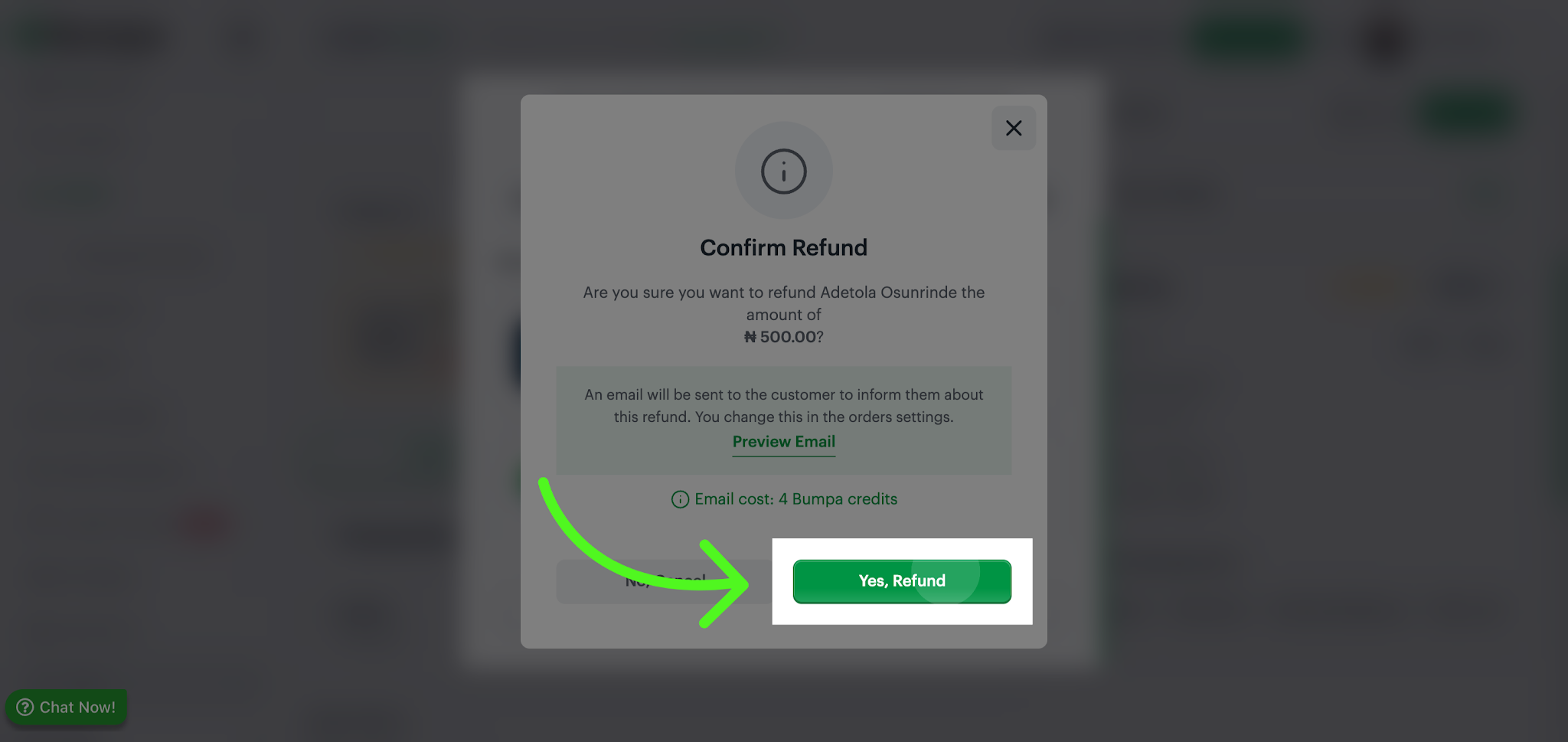
- Confirm Refund Submission
Click Yes, refund to finalize and submit the full refund for the customer's order.
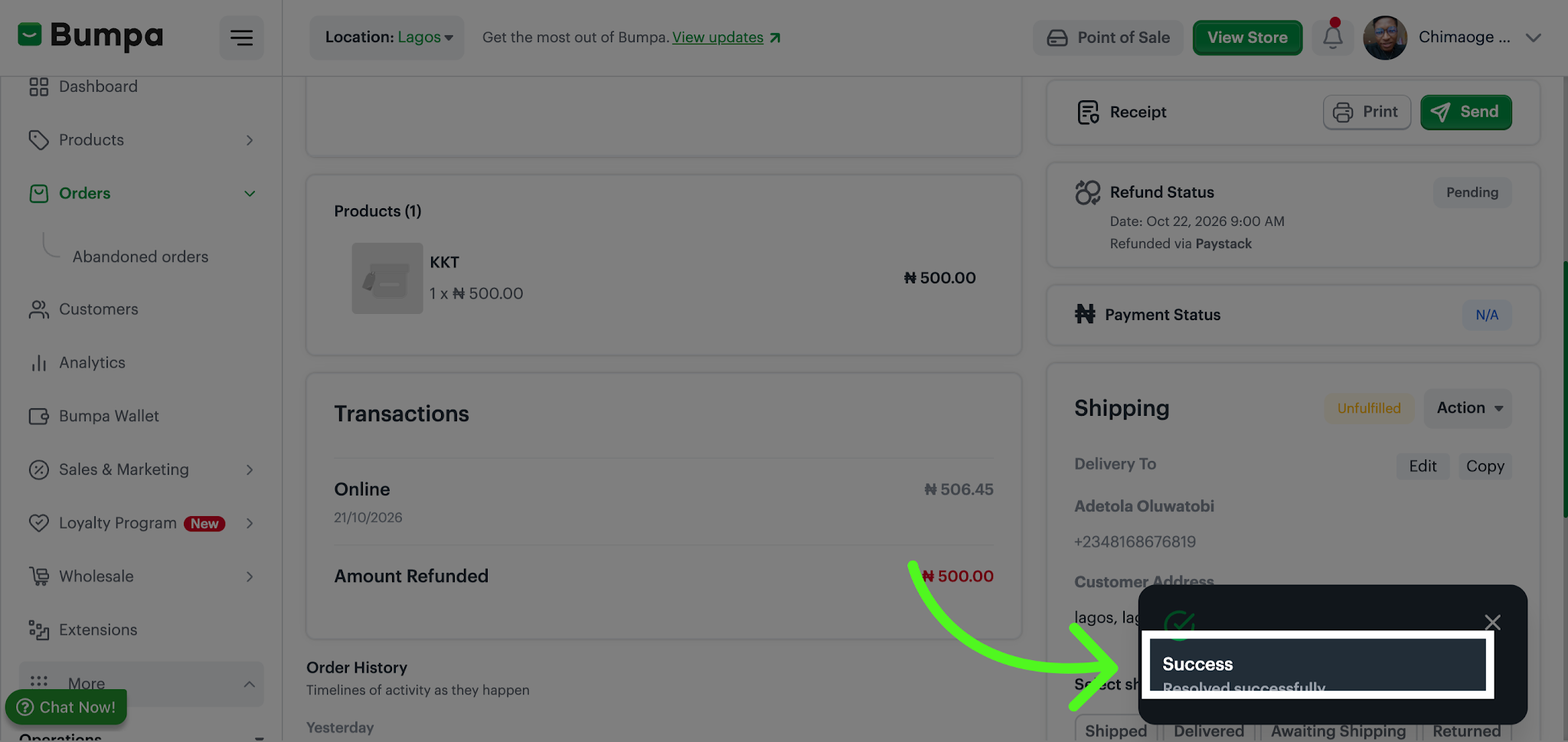
- Acknowledge Refund Success
Click Success to confirm that the refund has been processed successfully within Getbumpa.
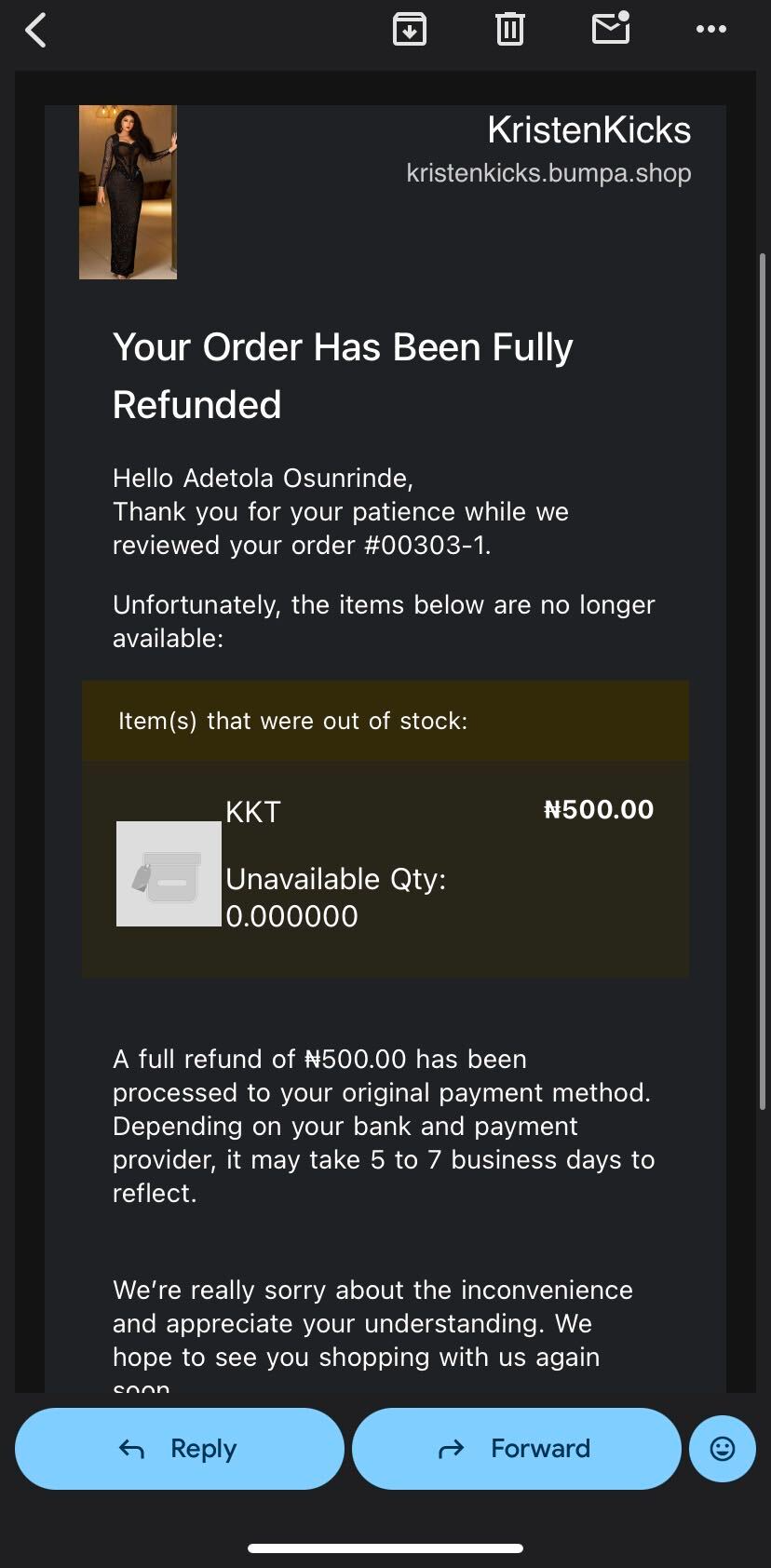
- Customer receives an email notification of refund
The customer will receive an email notification confirming that their refund has been initiated or processed.
For Refund with Gift Card Option
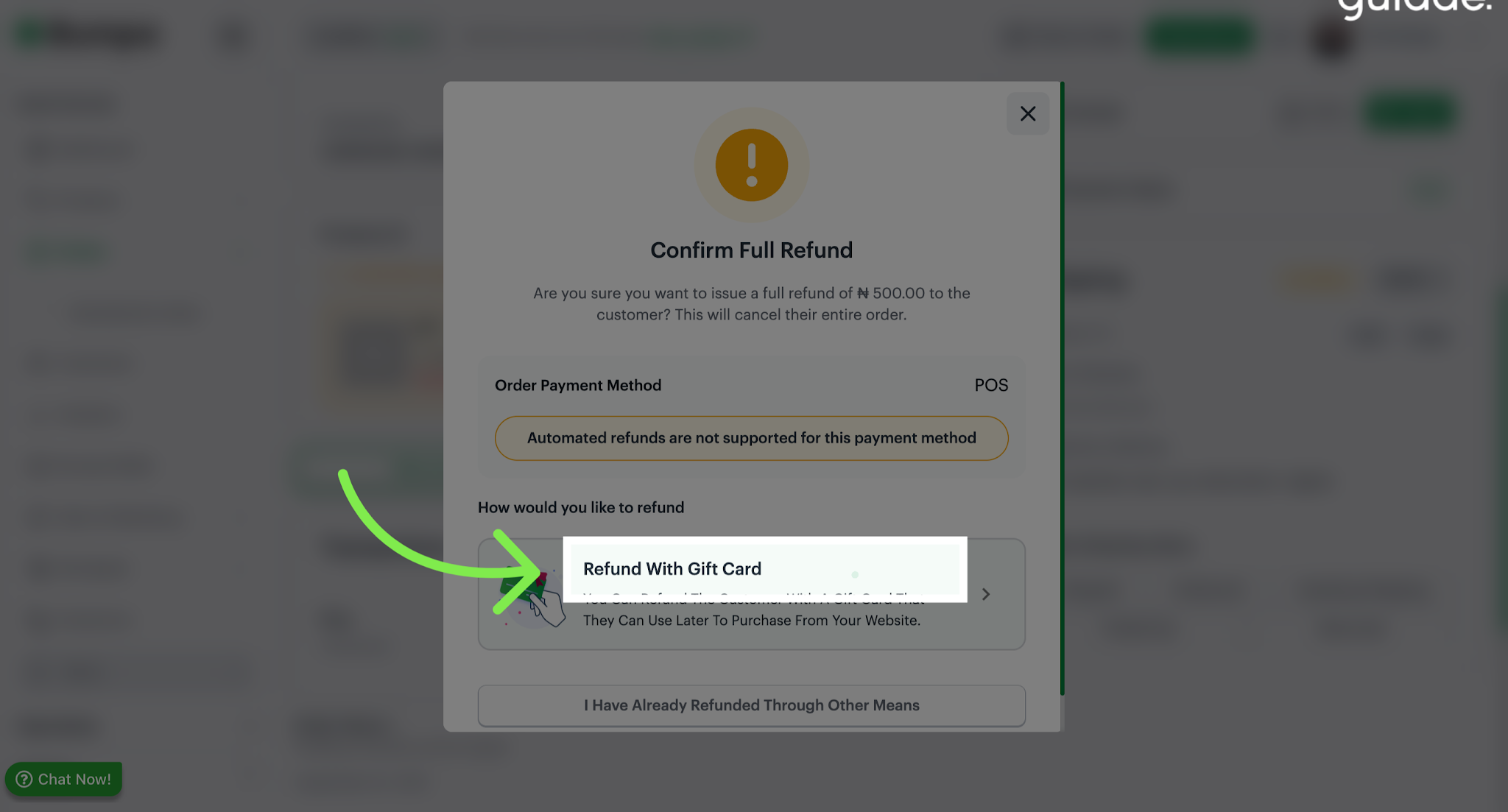
- Choose Refund with Gift Card
Refund with can also be processed via gift card, to refund with gift card
Click Refund with gift card to apply the refund amount as a gift card balance, providing flexible options for customers.
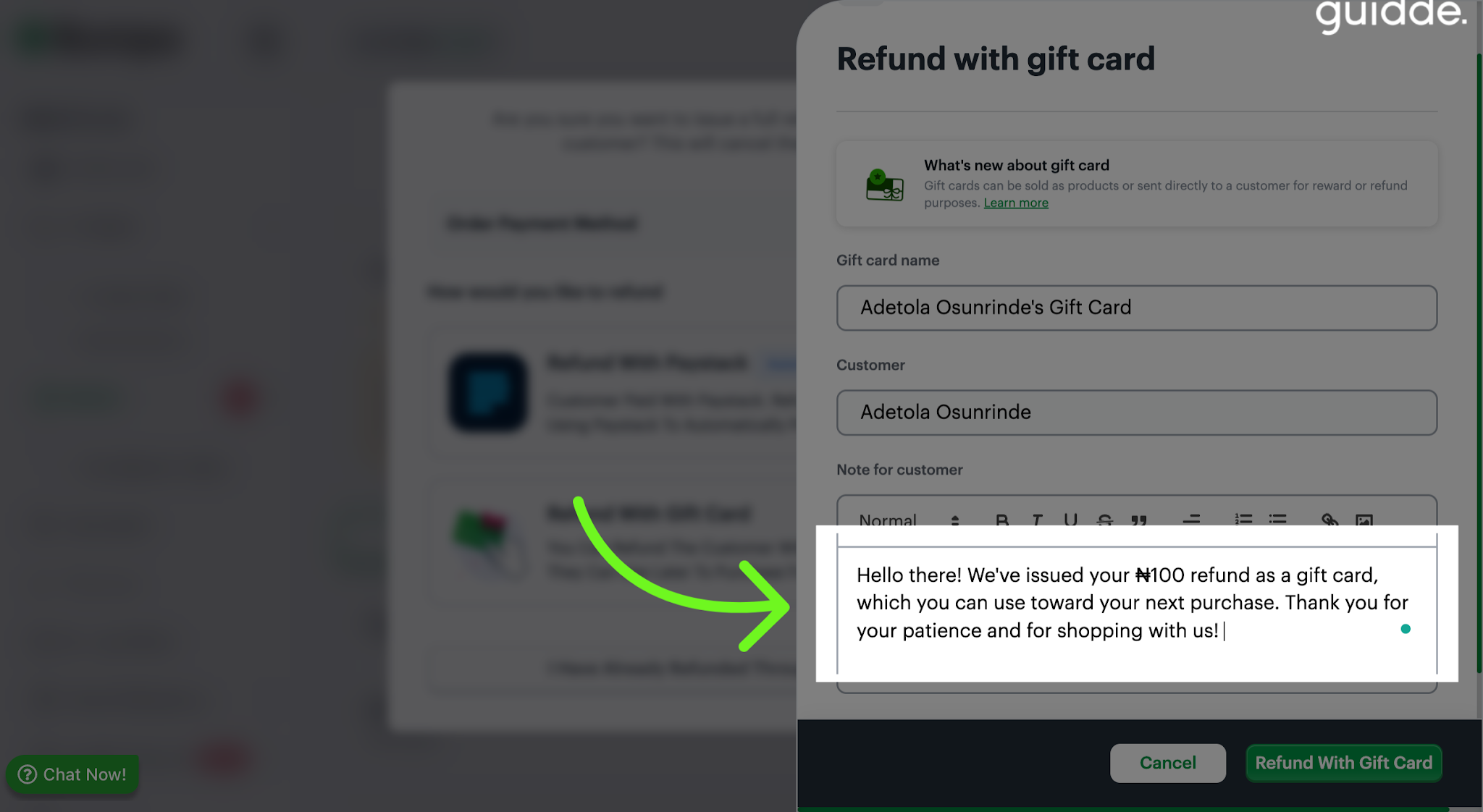
- Fill Refund Message Field
Fill in the refund message field with a personalized message to communicate the refund details to the customer.
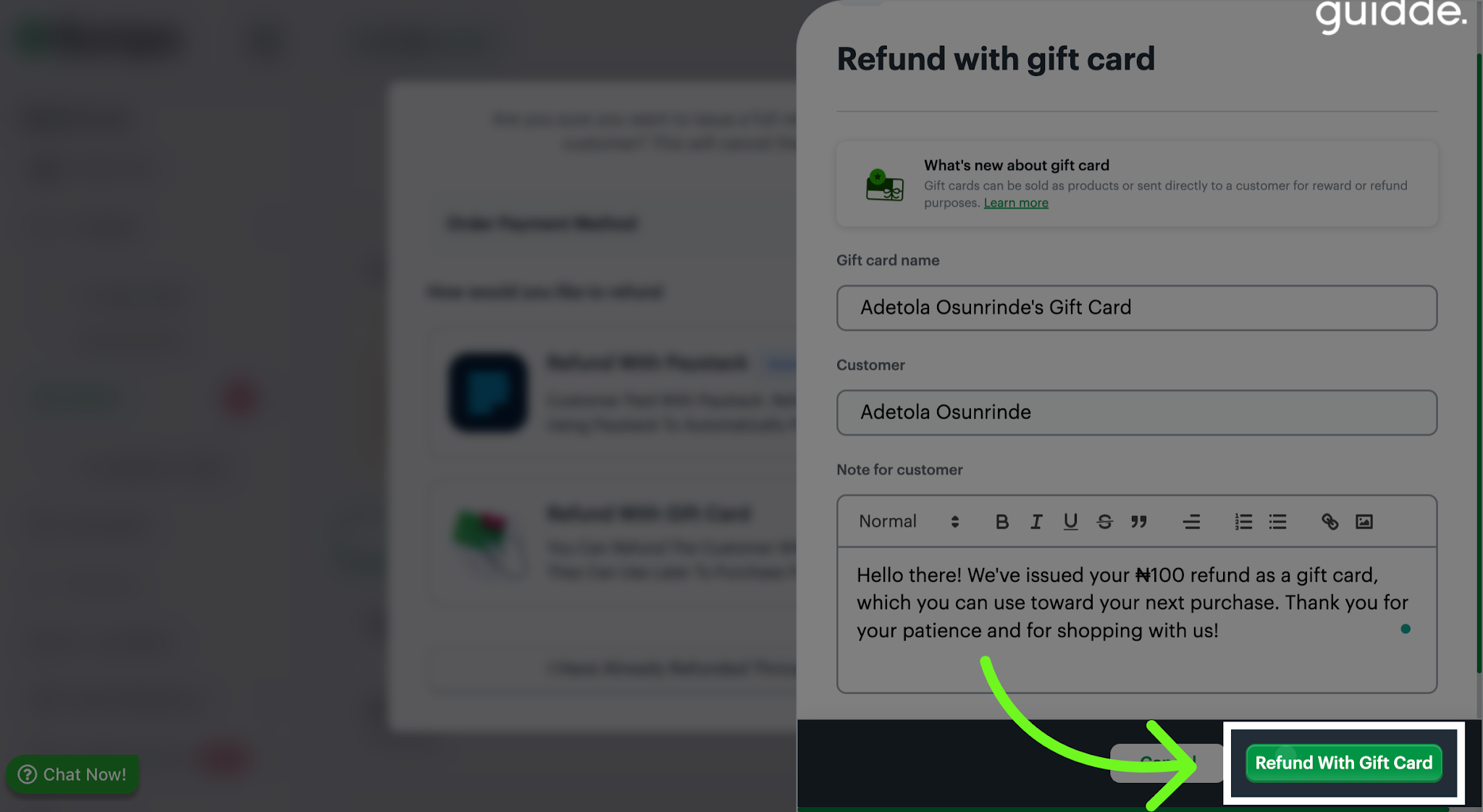
- Click Refund with Gift Card
Click the option to refund the customer using a gift card, finalizing the refund method selection.
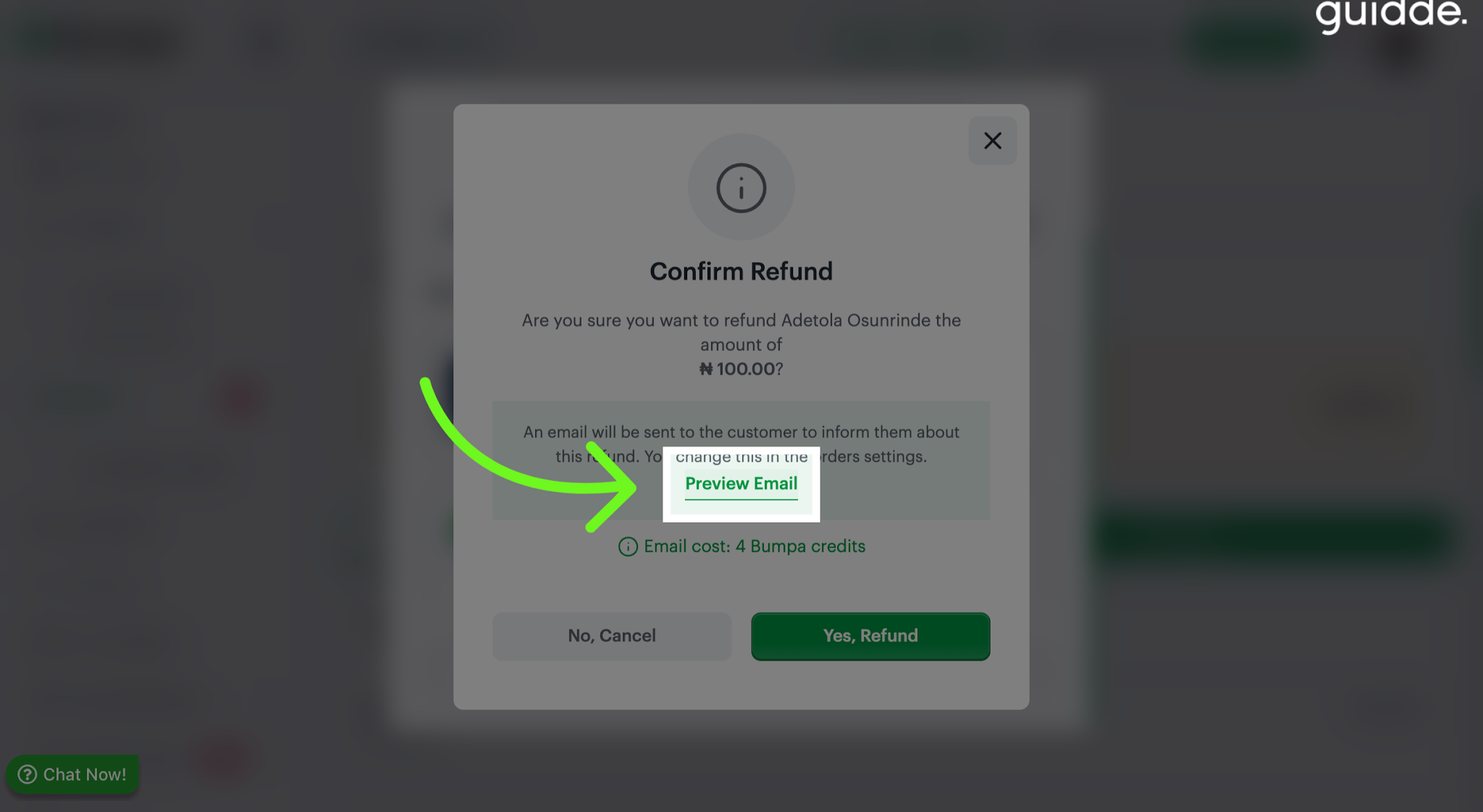
- Preview Refund Email
Click to preview the email that will be sent to the customer, showing the refund details and gift card information.
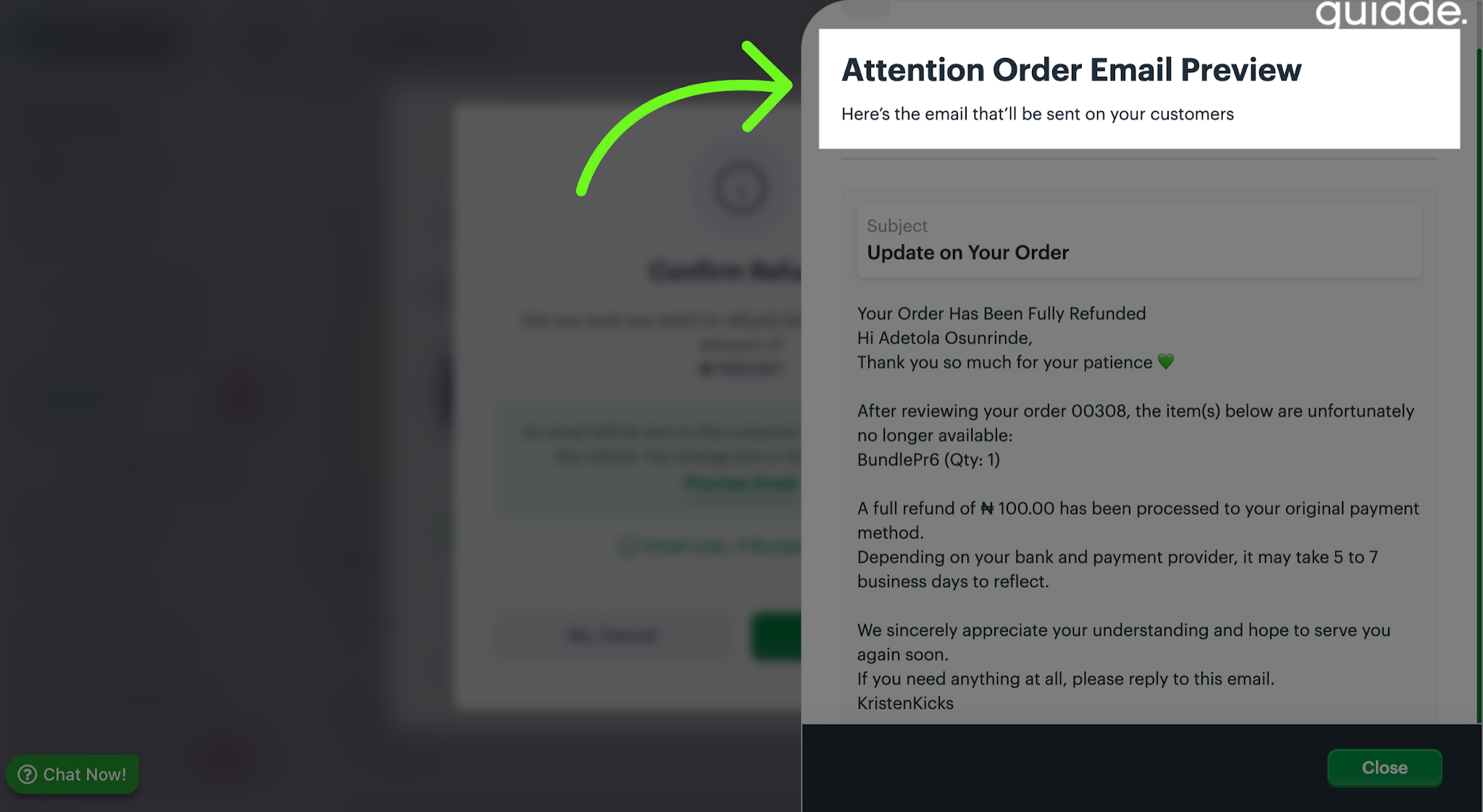
- View Order Email Preview
Click to view the order email preview, which displays the message that will be sent to the customer regarding their refund.
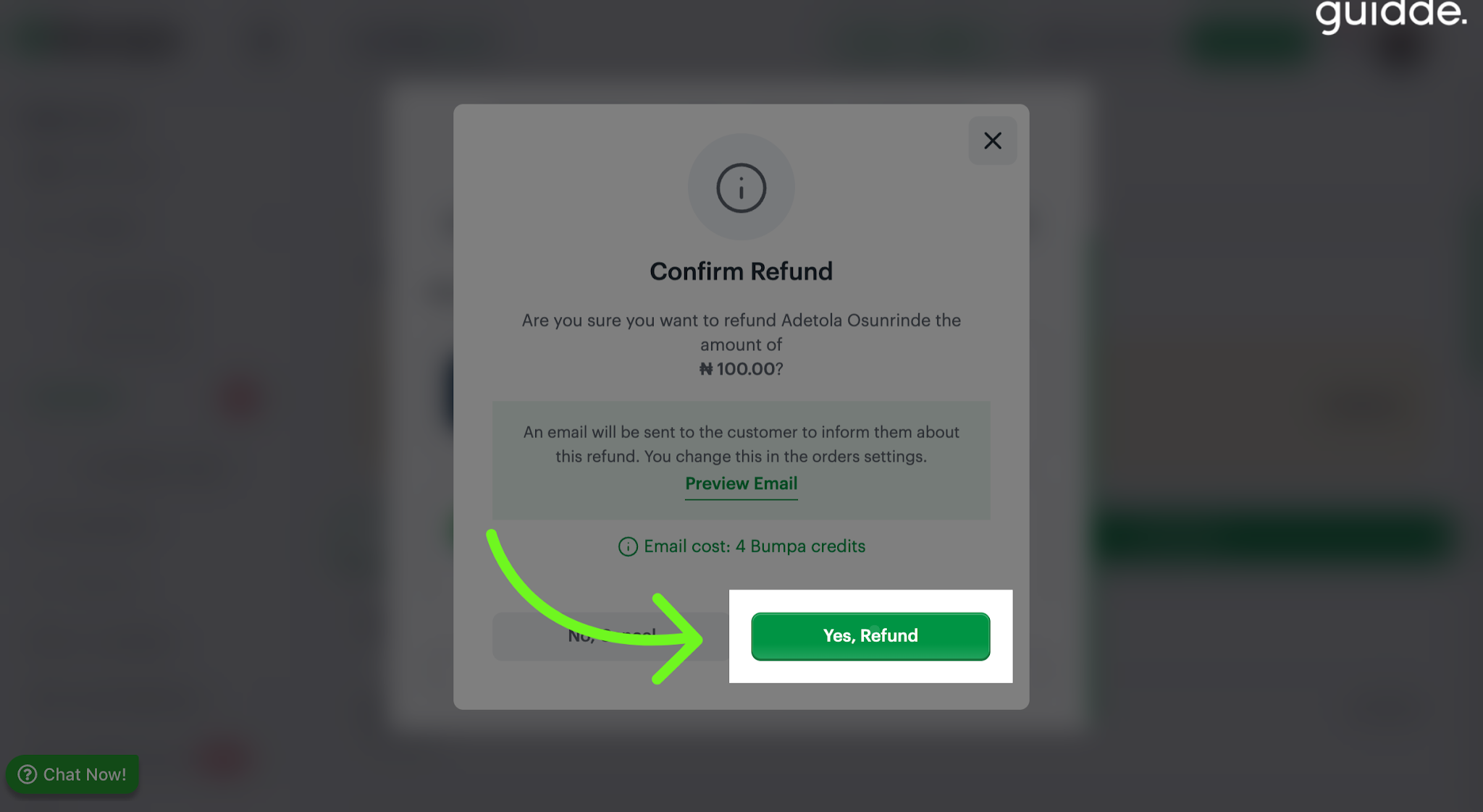
- Confirm Refund Submission
Click "Yes, refund" to confirm and submit the refund, completing the gift card refund process securely.
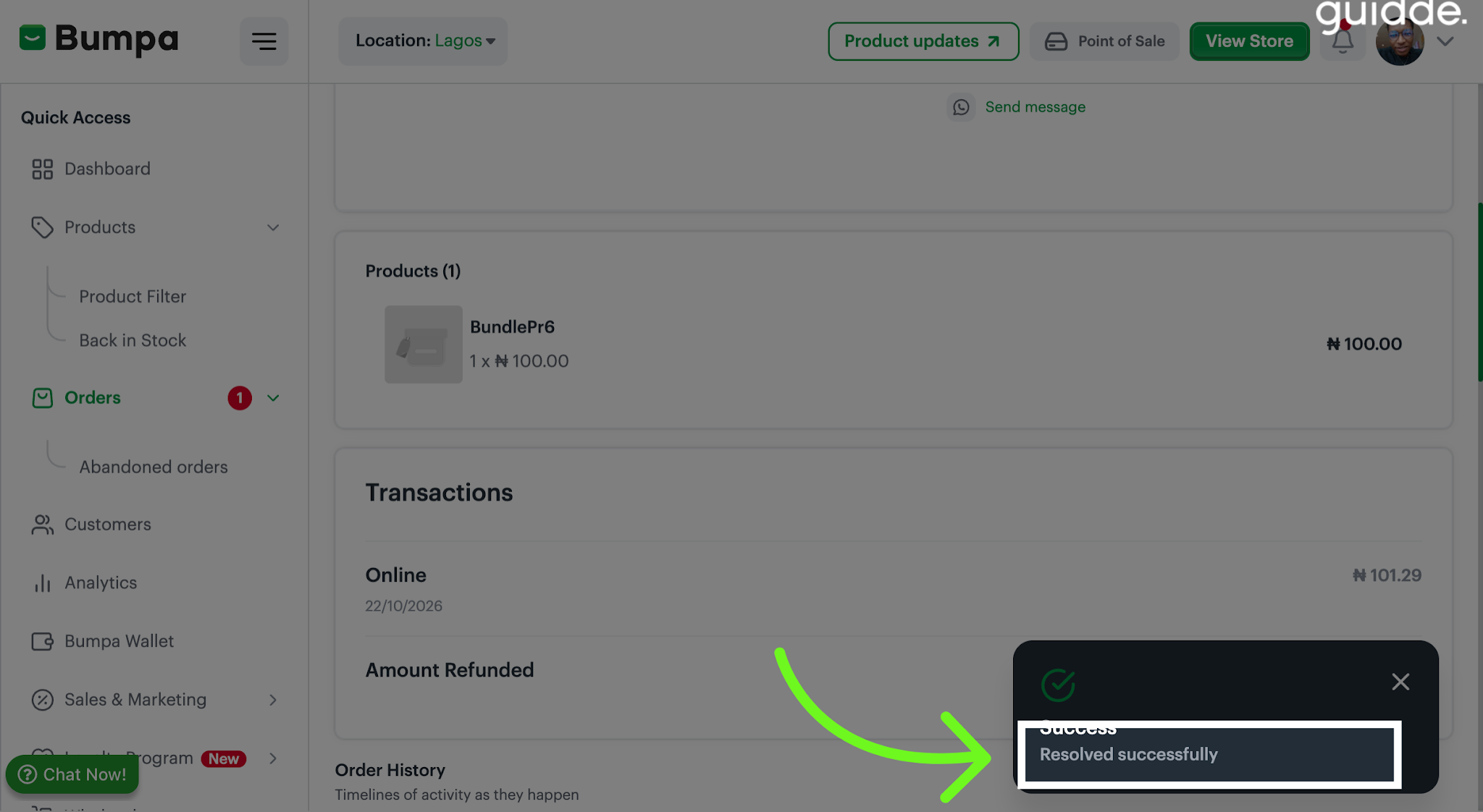
- Notification Showing Successful Refund
A confirmation message pops up indicating the refund was resolved successfully to finalize the process.
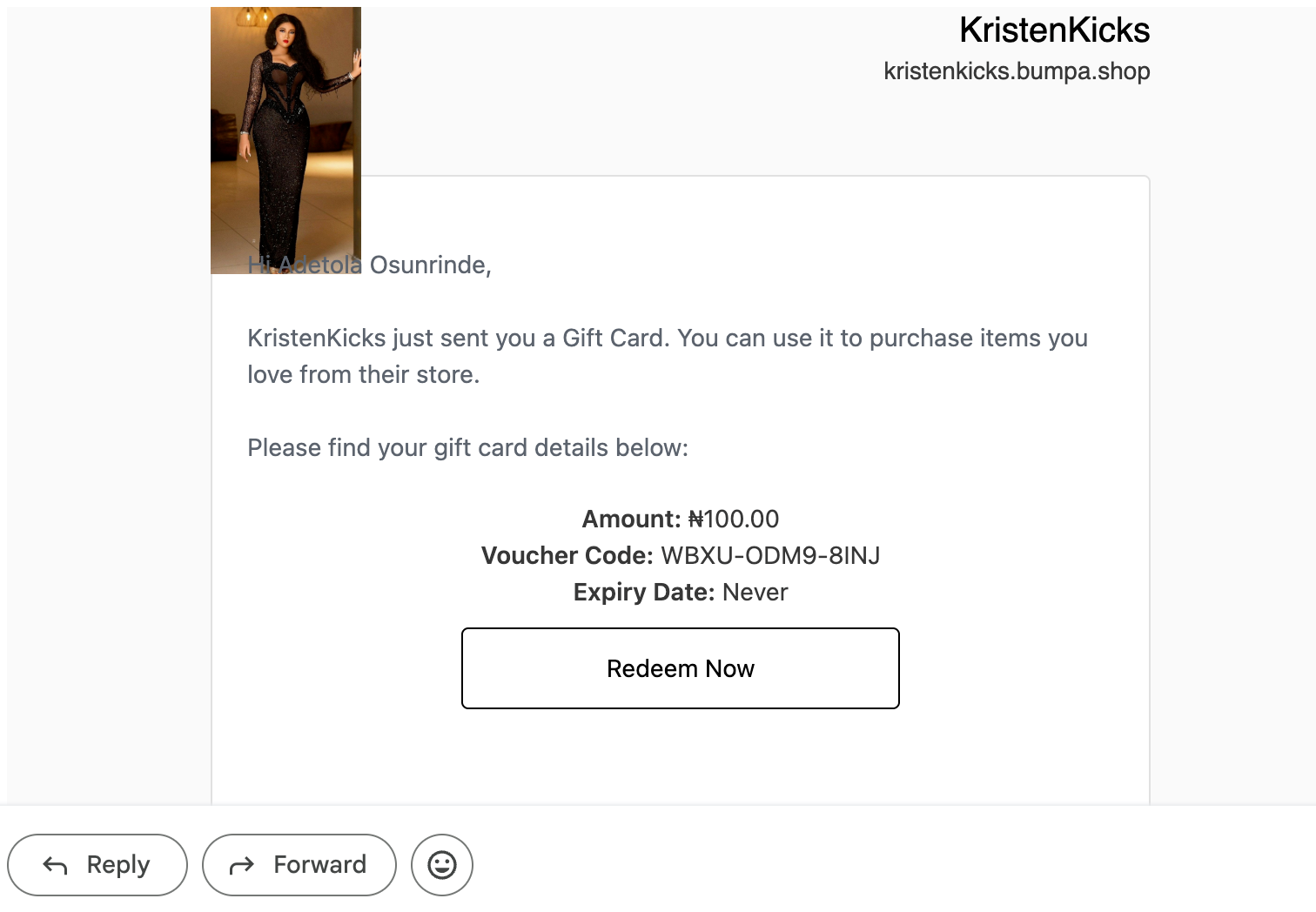
- Customer receives an email notification of refund and Gift Card Details
The customer will receive an email with their refund details and gift card information.
Was this article helpful?
That’s Great!
Thank you for your feedback
Sorry! We couldn't be helpful
Thank you for your feedback
Feedback sent
We appreciate your effort and will try to fix the article