Keeping track of multiple orders from the same customer just got easier! With Bumpa’s new Group Orders feature, you can now bring a customer’s orders together in one view by matching their email address, phone number, or name. This makes it easier to track repeat purchases, find orders quickly, and pack multiple orders together without missing any.
For example, if a customer places orders on the 3rd, 5th, and 7th of the same month, you can view all three orders together in one place instead of searching for each order separately. This is especially helpful during sales and promotions when customers may place multiple orders before their items are packed and delivered.
How to Group Orders by Customer
Visit app.getbumpa.com and log in to your account.
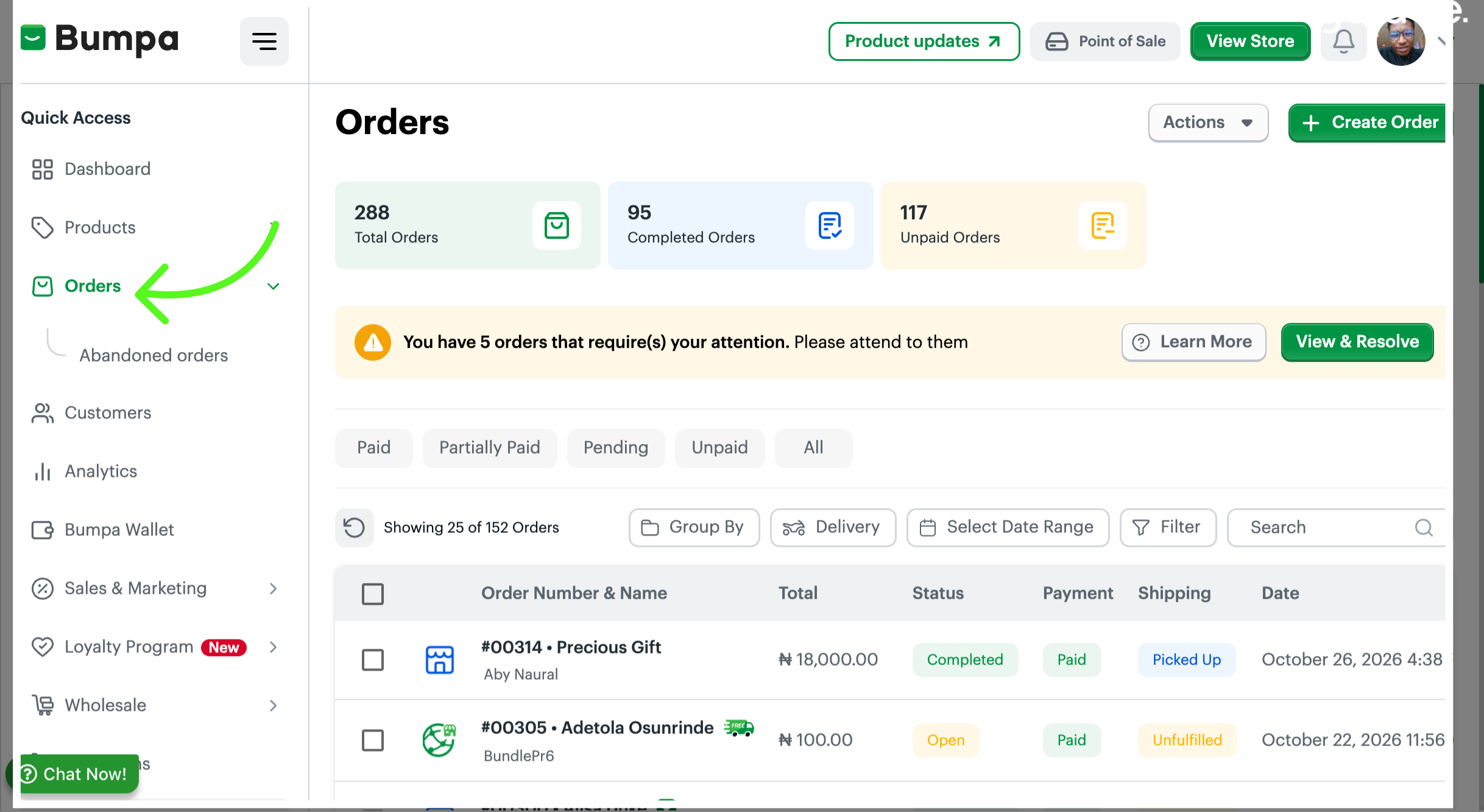
Click the Orders tab to view and manage your customer orders.
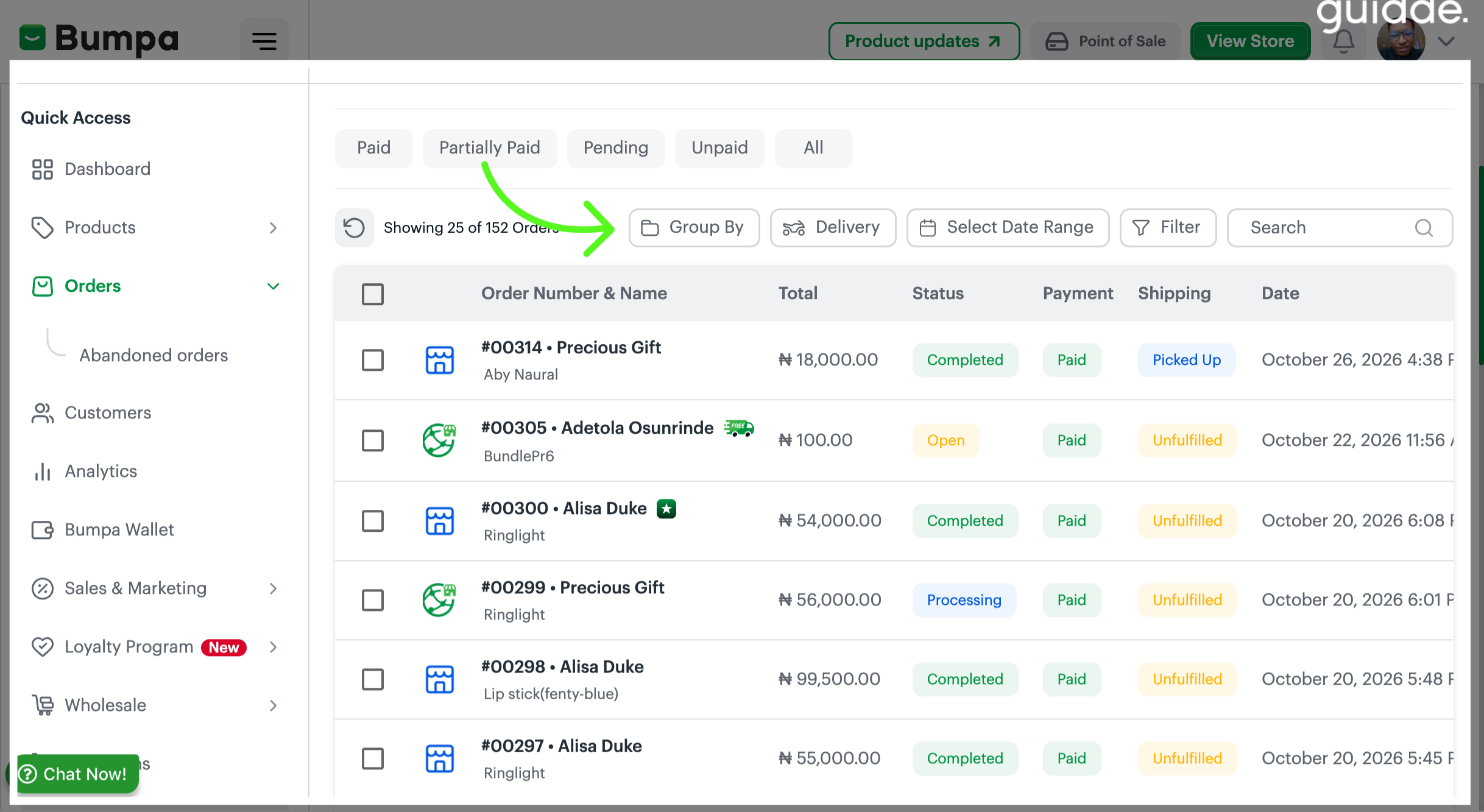
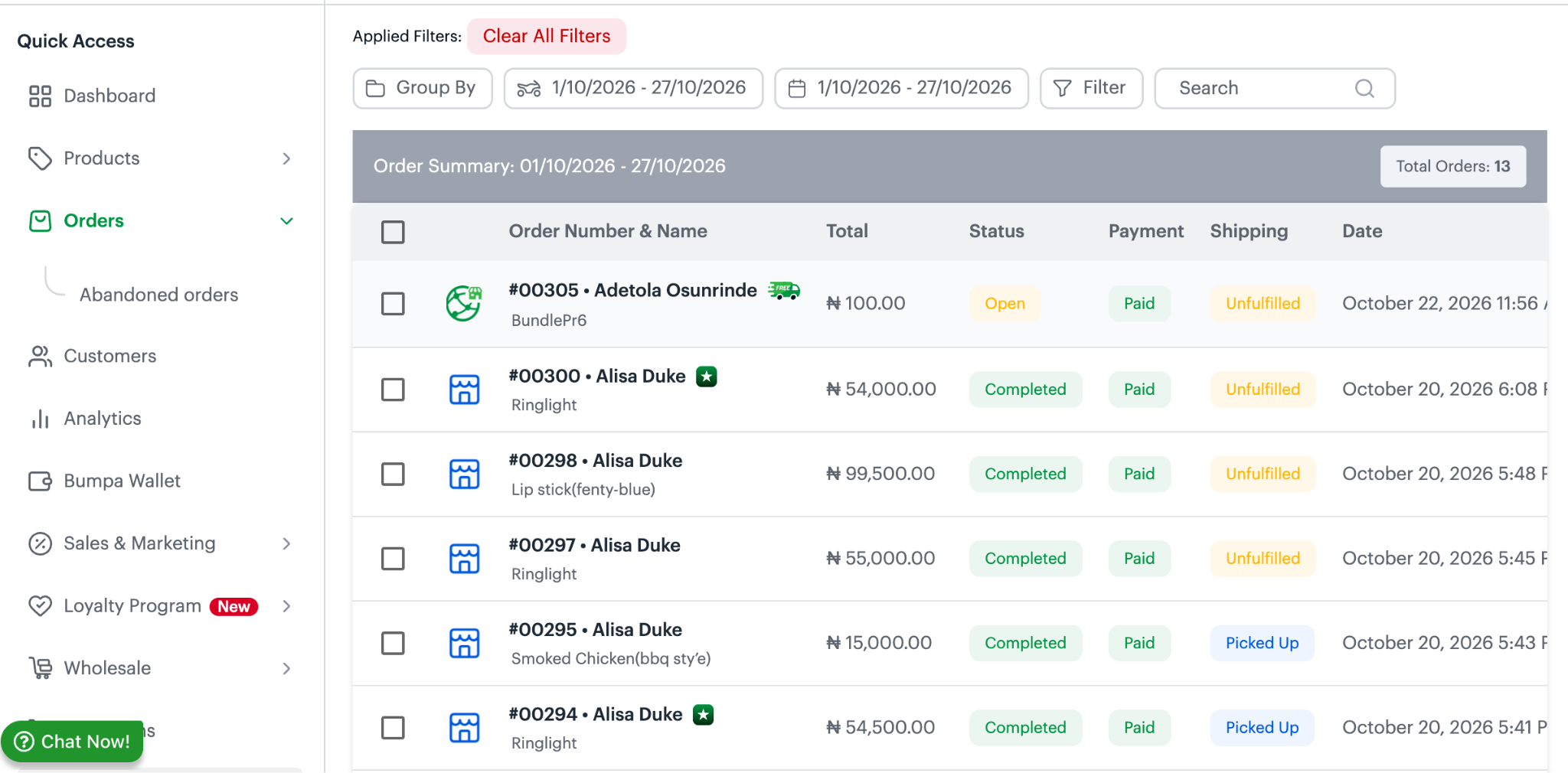
On the Orders page, click Group By to choose how you want to group your orders.
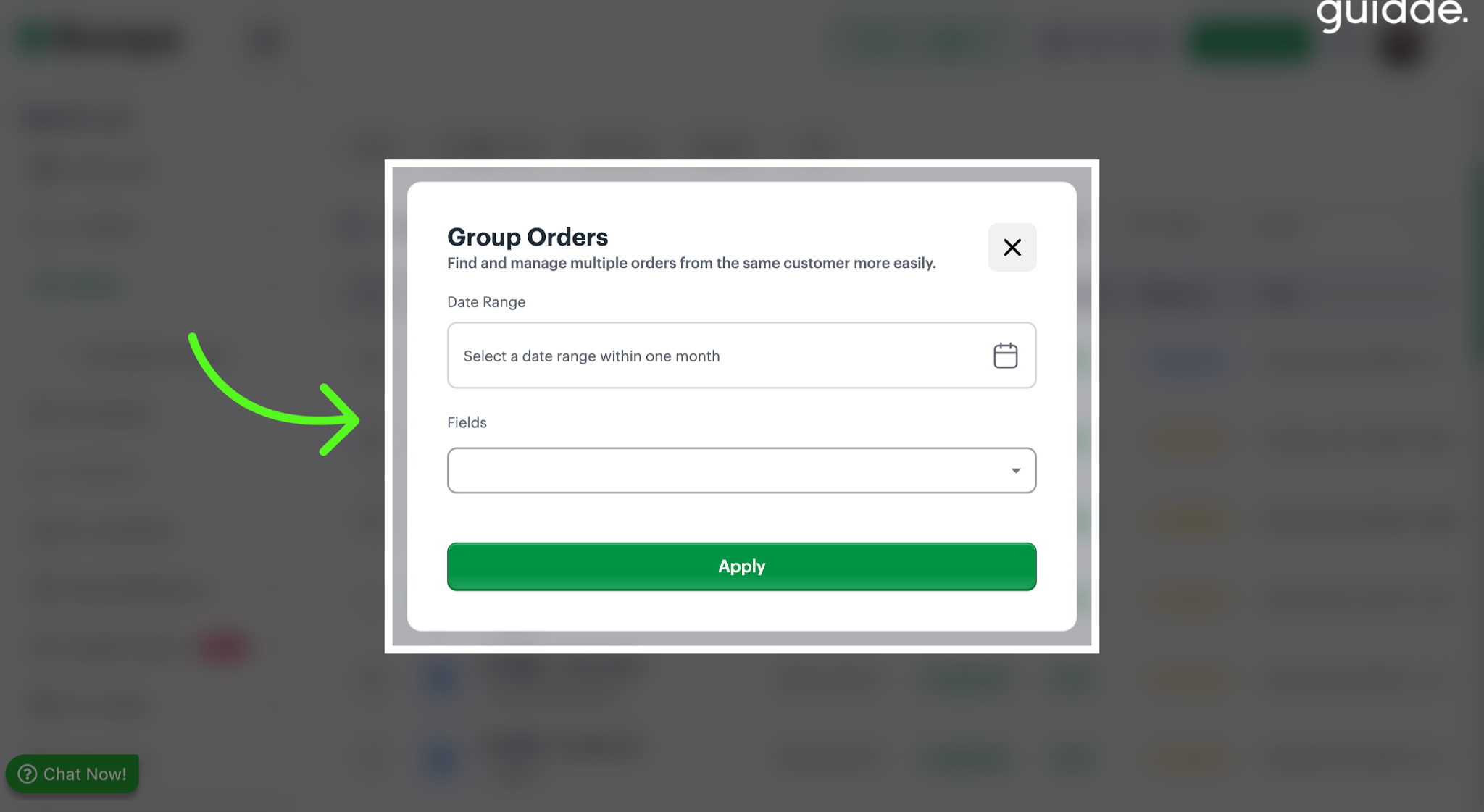
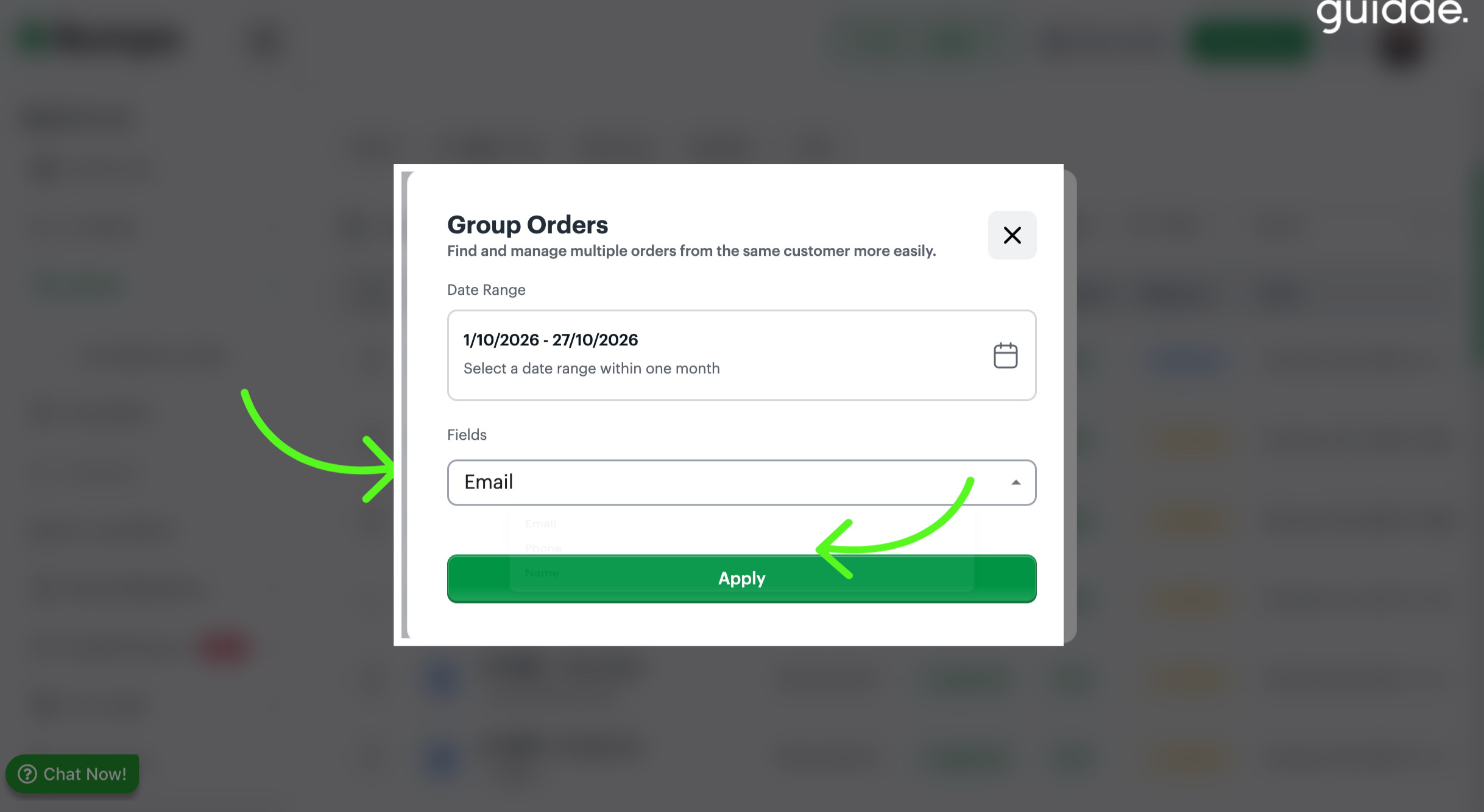
- From here, select your preferred date range and choose how you want to group the orders: by email, phone number, or customer name.
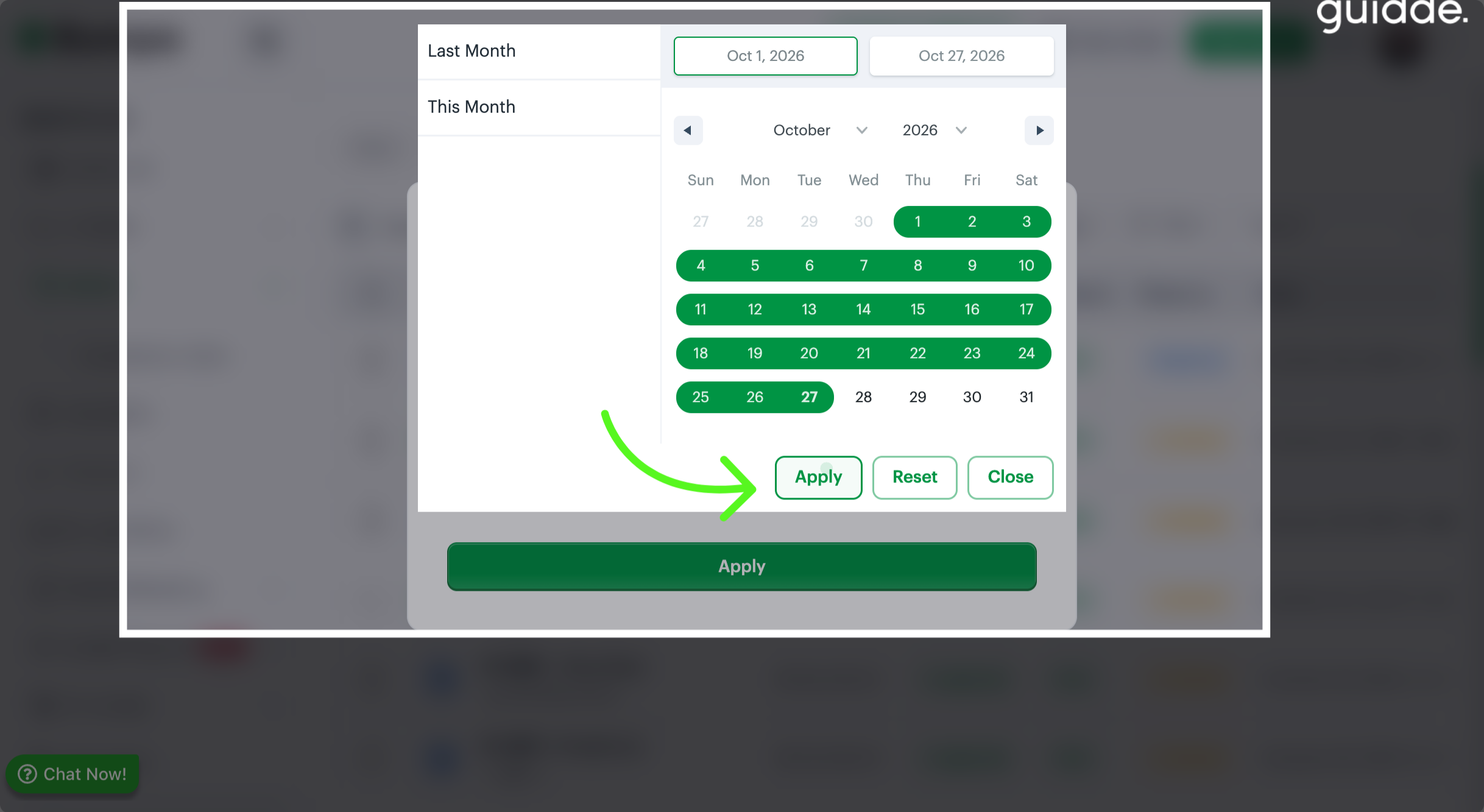
Select a date range and filter
To group orders by Customers email, select Email and Appy
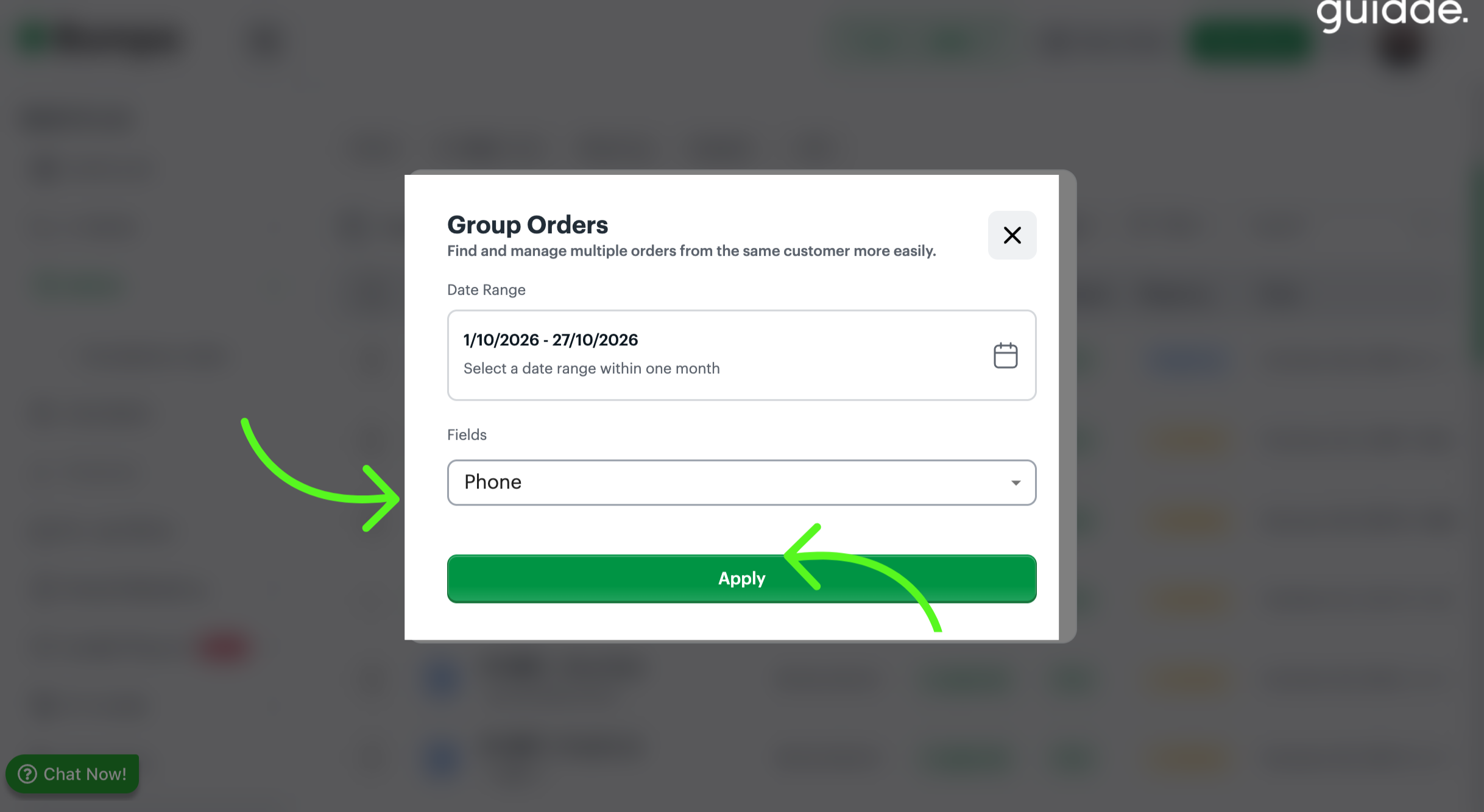
To group by Phone no, select Phone and apply
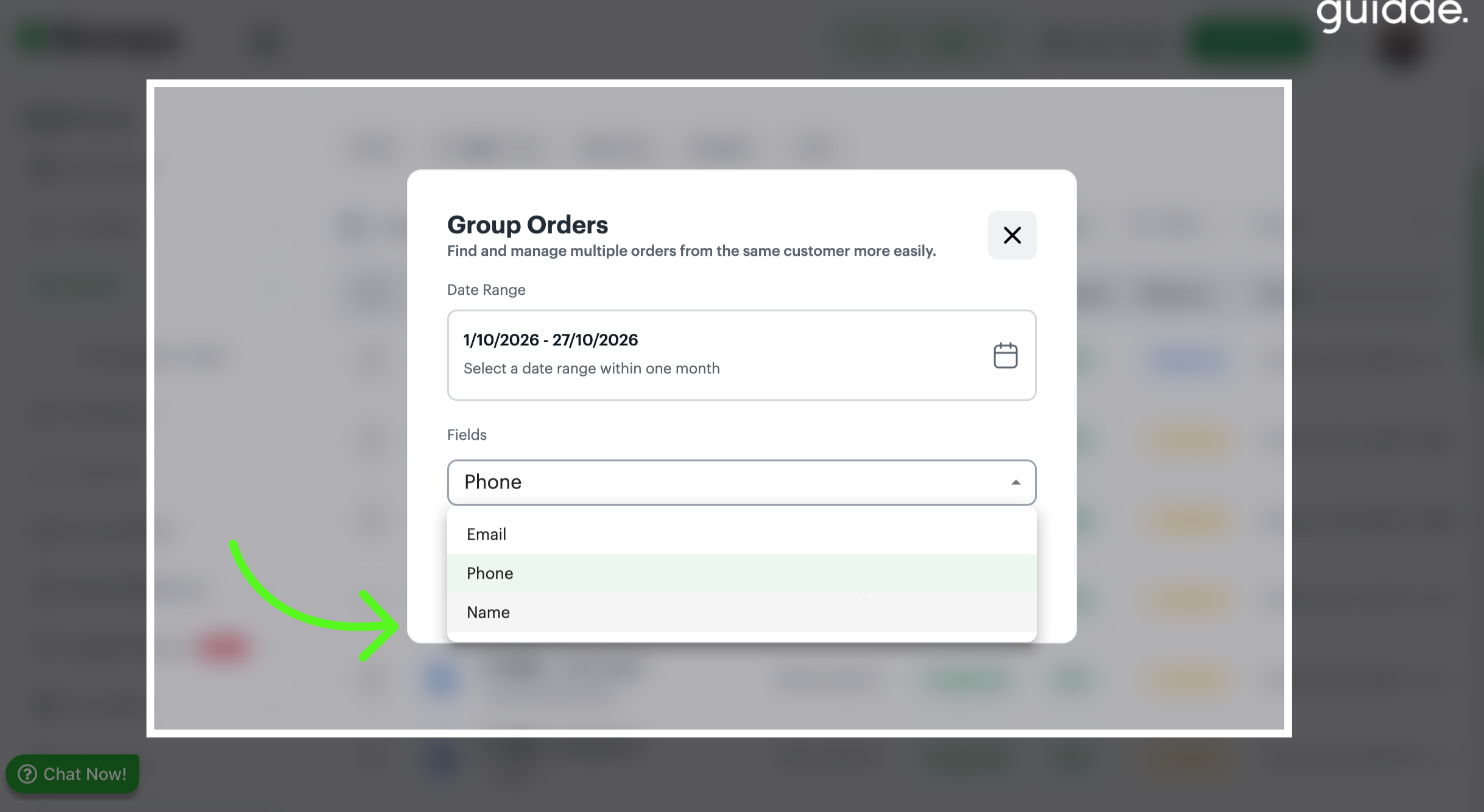
To group orders using the customer’s name, select Name and apply
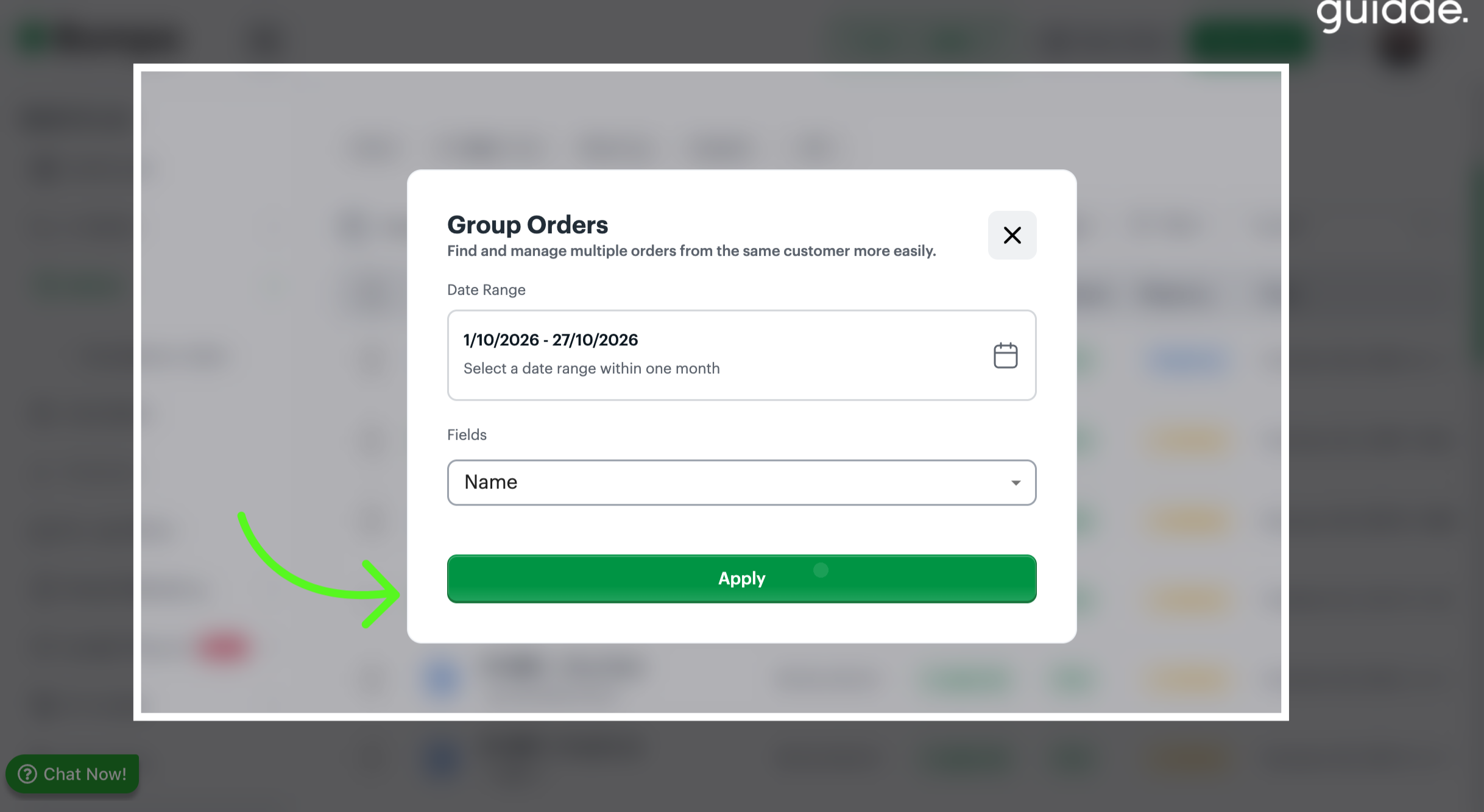
Click Apply to confirm the selected filter for the grouping
The orders are displayed based on your selected date range and grouping preference.
Related Articles:
Was this article helpful?
That’s Great!
Thank you for your feedback
Sorry! We couldn't be helpful
Thank you for your feedback
Feedback sent
We appreciate your effort and will try to fix the article