When recording an in-person sale on Bumpa POS, you can now select the sales channel the order came from. This makes it easier to track where your sales come from and gives you a clearer picture of how your business performs across channels.
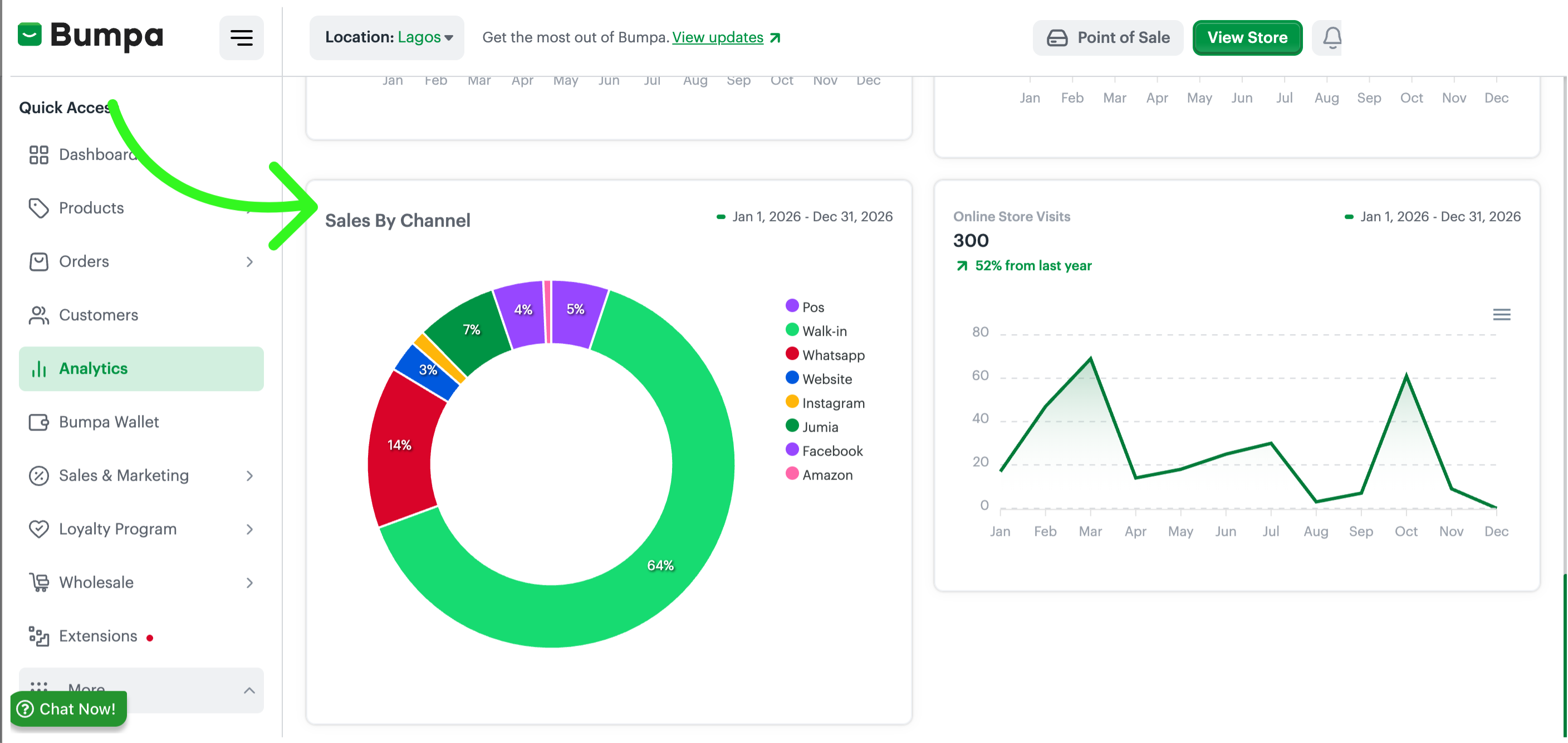
Follow the steps below to select a sales channel when creating a POS order and see how your sales appear in your analytics.
Login in to your dashboard via app.getbumpa.com
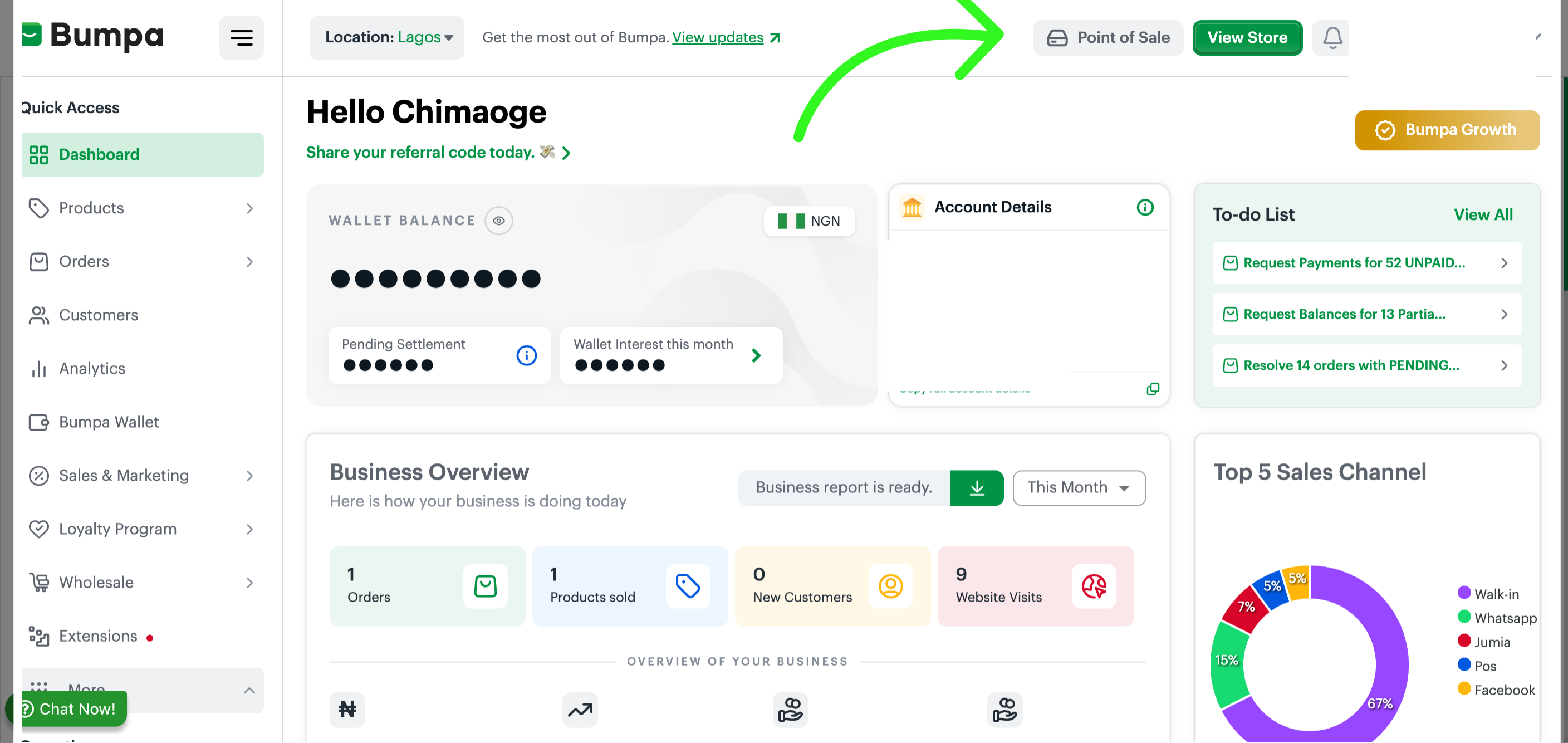
Navigate to Point of Sale to begin recording an order
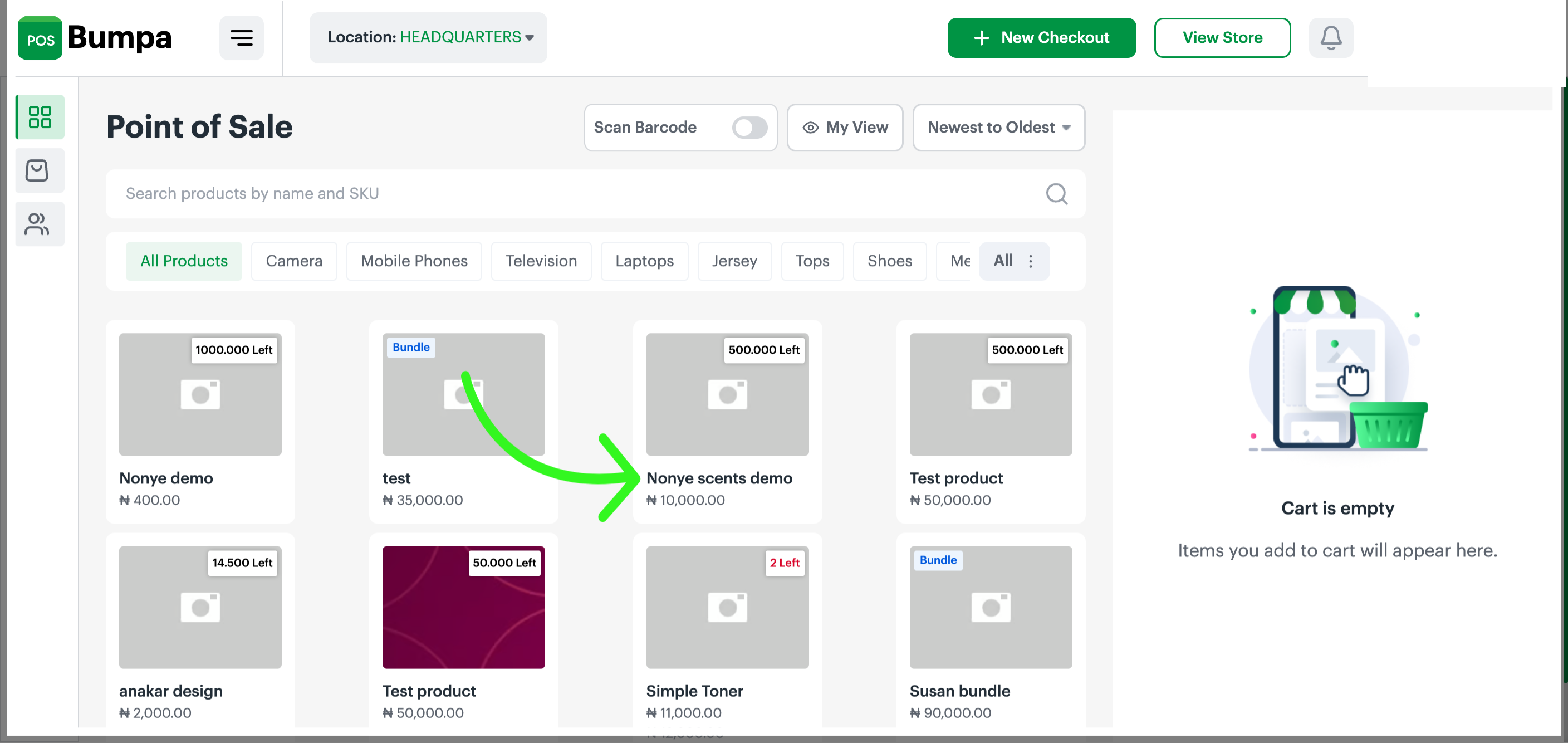
Select the product you want to sell and proceed to checkout
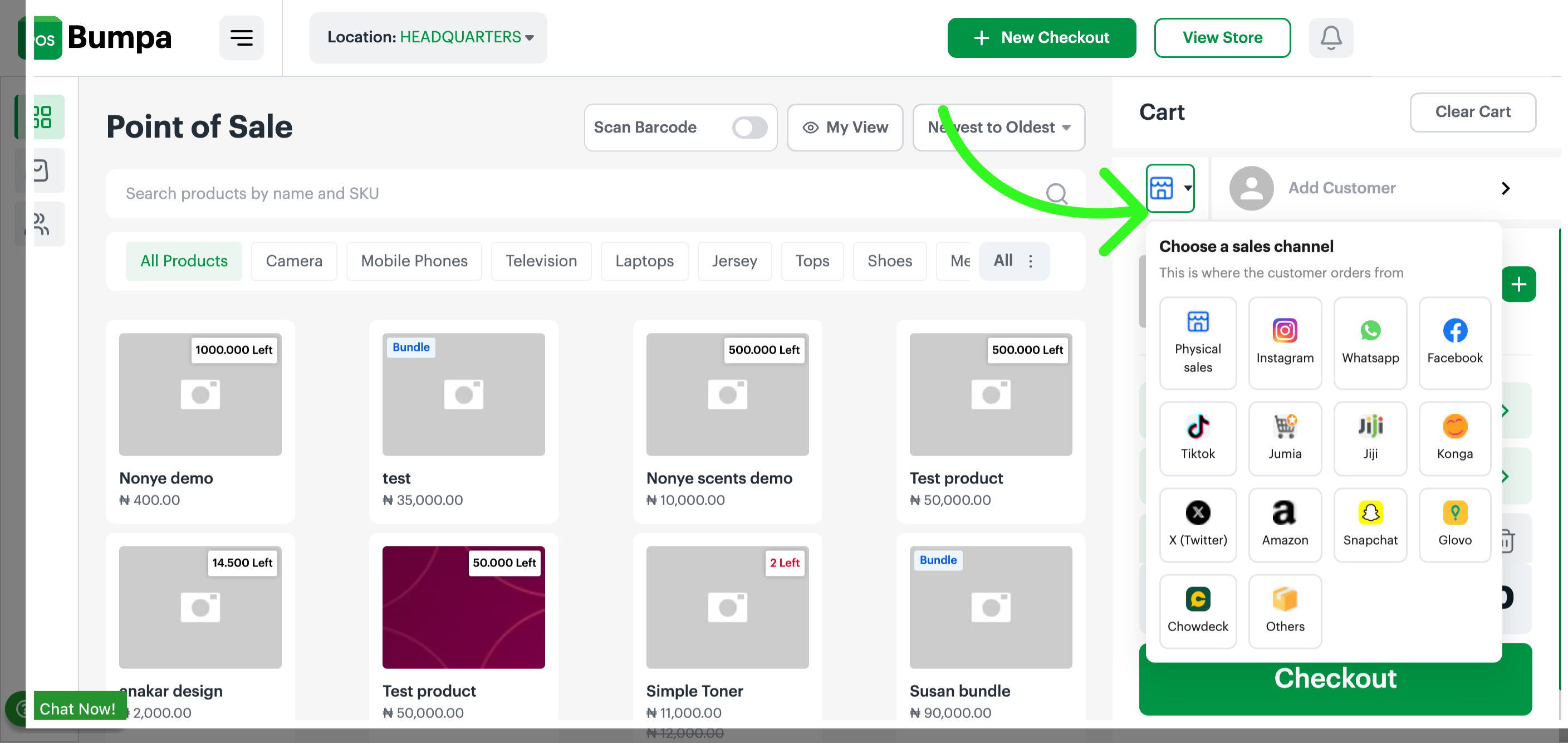
Select the appropriate sales channel before completing the checkout to indicate where the sale came from.
Was this article helpful?
That’s Great!
Thank you for your feedback
Sorry! We couldn't be helpful
Thank you for your feedback
Feedback sent
We appreciate your effort and will try to fix the article